Sign In To Get Free
AI Credits

Sign in to get everyday free AI credits, enjoy more AI edits.

PrettyUp

Sign In To Get Free
AI Credits

Sign in to get everyday free AI credits, enjoy more AI edits.

AI Face & Body Editor for Photos and Videos

Create stunning photo and video edits with PrettyUp's all-in-one AI-powered face and body editor. Retouch, reshape, enhance, and perfect every detail!

One-tap looks. Precise adjustments. Naturally you.
Try with a sample
Get the mobile app

More portrait editing tools, wherever you go.

PrettyUp

Free Online Face and Body Editing with PrettyUp

Retouch photos and videos with PrettyUp online, from face and body adjustments to makeup edits.

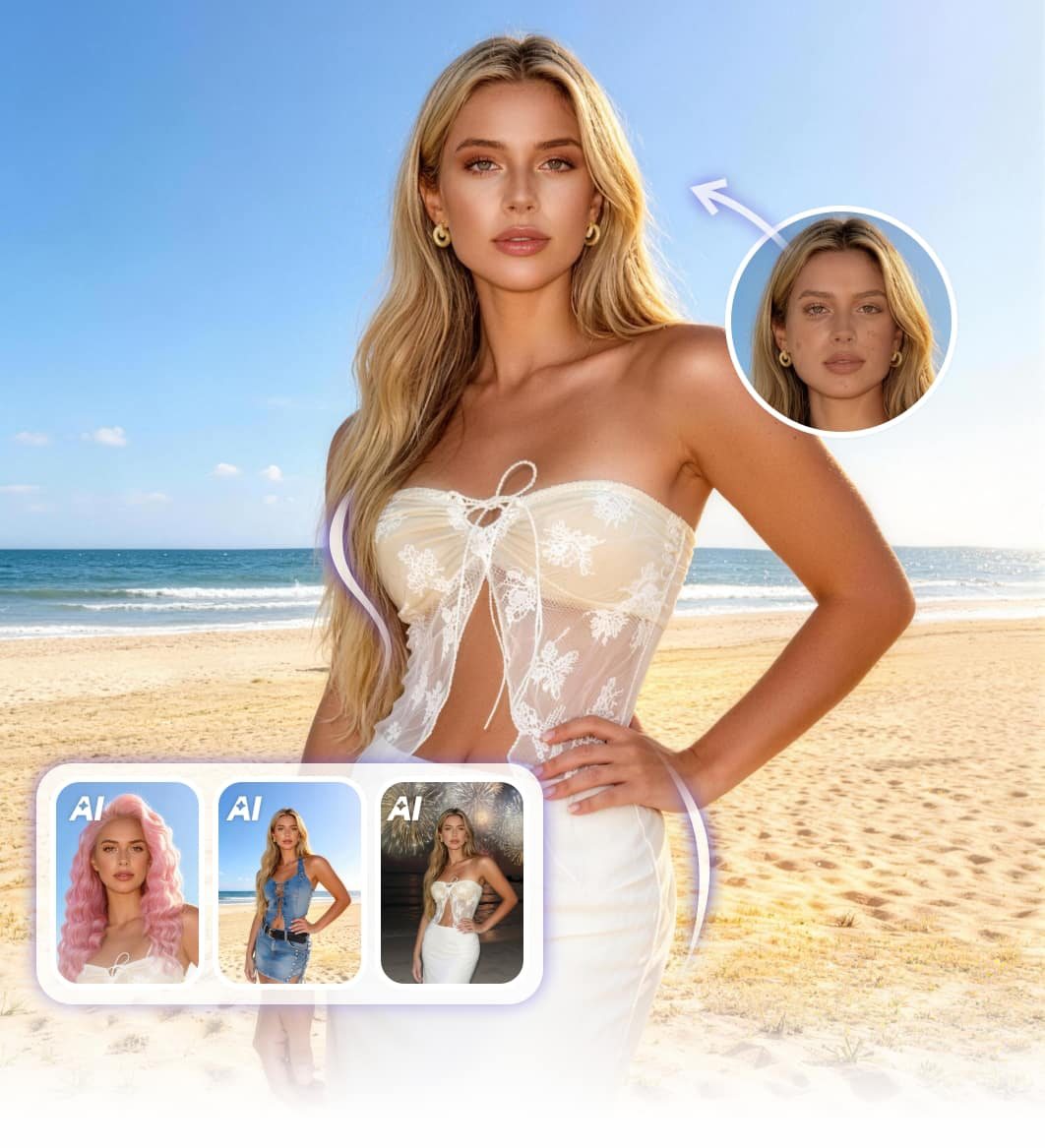
Front-facing blonde portrait beside a softly refined face-editing preview.

Fine-Tune Your Facial Features

Give selfies and portraits a more balanced look with PrettyUp’s face editor. Adjust face shape, eye size, nose width or lip size, then set the strength of each change. Presets offer a starting point when you want a quick touch-up, while individual controls help you focus on the features you want to refine.

Explore face editing
Full-length street portrait of a woman in jeans beside a proportion-editing preview.

Refine Your Body Shape

Refine the proportions in a full-length photo with adjustments for your waist, hips and shoulders. Use the slim photo editor for a more defined shape, or explore ways to look taller in photos with height and leg-length controls. Choose a preset first, then fine-tune the strength to keep the changes suited to your pose.

Explore body editing
Close-up skin retouching preview with a smaller original portrait showing visible blemishes.

Retouch Skin with a Light Touch

Soften blemishes and uneven tone in close-up portraits with PrettyUp’s photo editor. Separate controls let you fine-tune smoothing, skin tone and blemish correction to suit the photo. Keep the strength low for a subtle everyday touch-up, or increase selected effects for a more polished finish while checking the details as you go.

Retouch a photo
Evening makeup portrait with close-up previews of warm eye makeup and glossy lips.

Try Your Next Makeup Look

Build a makeup look around your portrait, from a soft everyday finish to bolder color. In the makeup photo editor, start with a natural, sweet or bold preset, then personalize lipstick, blush, eye makeup and contour. Adjust individual effects to try a stronger lip color or softer eye makeup, so the final look matches the style you have in mind.

Try makeup looks
Static video-editing illustration showing a man in front and side poses with playback controls.

Bring Beauty Edits to Video

Bring face, body and makeup adjustments together in PrettyUp’s video body editor to refine your appearance in clips. Start with small changes to your features or proportions, then play the video to see how the look feels in motion. Fine-tune the effect strength and check your clip before exporting.

Explore video editing

Explore More Looks with PrettyUp AI

Try a new outfit, expression or lighting style in your photos.

The same woman in a lavender top and a green top, with a matching green shirt reference and her full face visible in both outfit previews.

AI Clothes Changer

Choose from 1,000 outfit templates or upload your own clothing reference. Try a new style on your photo in a few steps.

Try a new outfit
Portrait of a woman with a neutral expression beside a version with one eye winking.

AI Expression Generator

Try a smile, a wink or a cool, composed expression. Explore different moods with the same portrait.

Try expressions
Short-haired woman in a striped top in ambient evening light beside a brighter flash-style portrait.

AI Flash Portrait

Give your portrait a different lighting style with IG Flash, Bright Studio or G7X Flash presets.

Try flash effects

Why Choose PrettyUp

Keep Your Look Natural

Set the strength of each adjustment for a subtle touch-up.

Presets with Personal Control

Start with a ready-made look, then fine-tune the details.

Photos and Videos in One Place

Bring face, body, skin and makeup edits into one workflow, with beauty tools for video too.

Free to Start Online

Start editing with PrettyUp in your browser. Sign in for daily free AI credits.

Simple Steps, Easy Adjustments

Upload, choose your look, adjust and save. No editing experience needed.

HD Downloads Without Watermarks

Save clear, finished edits ready to share.

What People Say About PrettyUp

Reviews from PrettyUp’s Google Play and App Store listings.

Google Play

I use it for all my photos, i can edit both photos and even videos with the paid version, i am super satisfied with the results

Ipek DincJuly 13, 2026
App Store

I paid for the lifetime subscription and it’s worth it a fantastic editor.

PimentopineconesOctober 12, 2026
Google Play

love using this! makes my skin not look as harsh as the camera looks, easy to use. very helpful if you wanna edit ur body to be skinner/chubbier too if needed

Leslie RamosMay 14, 2026
App Store

Excellent for photo edits

Kae11117July 23, 2026
Google Play

best photo editing experience !!

Rakesh YadavAugust 1, 2026
App Store

Always gets the job done

B NduJuly 26, 2026
Google Play

absolutely the best beauty editor there is.

Agnes StylesOctober 1, 2026
App Store

I love it it’s cheap and it makes my photos look so good

Bellaaa28282January 4, 2026
Google Play

one of the best edits for videos non paid still getting manny option

rajdeep baradSeptember 29, 2026
App Store

Too User Friendly!!!

Jaye Giggle'sJuly 3, 2026

PrettyUp, Trusted by Millions

50M+

Downloads across iOS & Android

30,000,000+

Beauty edits applied monthly

FAQs About PrettyUp

What can I edit with PrettyUp?

PrettyUp brings face, body, skin and makeup tools together for beauty editing. You can also explore outfit changes, expressions and flash portrait effects for photos, plus a dedicated editor for video touch-ups.

Is PrettyUp free to use online?

PrettyUp is free to start. You can open the online editor without installing anything.

Can I edit both photos and videos?

Yes. Choose the photo editor for still images or the video editor for clips.

Is it safe to upload photos to PrettyUp?

Uploaded user media is used only for editing and processing. All uploaded media will be automatically deleted within 24 hours.

Can I adjust effects after choosing a preset?

For face, body, skin and makeup edits, you can start with a preset and fine-tune the available controls. Lower the strength for a lighter touch or adjust individual features to suit your photo.

Can I upload my own outfit reference?

Yes. In AI Clothes Changer, choose a ready-made outfit template or upload a clothing reference image. Use a clear photo and a reference with visible garment details to help guide the result.

Can I download my edits in HD without a watermark?

PrettyUp offers HD downloads without a watermark. The final resolution depends on your original file and the export options available for the tool and plan you use.

Do I need to install anything, and will my work be saved?

You can edit in your browser without installing software. Export your result before refreshing or closing the page, because the current web editor does not automatically save your project.

Where can I get PrettyUp for my phone?

PrettyUp is available on the App Store for iPhone and on Google Play for Android. Use the download buttons below to open the official store listing.

Take PrettyUp with You

Keep PrettyUp on your phone for photo and video touch-ups wherever you create.

FAQ About App Version
PrettyUp mobile screens showing body and face editing tools on two phones.