
Have you ever seen a short video like this recently: the scene is at a baseball game, and the camera suddenly cuts to the big screen, and a person appears on it waving to the camera, showing love, or showing a surprise expression, as if it was captured by the live director? This "big-screen baseball game" video, which is very popular on overseas social platforms, actually does not require you to actually go to the stadium. Using PrettyUp's AI image-to-video function, you only need a photo to generate your own large-screen video of a baseball game with just one click.


What is a baseball game screen?
Baseball Game Big Screen is an AI template in PrettyUp’s image-to-video function. You upload a photo, and AI will automatically combine your image onto the big screen at the baseball game to generate a short video full of immersion. The effect is like when you are watching a live football game and the camera just happens to catch you.
Core highlights:
- A photo can be generated without recording a video
- AI automatic synthesis, the background blends naturally, and the picture is smooth
- The best effect is for a single person, suitable for full body or half body photos
- The atmosphere at the baseball game is full, with stadiums, spectators, and large screens all available.
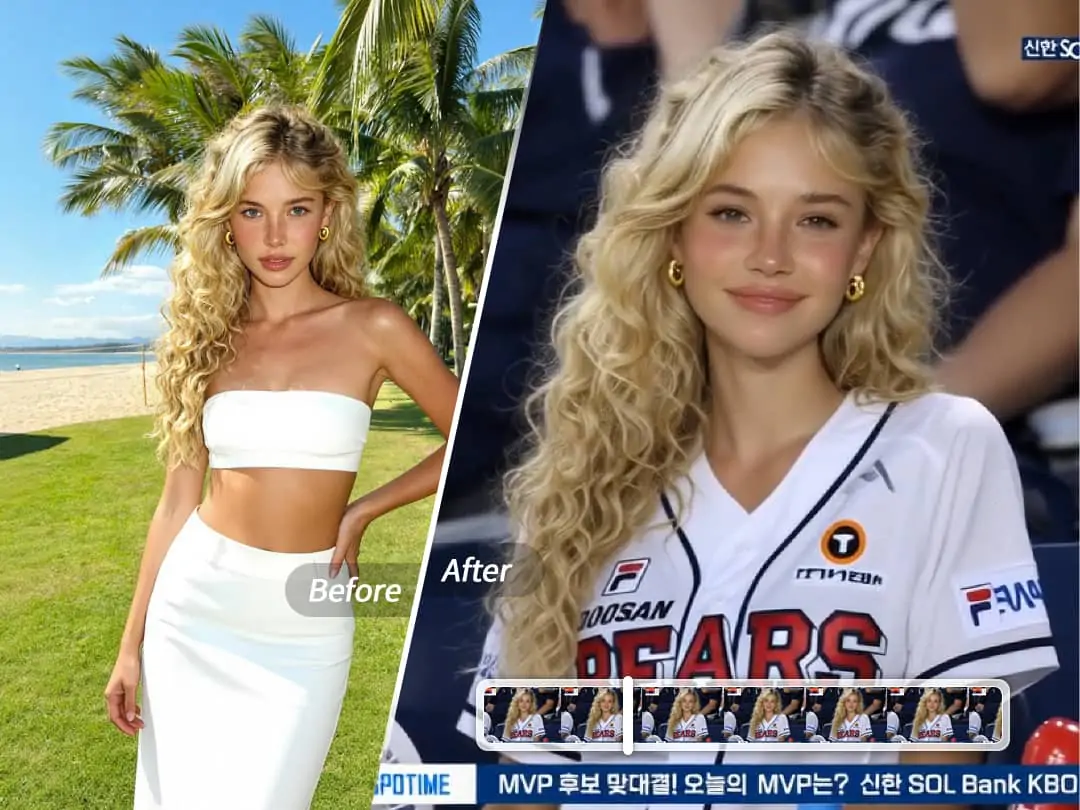
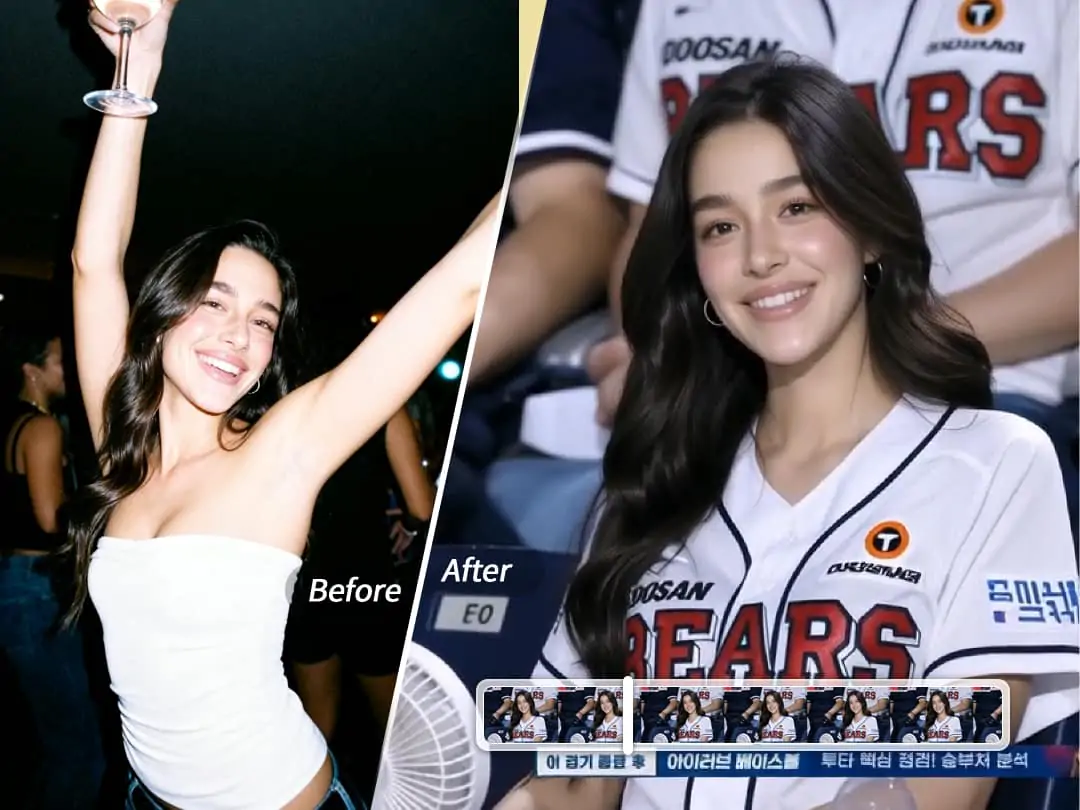
Baseball game large screen effect display
The same template, different photos can bring a completely different "story sense". The following types of photos are most suitable for generating large-screen videos of baseball games:
Enter with confidence——Full-body or half-body photos, with natural and confident expressions. The image looks like a player being captured on the big screen as he enters the stadium. He is handsome and aura.
surprise moment——Showing surprise or happiness to the camera looks like it was suddenly captured by the live director, which is real and contagious.
After generating, remember to save and share it on social platforms, or @prettyup.app to let more people see your work. We will also occasionally share hot trends and users’ wonderful works on our official Instagram. Follow @prettyup.app for more inspiration.
How to use the baseball game screen?
The operation is very simple, and you can generate your big-screen baseball game video in just a few steps.
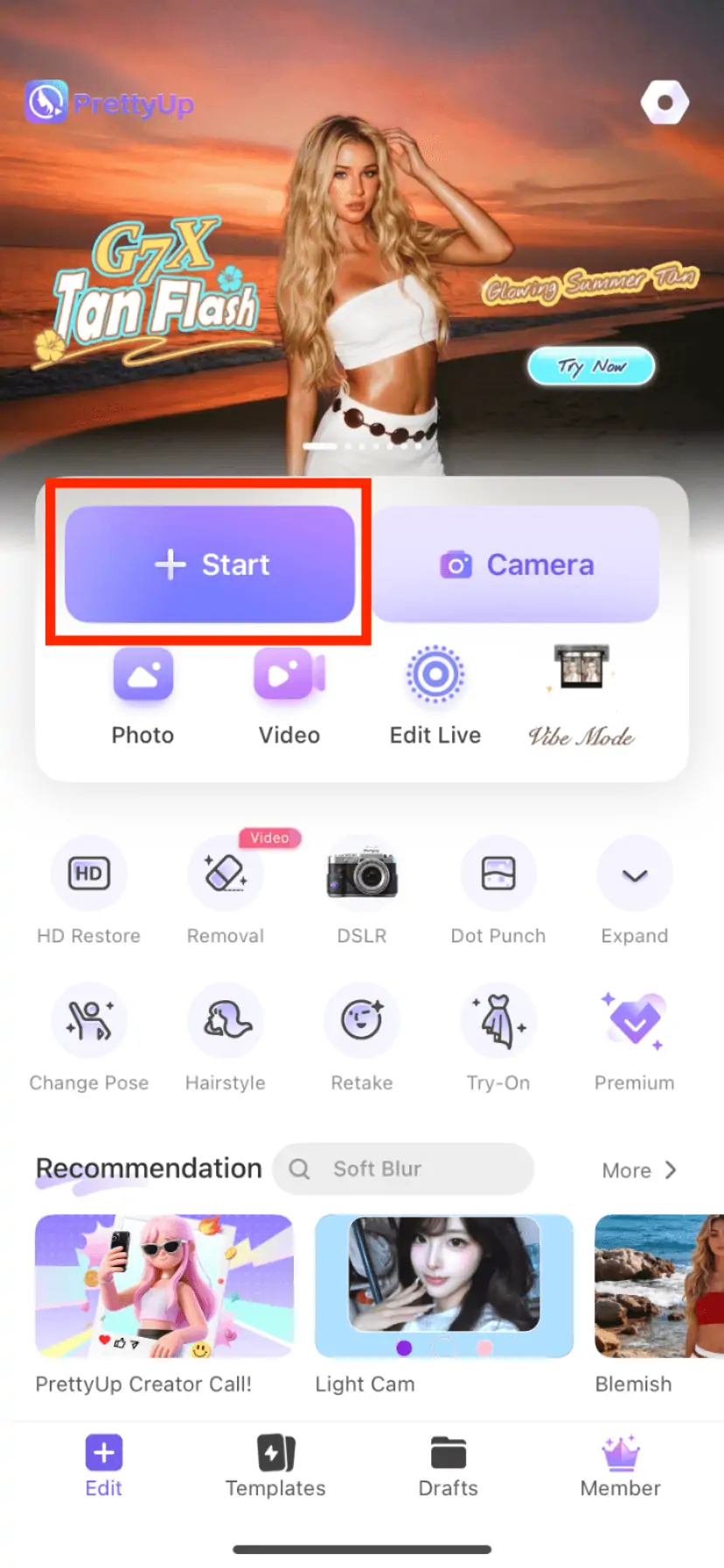
Step 1: Open PrettyUp and enter the AI image to video conversion function
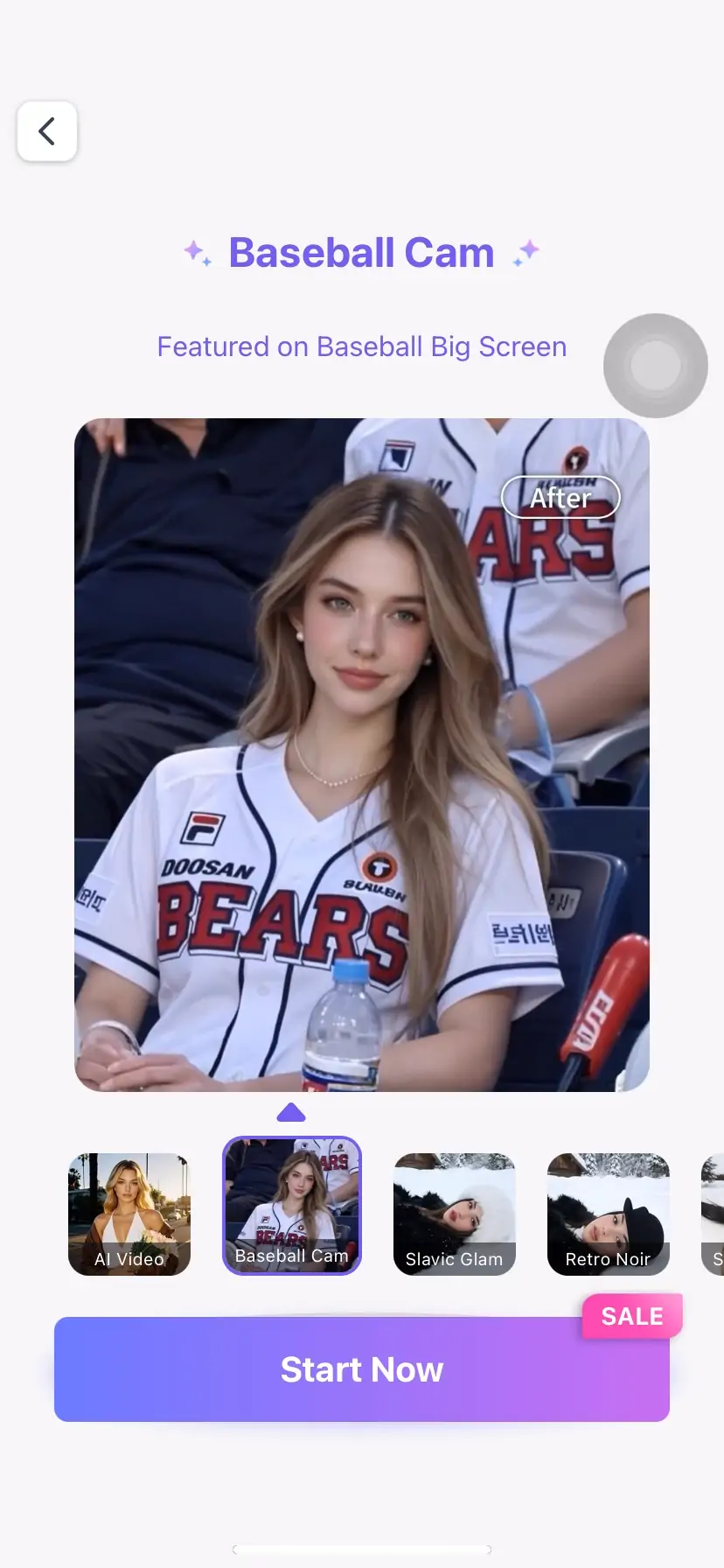
Step 2: Select the "Baseball Game Big Screen" template
Step 3: Select a photo from the album to upload (it is recommended to choose a photo with a clear face and sufficient lighting)
Step 4: Click Generate and wait for AI to automatically synthesize the video
Step 5: Preview the effect, save to album or share directly to social platforms
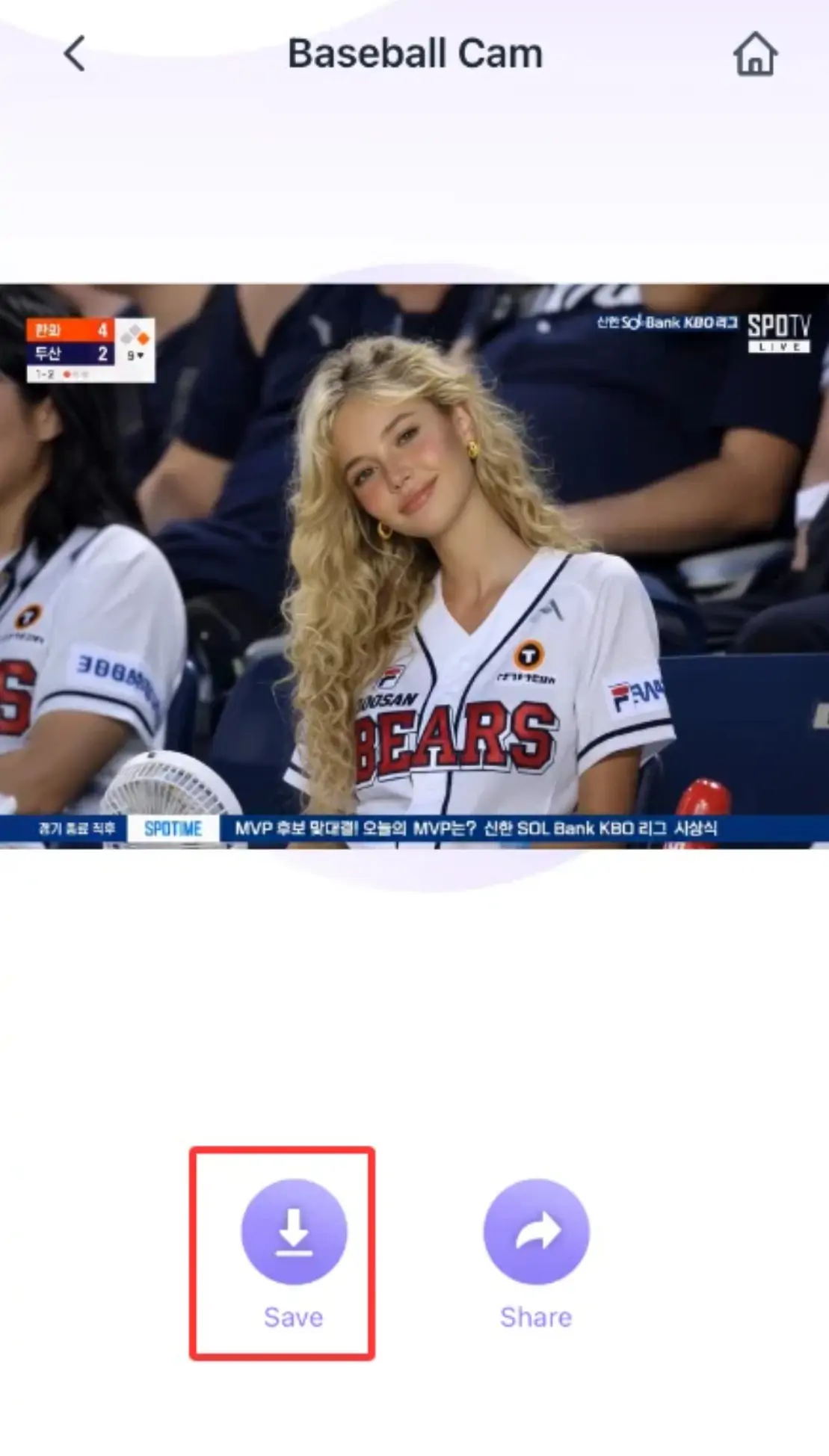
The entire process only takes a few dozen seconds, and requires no editing, no need to go to the stadium, and no need for any production experience.
More tips
Choose the right photo for better results——Photos with clear frontal faces and unobstructed faces have the most natural effect. If the person in the photo is too small or the angle is too off, the AI synthesis effect may not be ideal.
Edit the picture first and then generate it——If the light or skin color of the photo is not satisfactory enough, you can first use PrettyUp's image quality repair or skin color adjustment function to make the photo in a better condition before generating a video, which will give you better results.
Make it more prominent with background blur——If the background of the original photo is messy, you can first use PrettyUp's background blur or AI elimination function to clean it up, making the subject more prominent and the resulting large-screen image more focused.
Follow the official IG for the latest trends——Popular AI video trends are constantly changing. Follow PrettyUp official Instagram @prettyup.app to learn about new templates and gameplay first.
Summarize
Baseball game big screens are a hot trend on social platforms right now. You don’t need to go to the stadium or professional equipment. A photo can make you appear on the big screen at a baseball game. PrettyUp's AI picture-to-video function makes this process simple enough. Open the app, select a photo, and you can have your own highlight moment of the game in just a few dozen seconds.
Download PrettyUp to try out the baseball game screen template and be sure to follow @prettyup.app for more inspiration!