
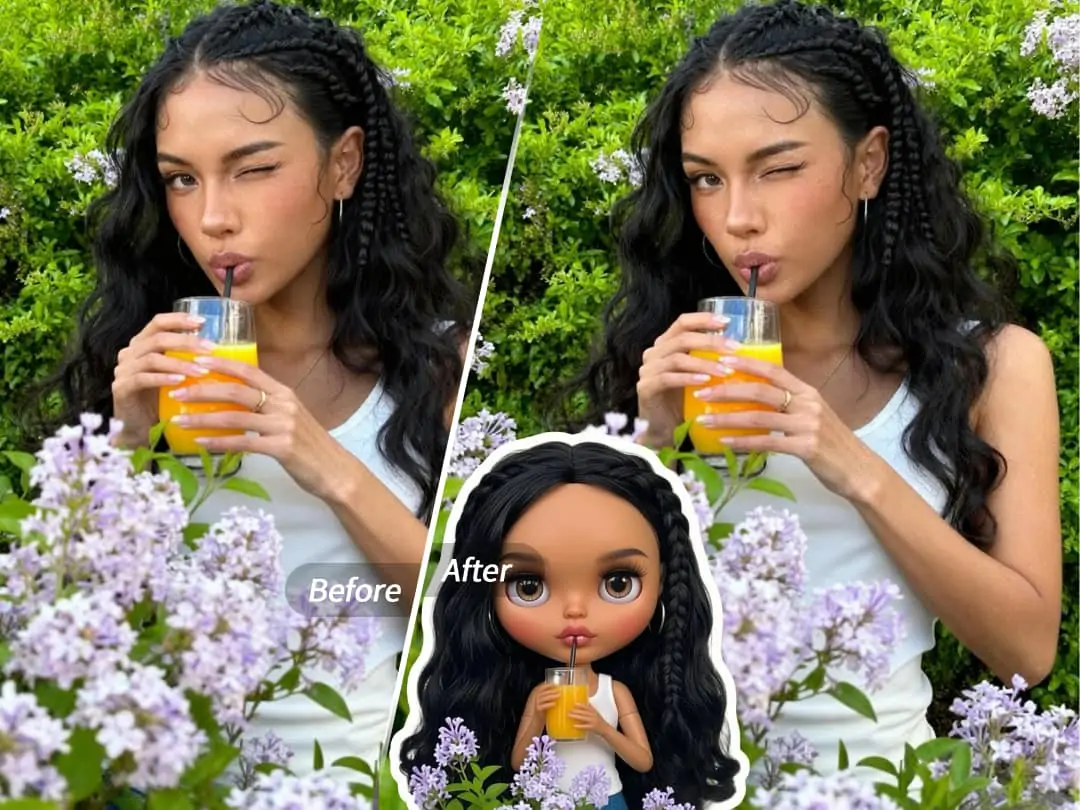
Have you noticed that comic-style avatars with big heads, big eyes and small mouths are very popular on social platforms recently? It's a bit like the style of Blythe dolls - the head is proportionally larger, the eyes are round and bright, and the overall look is cute and artistic. This effect used to require professional design software to achieve, but now using PrettyUp’s comic face function, you can upload a photo, select a preset, and it can be generated with one click.


What is a caricature face?
Cartoon Face is a portrait stylization tool in PrettyUp that can transform ordinary photos into Blythe doll-style cartoon avatars with one click. AI will automatically recognize the facial features of the person in the photo, re-adjust the head proportions, enlarge the eyes, and shrink the mouth, giving a unique "baby face" effect.
Core highlights:
- One-click generation: Just select the preset after uploading the photo, no need to manually adjust any parameters
- 2 preset styles: different eye proportions, skin color expression and overall atmosphere, there is always one that suits you
- Suitable for different races: No matter what skin color or facial contour, the effect can be blended naturally without the rigid feeling of "template"
- Directly available: Open PrettyUp and enter the function directly, with clear operation entry
Comic face effect display
2 presets covering different styles of manga face effects. From a more natural style that is closer to life-like proportions, to an exaggerated and adorable style, each retains the personal characteristics of the original photo while incorporating classic elements of the Blythe dolls.
Adaptive effects for various skin tones and facial features——The caricature face effect works equally well on photos of different races. Whether it’s a warm skin tone or a cool skin tone, whether it’s deep facial features or soft contours, AI can accurately identify and transform it naturally. This means you don't need to worry about your photos not being "suitable", you can just upload them and see the results.
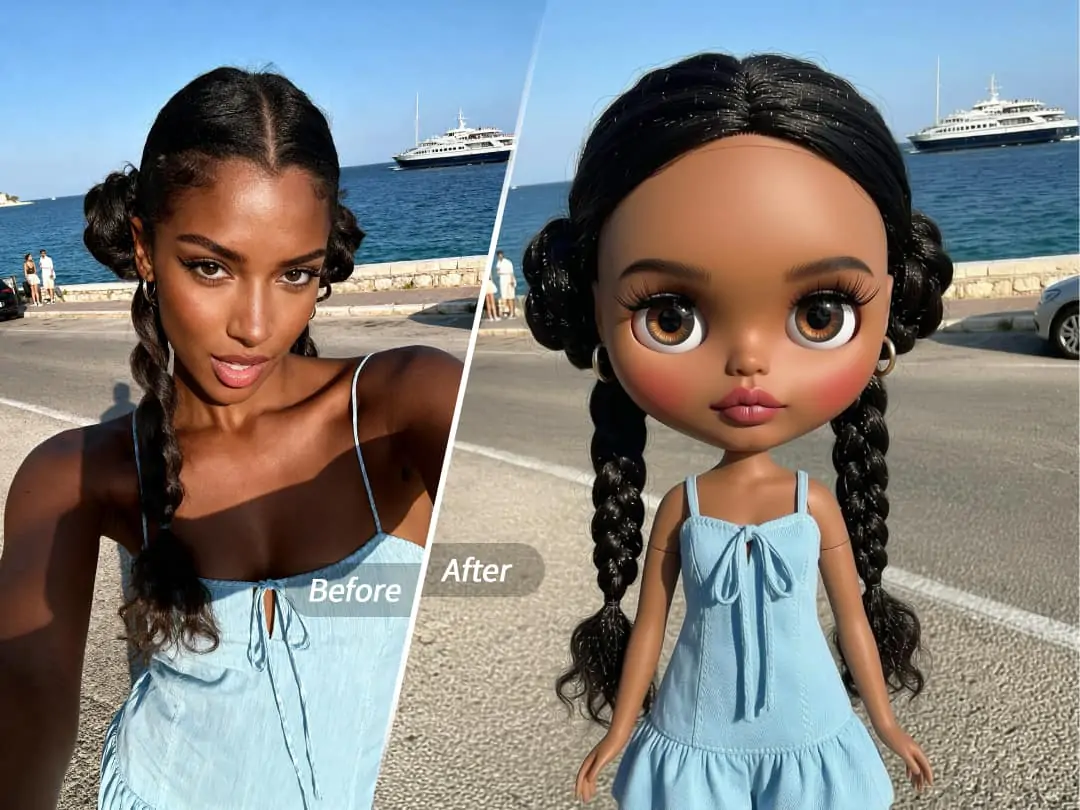
Style differences brought by different presets——Some presets emphasize the effect of big eyes, making them rounder and brighter; some presets retain more of the facial features of the original photo, with a more subtle style; and some presets favor a two-dimensional feel, with a more exaggerated head-to-body ratio. You can switch previews by swiping through, which is very convenient for comparison.
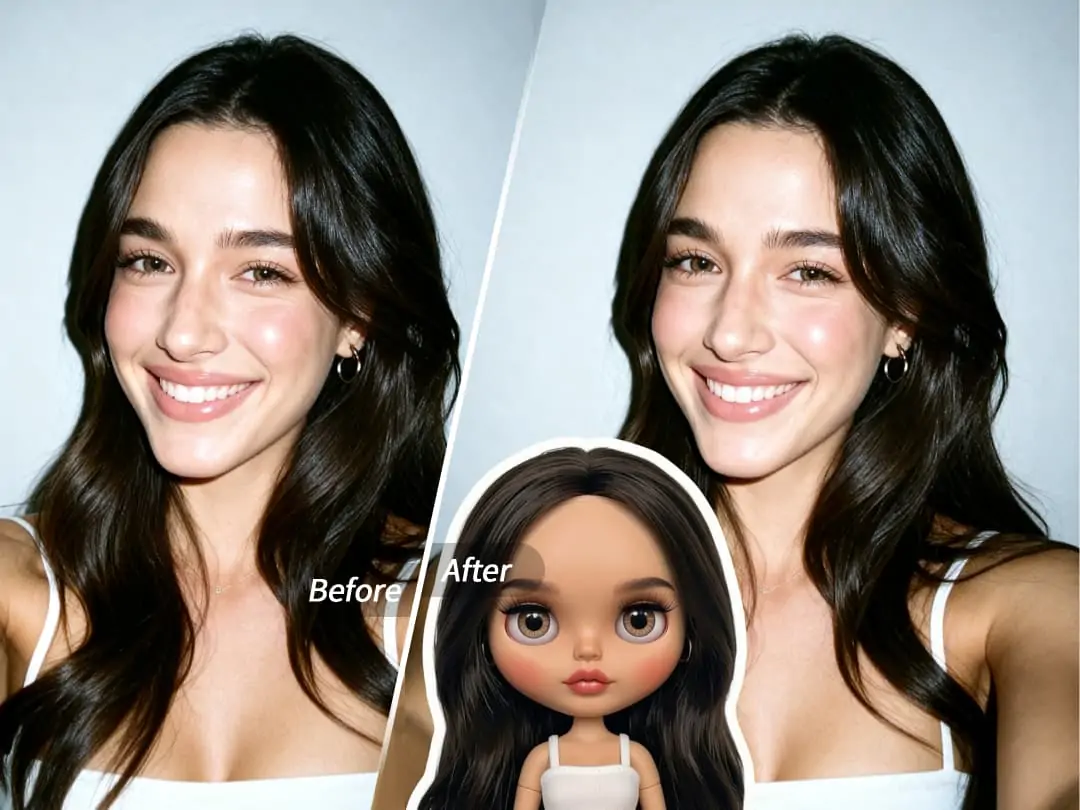
The resulting effects are suitable for use as social platform avatars, profile photos, or as creative content. Many people use the cartoon face effect as their social account avatar, which is highly recognizable.
How to use caricature faces?
The entire process is simple and straightforward and does not require any image processing experience.
Step 1: Open PrettyUp and click Start on the main interface
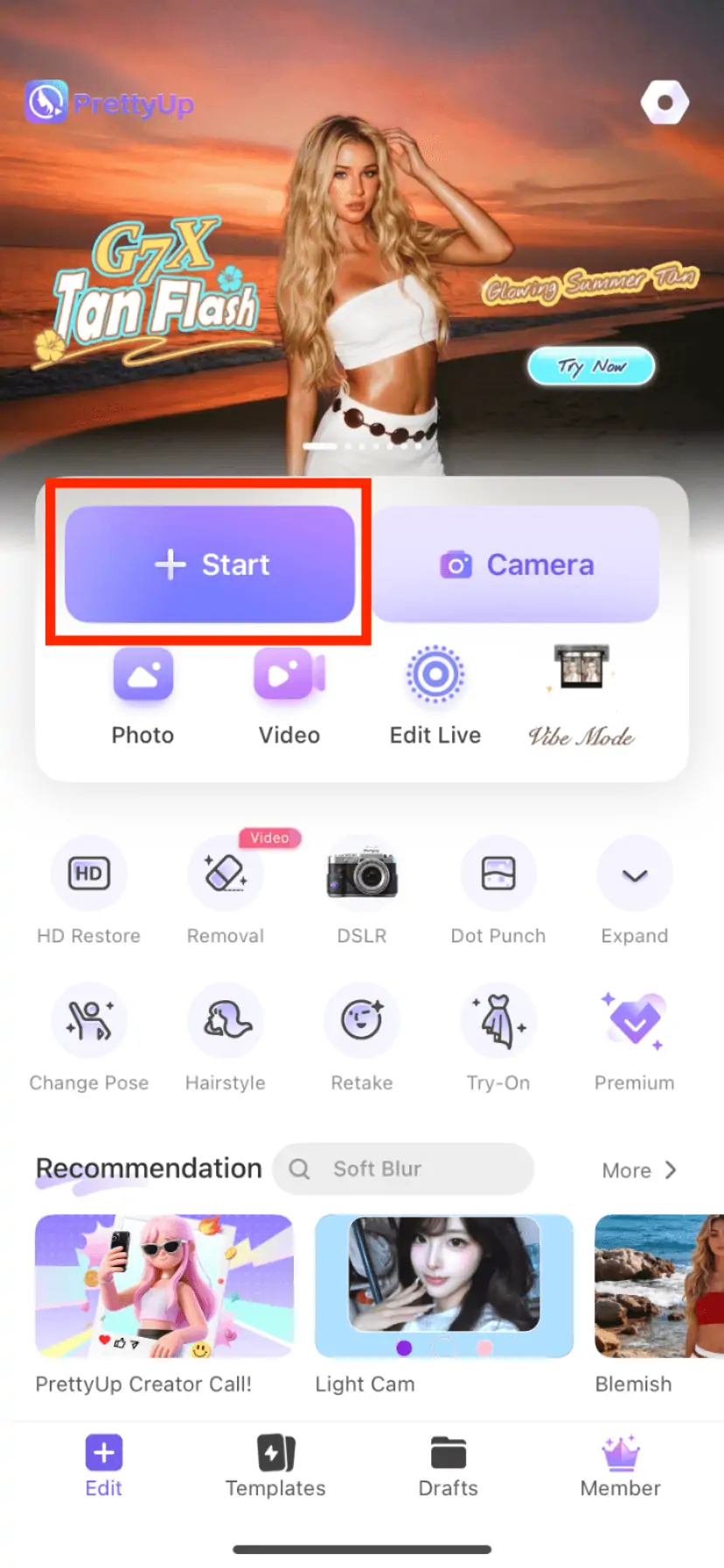
Step 2: Select a photo from the album (it is recommended to choose a photo with a clear face and sufficient lighting)
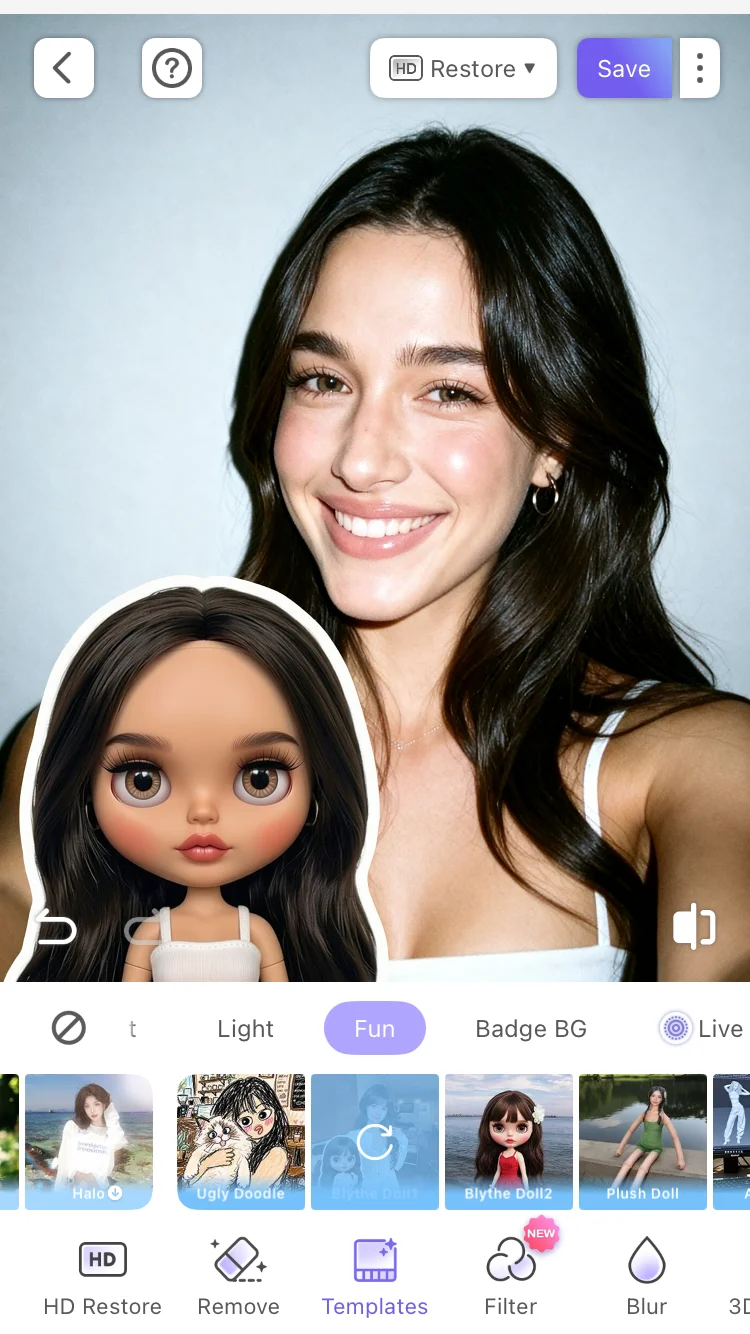
Step 3: Swipe through the 2 presets and click on the style you like to apply with one click
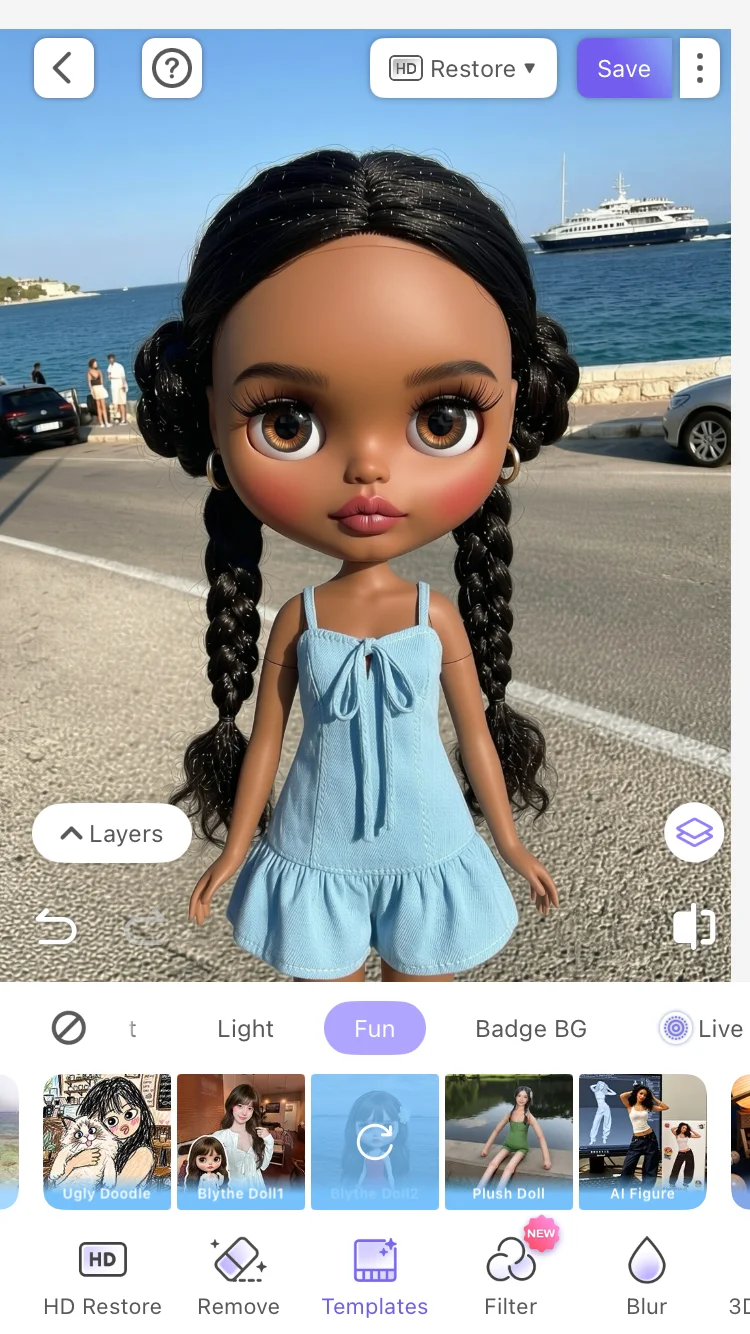
Step 4: After you are satisfied with the effect, save it to the photo album or share it directly on social platforms.
From opening the app to getting the finished product, the entire process takes just seconds.
More tips
Choose a clear photo from the front——Photos with your face facing the camera, with clear features and even lighting work best. If the side face angle of the person in the photo is too large or the face is blocked, the accuracy of AI recognition will decrease, affecting the final effect.
Adjust skin tone and light first——If the skin color or brightness of the photo is not ideal, you can first use PrettyUp's color correction function to optimize it, and then enter the comic face generation. The adjusted photo will make the cartoon face effect more refined.
Try different presets——The 2 preset styles have their own characteristics. Combining the same photo with different presets may bring unexpected effects. It is recommended to quickly browse through all the presets to find the one you are most satisfied with.
Use as avatar or social content——The cartoon face effect has a high production rate as an avatar and is highly recognizable on social platforms. It can also be combined with other creative functions of PrettyUp to edit pictures first and then convert them to create a more complete personal style.
Summarize
The comic face feature allows you to generate a Blythe doll-style cartoon avatar from a single photo. 2 presets for different preferences, one-click generation without any professional skills. No matter your skin tone, facial features or photo style, you'll find an effect that works for you.
Download PrettyUp, try the comic face feature, and turn photos into your own cartoon avatar.