
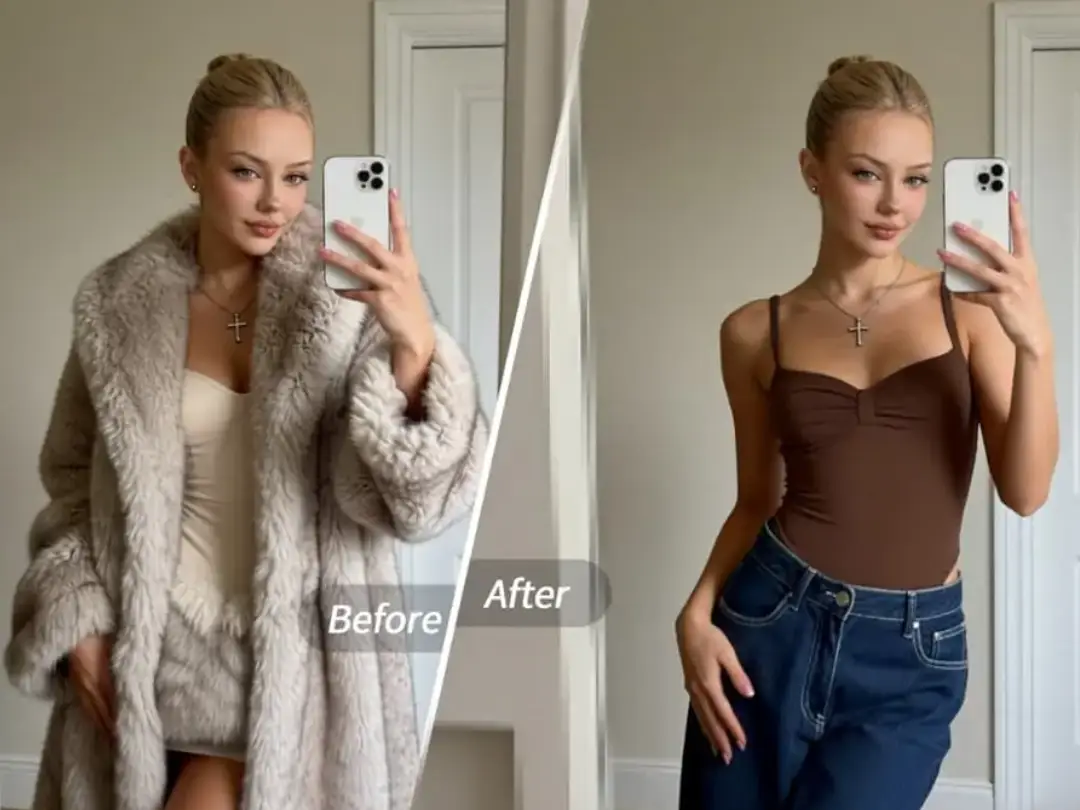
See a nice-looking piece of clothing and want to know what it will look like when you put it on? Find an outfit picture you like and want to copy the same look immediately? After taking a group photo, you find that neither of the two people's outfits are outstanding enough, but you can't take a new photo? PrettyUp AI dress-up helps you easily achieve it - whether you want to try out popular styles or directly put on your favorite clothing pictures, you can see how you will look after dressing up in just a few steps.


What is AI dressup?
PrettyUp AI Dressup is an AI-based virtual dressup tool that supports single and double dressup in photos. It provides two dressing methods to meet the needs of different scenarios:
- Default Dressup: Select clothes from the preset categories to change directly. The categories include popular (preppy style, cool gray, polka dot skirt, etc.), summer (beach sunset, butter lace, etc.), dress (sweet print, blue satin fishbone, etc.), and Spring Festival. Each category contains multiple selected sets.
- Upload reference pictures to change clothes: Directly upload pictures of the clothes you like, and AI will automatically identify the clothes and put them on the character. The uploaded reference pictures can be pictures of the clothes worn by the model, flat puzzle type - no stacking, flat puzzle type - stacked, etc.
- Double Dressup: Supports dressing up for two people in the photo at the same time, and you can also adjust the outfit style in a group photo.
- Precise Erase: After the change is completed, you can use the erase tool to make fine adjustments to the area to make the effect more natural.
AI dress-up not only pursues the effect of display, but also pays attention to the coordination of the overall photo - when choosing clothes, it will naturally match the character's color and style, making the photos after the dress-up really look better.
What effects can AI dress-up bring?
Preset dress-up: try multiple styles with one click
The preset categories cover the most popular style directions for everyday wear. Popular categories include versatile options such as preppy style, cool gray, polka dot skirts, etc., suitable for daily outings and social occasions; summer categories include beach sunsets, butter lace, etc. that are relaxed and bright, suitable for vacations and outdoor scenes; dress categories include sweet prints, blue satin fishbone, etc., suitable for parties and formal occasions; and the Spring Festival category provides exclusive matching for the festive atmosphere. Each outfit is carefully matched, and you can see the effect by applying it directly after selection.
Upload reference pictures to change outfits: copy your favorite combination
If there is no effect you want in the preset list, you can directly upload the clothing image. There are three common types of reference pictures, among which the spread puzzle type-stacked has the most shocking effect - when the reference pictures of multiple pieces of clothing stacked together are accurately recognized by AI and restored to the character, the sense of layering and realism are surprising.
In addition to the stacked pictures, the pictures of the clothes worn by the model are suitable for scenes where you want to directly copy the complete matching. The flat puzzle type - without layering is suitable for those who want to see the style of a single piece of clothing. Regardless of the type, AI can accurately identify clothing silhouettes and details.
Dress up for two people: uniformly adjust the outfits for group photos
If the two people's clothing styles are not coordinated when taking a photo, the overall picture will look messy. AI dress-up supports changing the clothes of two people in the photo at the same time, so that the dressing styles of the two people echo each other and the picture is more harmonious.
Dressing up is not just about putting a piece of clothing on a character. AI will comprehensively consider the character's skin color, body shape, and original style, and choose a combination that makes the overall photo more coordinated and beautiful, rather than just showing the effect.
How to use AI to change clothes?
Function entrance: enter directly.
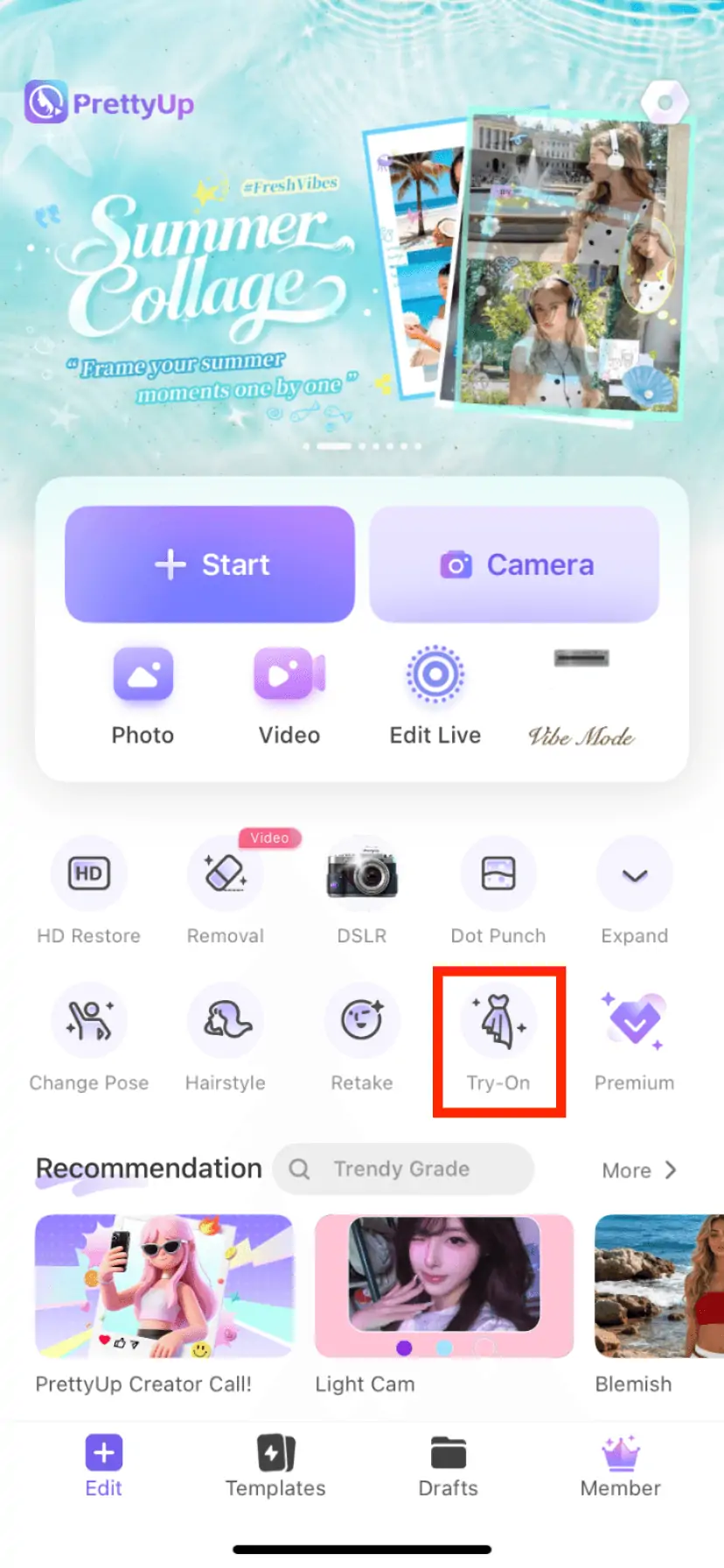
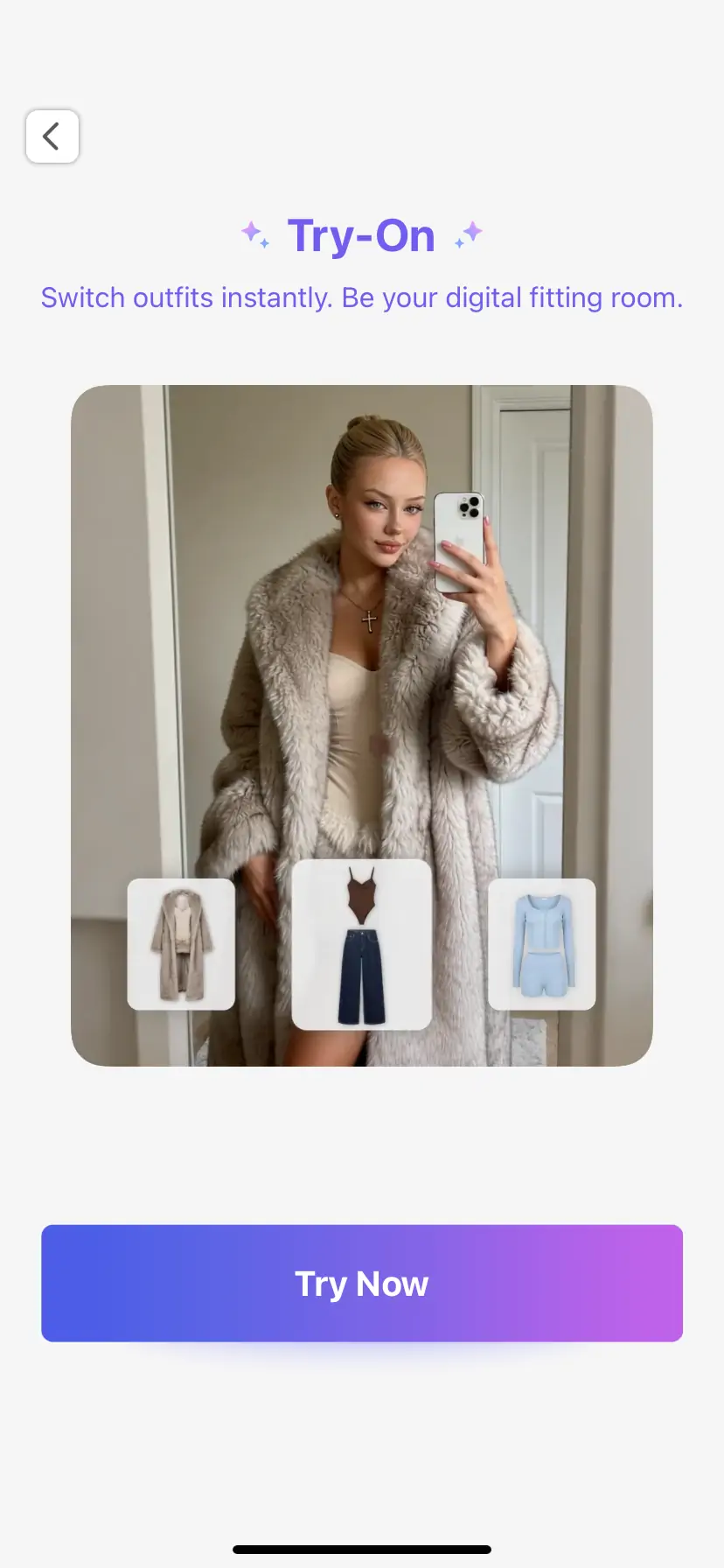
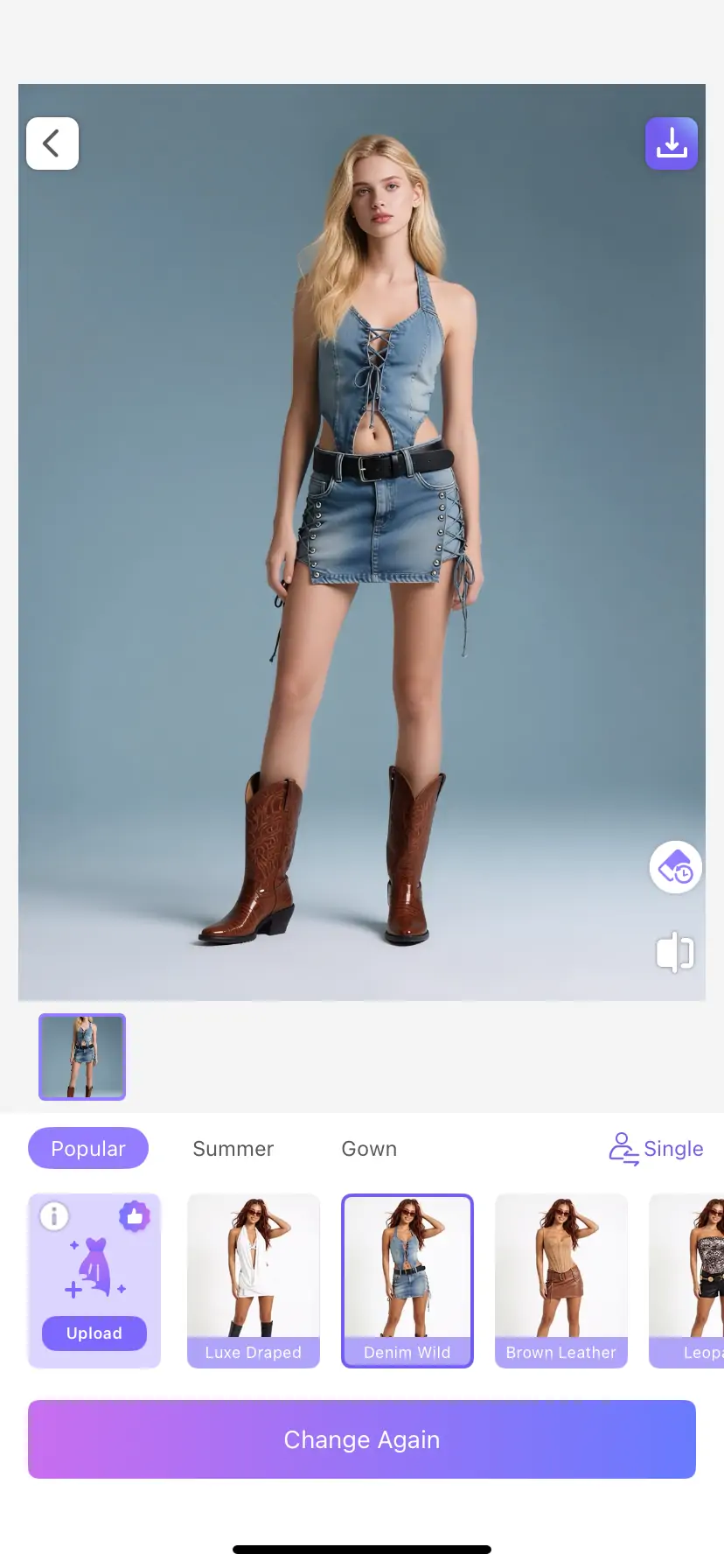
Method 1: Use preset dress-up
After entering the AI dress-up, first select the number of people to dress up (single/double). Then choose your desired style direction from the preset categories – Hot, Summer, Dress or Chinese New Year. Browse the list of clothing in this category and click on the clothing you like to preview the dressing effect. If you are not satisfied, you can quickly switch to other outfits until you find the most suitable match.
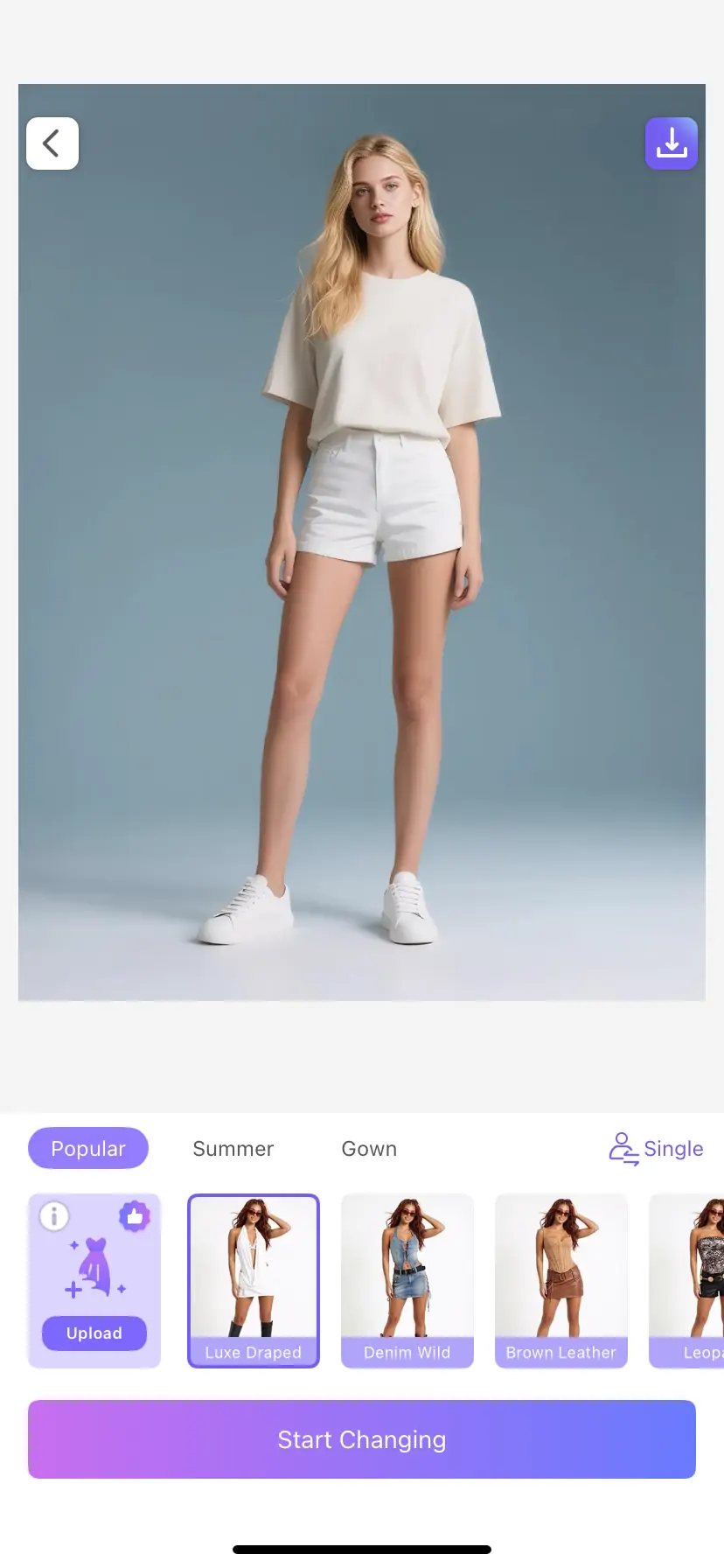
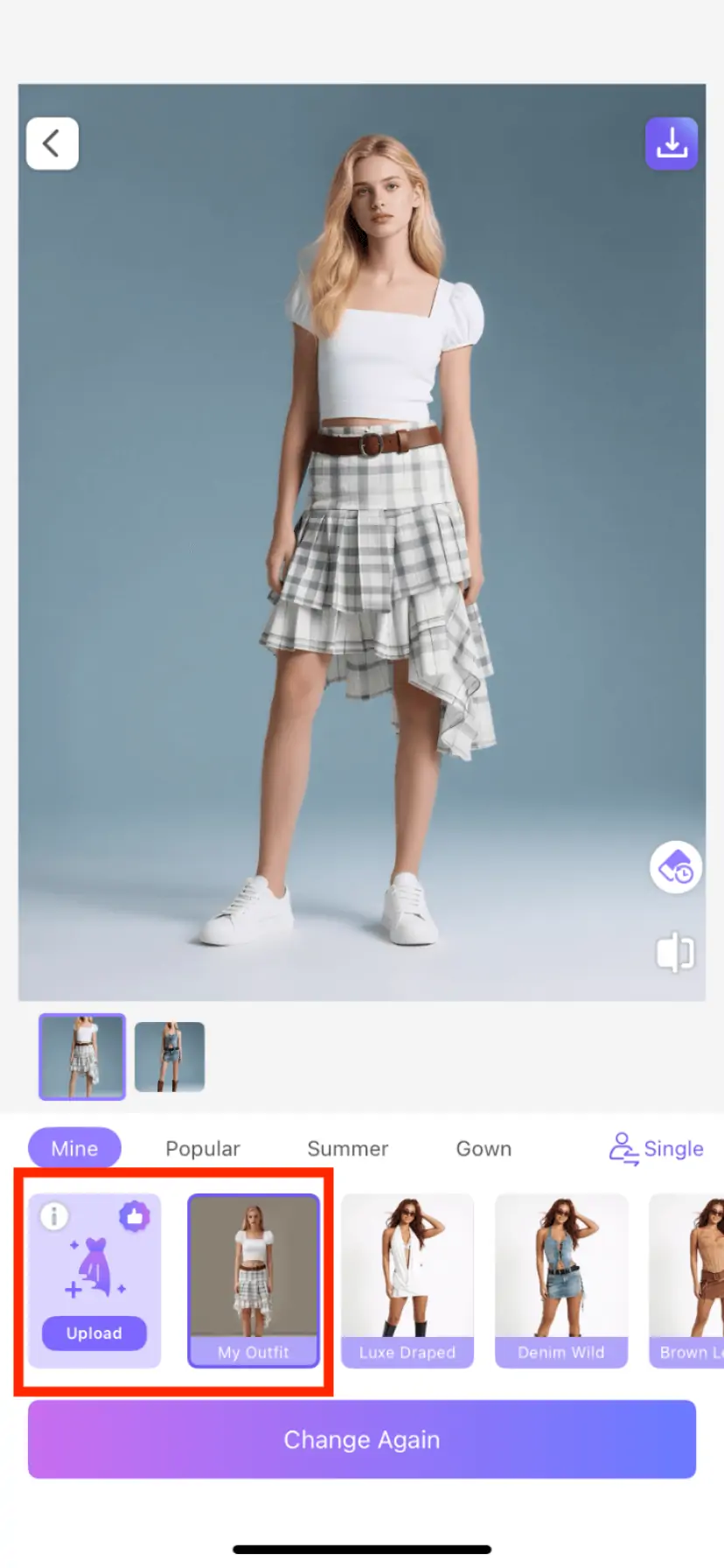
Method 2: Upload reference pictures for dressing up
If there are no satisfactory options in the presets, click the Upload Image button and select your favorite clothing reference image from the album. AI will automatically identify the clothing in the picture and put it on the character. The uploaded reference picture can be a display picture of the model putting on the clothes, or a photo of the clothes laid out flat (supported regardless of whether they are layered or not). For reference pictures of flat puzzle-type stacking, AI can accurately restore the stacking effect of multiple layers of clothes, presenting a richly layered outfit result.
Fine adjustments after the change
After the change is completed, if the edges of the clothing in some areas are not natural enough, you can use the precision erase tool to make local corrections. Erase unnecessary parts so the garment blends better with the body.
More tips
Tip 1: Select the upload method based on the type of reference image. Pictures of clothes worn by models are suitable for scenes where you want to directly reproduce the entire outfit; flat puzzle type - no layering is suitable for situations where you want to see the pattern and details of a single piece of clothing; flat puzzle type - stacking can bring a stronger visual impact. AI's recognition of layering is very good and is worth trying.
Tip 2: Pay attention to style coordination when changing outfits. When changing the outfits of the two people in the group photo, it is recommended to choose clothes in the same category, or matching styles with similar styles, so that the overall picture is more coordinated and unified.
Tip 3: Use in conjunction with other PrettyUp features. AI dress-up can be used in combination with facial beautification, facial features reshaping and other functions. First adjust the face effect, then change the clothes, and finally preview the whole thing to make the photo in the best condition from the person to the clothes.
Tip 4: Precise erasure makes the effect more natural. After the change is completed, it is recommended to use the eraser tool to check the edges of the clothing, especially the shoulders, collar and other areas. The effect will be more realistic after fine adjustments.
Summarize
PrettyUp AI Dress Up allows you to easily try on various styles of outfits without actually buying and trying them on. Use preset outfit changes to switch to popular styles with one click, upload reference pictures and change outfits to freely copy the outfits you like, and you can also adjust the outfits of two people for a group photo at the same time. Coupled with precise erasure and adjustment after changing outfits, the outfit in every photo can achieve the desired effect. Download PrettyUp now and experience the infinite outfit possibilities brought by AI dressing!