
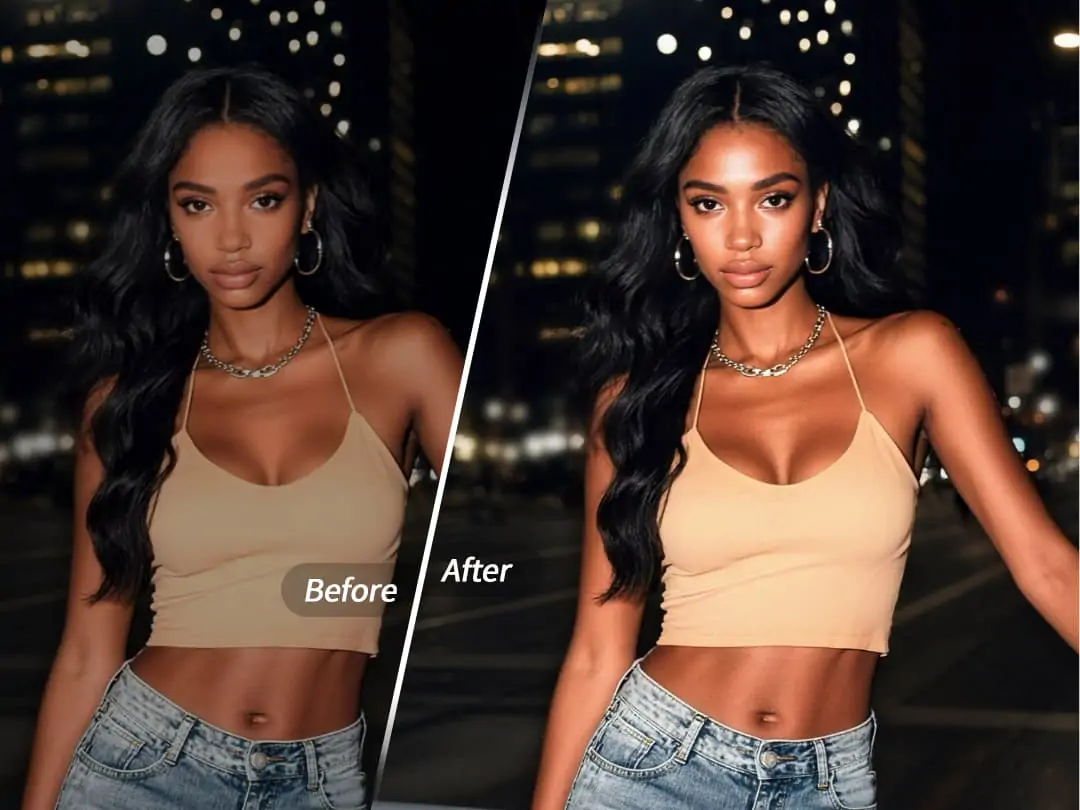
Have you ever found yourself in a situation where you want to take some great photos at a friend gathering, only to discover the restaurant lighting is too dim, leaving your photos looking dark and lifeless? Or perhaps you tried to capture a moody night street photo, but it always turned out dull and flat?
Now there's a simple solution—using the AI Flash feature to instantly give your photos that professional studio-quality glowing effect.


What is AI Flash?
AI Flash is an intelligent portrait optimization feature launched by PrettyUp that optimizes both the overall frame and facial details:
- Smart overall brightness: Precisely identifies the portrait subject and background environment in the frame, automatically adjusting overall exposure to give dim photos a new life
- Key face optimization: Uses AI algorithms to analyze facial structure and lighting, providing targeted optimization to restore skin's delicate glow
- Flashlight effect simulation: Recreates the popular flashlight portrait style seen on social media—works great for night shots or backlit daylight photos for that premium quality
- Enhanced facial dimension: Through lighting reconstruction, instantly elevates facial features' sophistication and depth while maintaining a natural look
- Appropriate face size: Maintains proper proportions when optimizing faces—no excessive enlargement, ensuring facial features remain clear and natural
Tip: AI Flash doesn't simply brighten everything uniformly. Instead, it coordinately optimizes the overall frame and facial details, balancing atmosphere with portrait quality.
How to Use AI Flash
Using PrettyUp's AI Flash feature is simple—just follow a few steps:
Step 1: Pick your photo
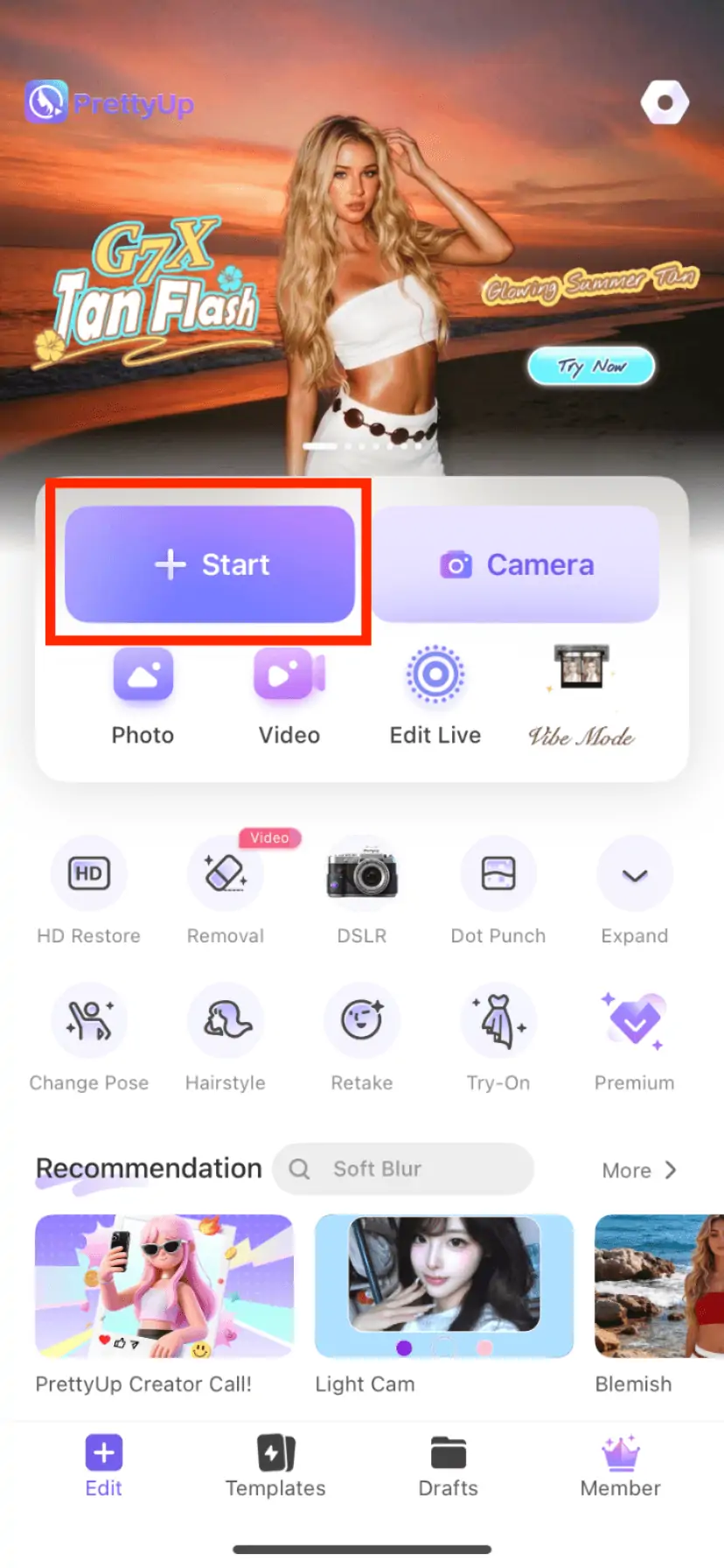
Open PrettyUp, tap "Start" and choose a photo from your gallery. Works best on photos with people and dim or night lighting.
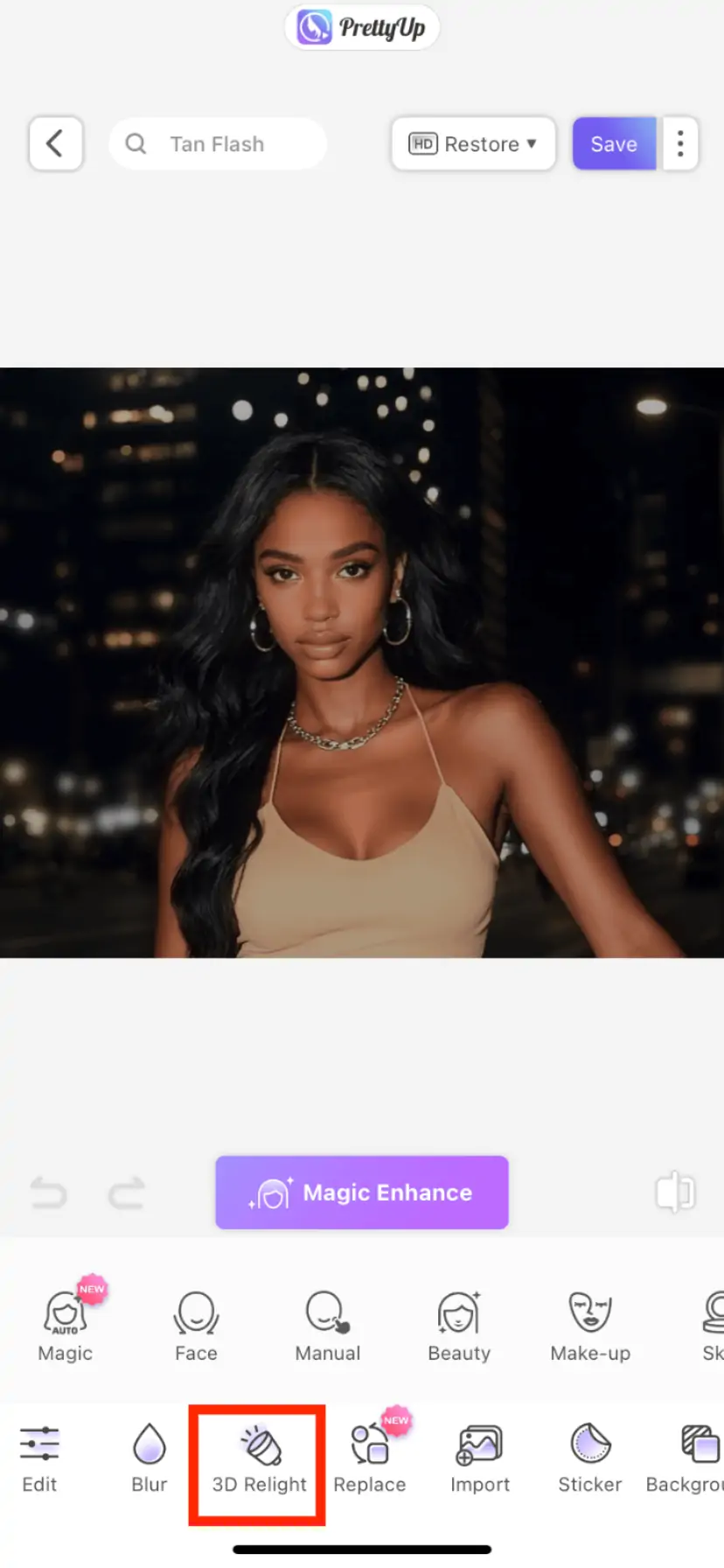
Step 2: Find AI Flash
Tap "3D Relight". It's in the toolbar.
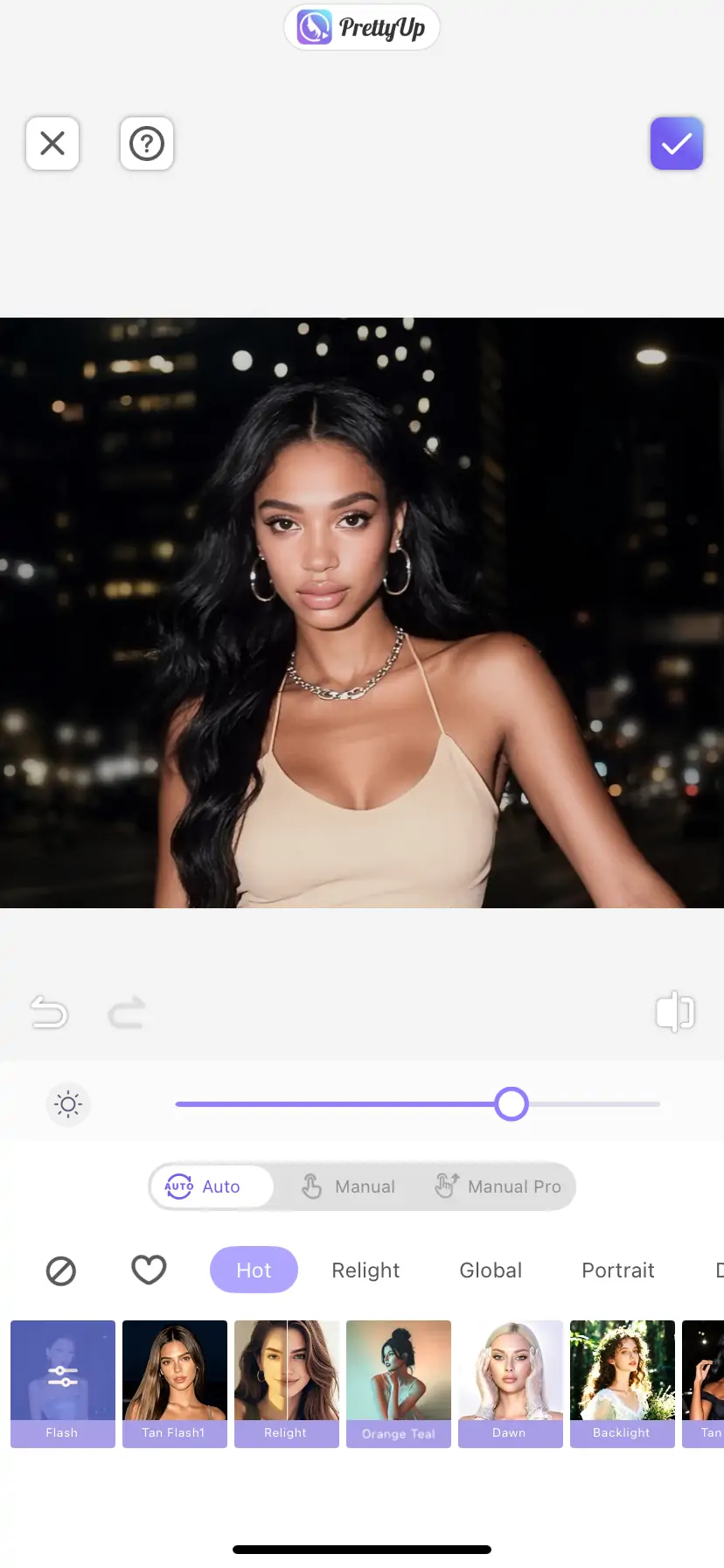
Step 3: Pick a mode and adjust
Two modes:
- Standard Flashlight: The quick fix. Makes your face glow naturally.
- Tan Flash: Gives your skin a warm, healthy tone. Great if you like that sun-kissed look.
Slide to adjust intensity. Tap save. Done.
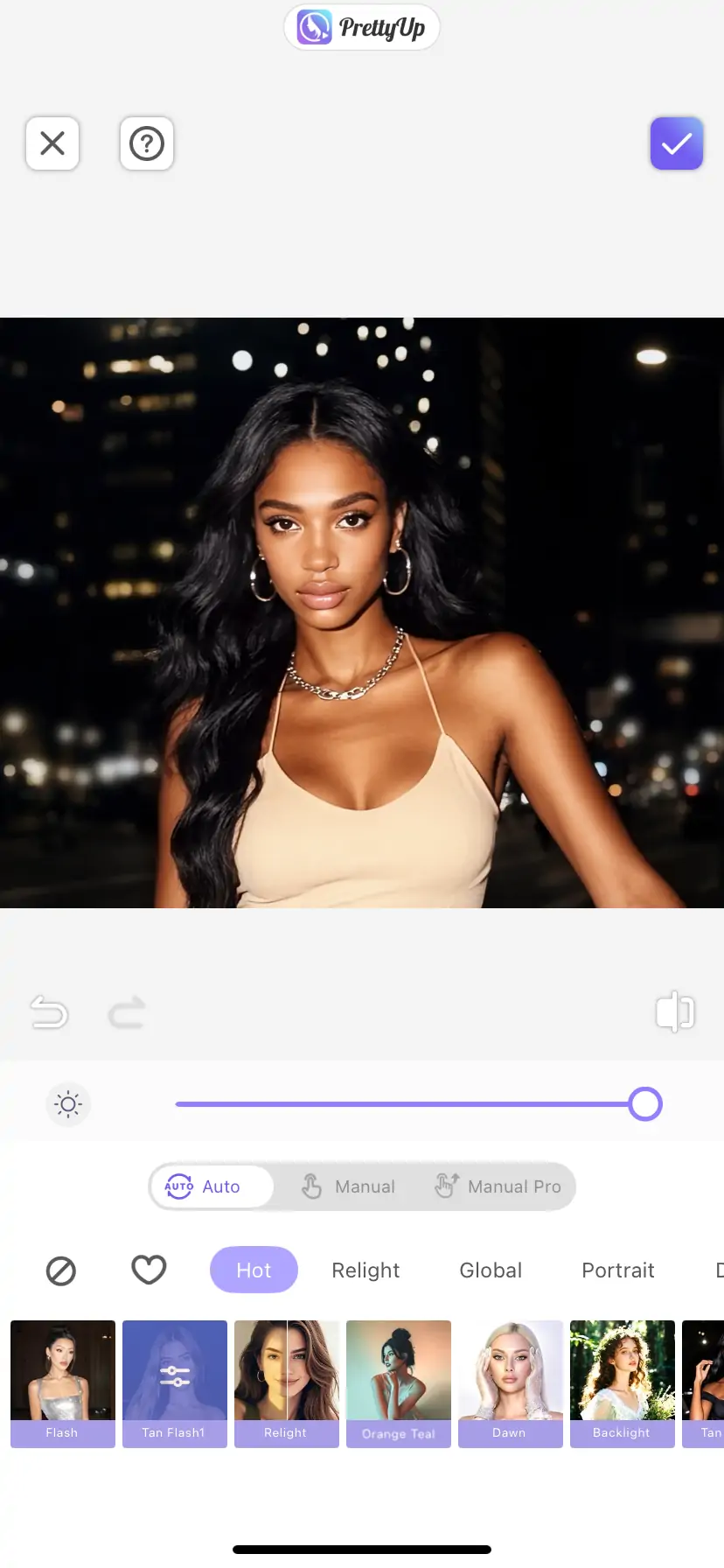
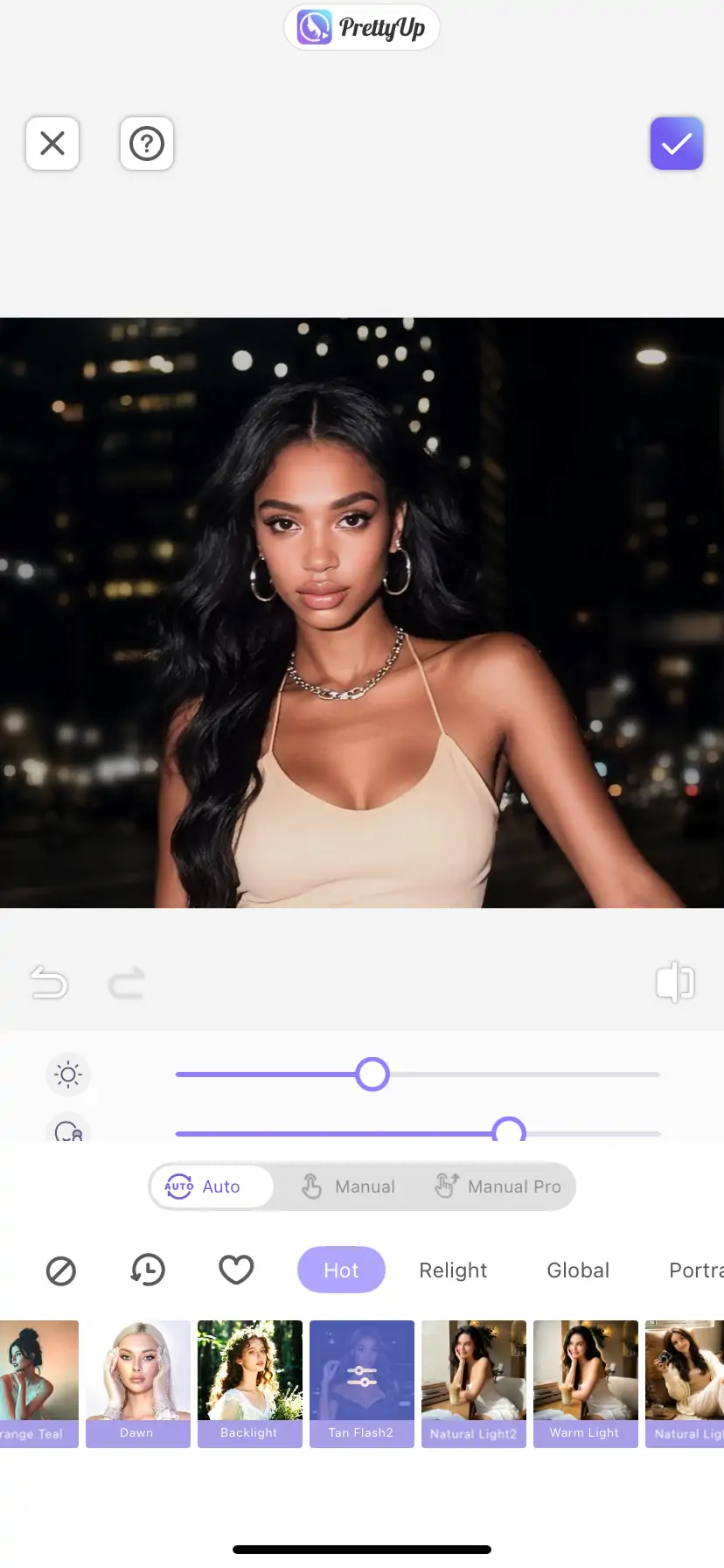
Share directly to Instagram or TikTok.
AI Flash Use Cases
AI Flash is perfect for various shooting scenarios:
1. Digicam-Style Effect
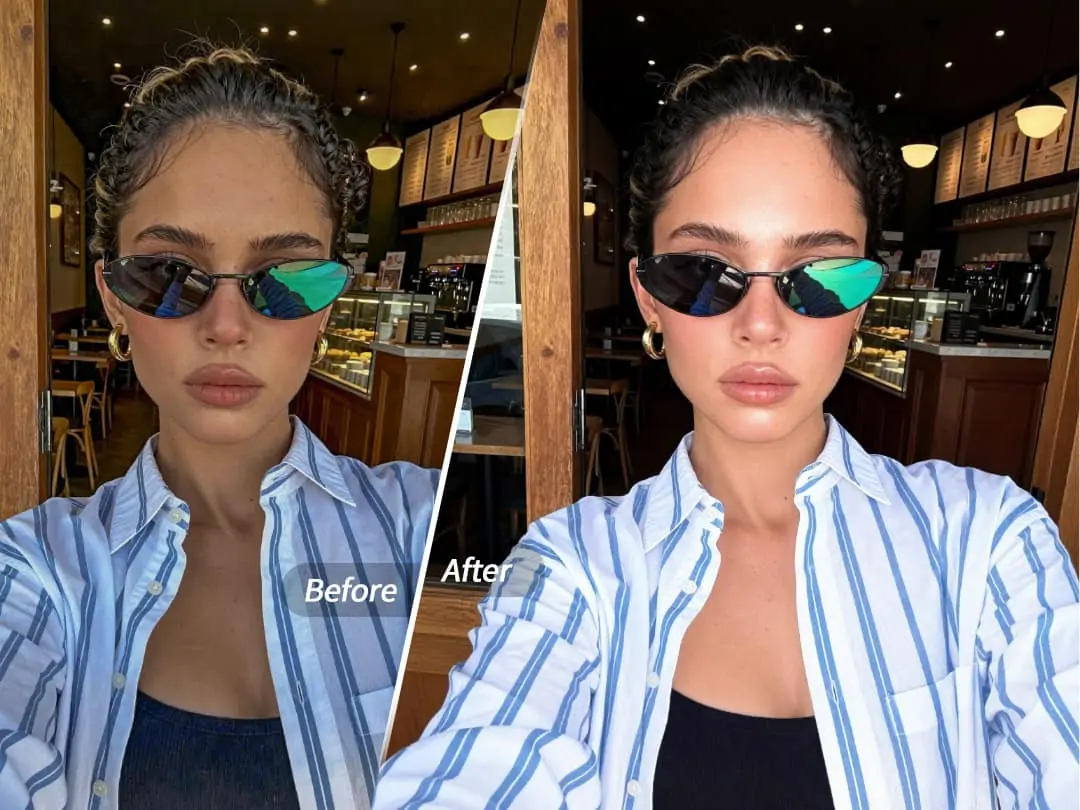
Want that popular compact camera quality and feel like G7X or Canon? AI Flash makes it easy. Whether it's beach vacation photos or everyday street shots, you can achieve that retro film-like Digicam vibe—warm, soft tones with plenty of atmosphere.
2. Night Portraits
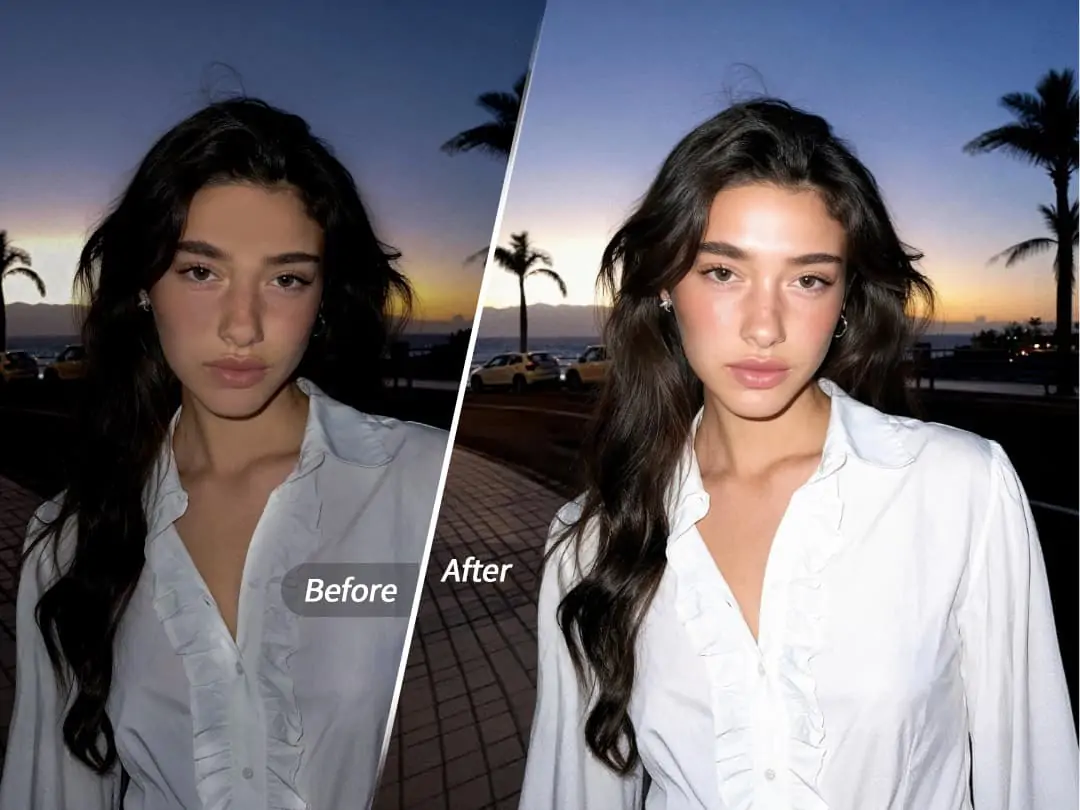
Restaurants, bars, or streets at night are great photo spots, but insufficient lighting often ruins the results. AI Flash intelligently brightens faces, giving night photos that magazine-quality glow instantly.
3. Backlit Photos
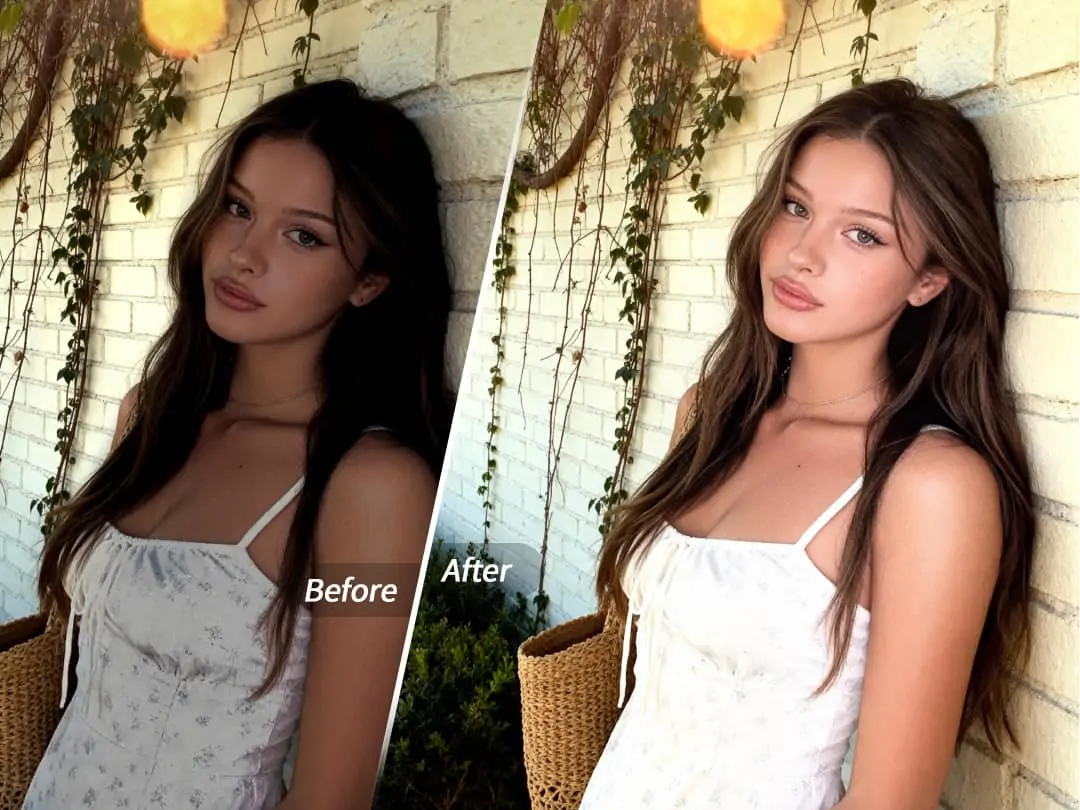
When shooting against the light, faces often appear dark. AI Flash can maintain the background's atmospheric feel while highlighting the portrait, giving photos more depth.
4. Indoor Gatherings
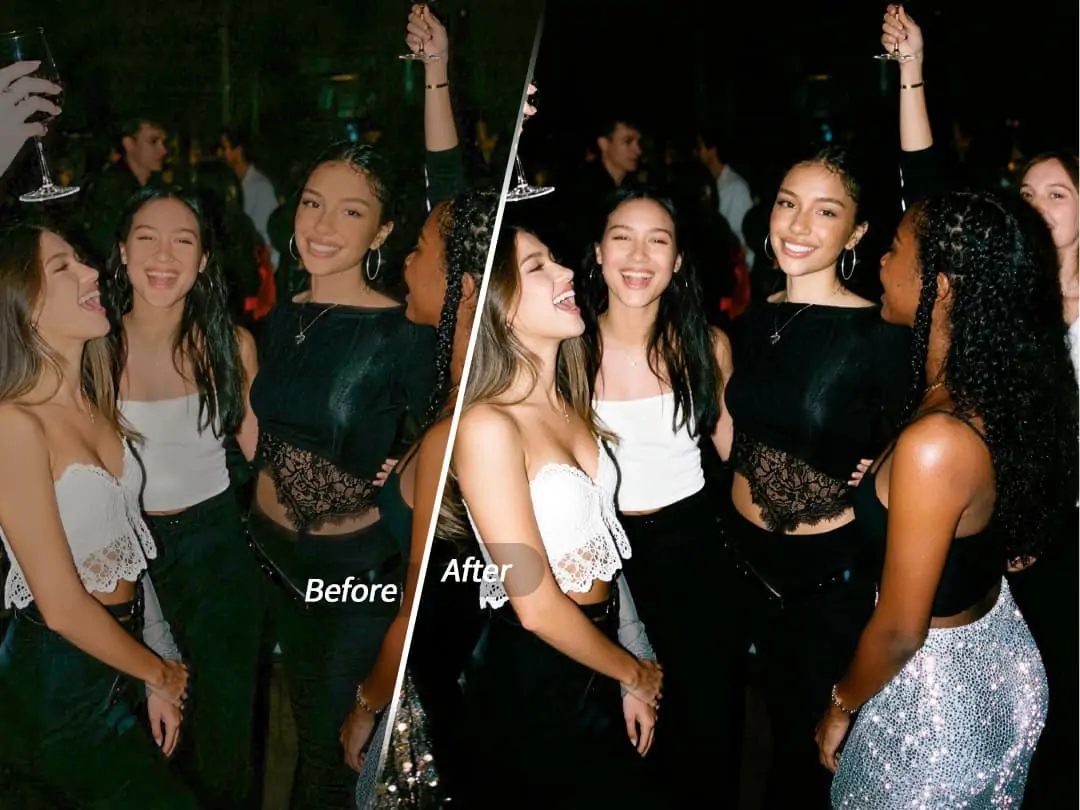
Friend gatherings or family dinners often have less-than-ideal indoor lighting. Using AI Flash ensures everyone looks their best in photos.
5. Video Cover Images

If you frequently create short videos, a high-quality cover image can significantly boost click-through rates. AI Flash helps you quickly create eye-catching thumbnails.
More Tips
Use with Other Features
AI Flash works even better when combined with other PrettyUp features:
- Makeup: Add appropriate makeup on top of the flashlight effect for even more refined faces
- Face Retouch: Pair with face slimming, big eye, and other features for the perfect portrait
- Filter Overlays: Choose suitable filters to create different atmospheres
Choose the Right Original Photo
While AI Flash can improve most photos, the following types yield better results:
- Portrait is clearly visible with appropriate face size
- Background has some depth
- No severely overexposed or underexposed areas in the frame
Conclusion
AI Flash is a feature worth trying for every photography enthusiast. It not only saves photos that would otherwise be "ruined" by lighting issues but also gives your everyday photos professional-quality texture. Whether it's night street shots, friend gatherings, or creating content for social media, AI Flash helps you achieve it effortlessly.