 WEB
WEB
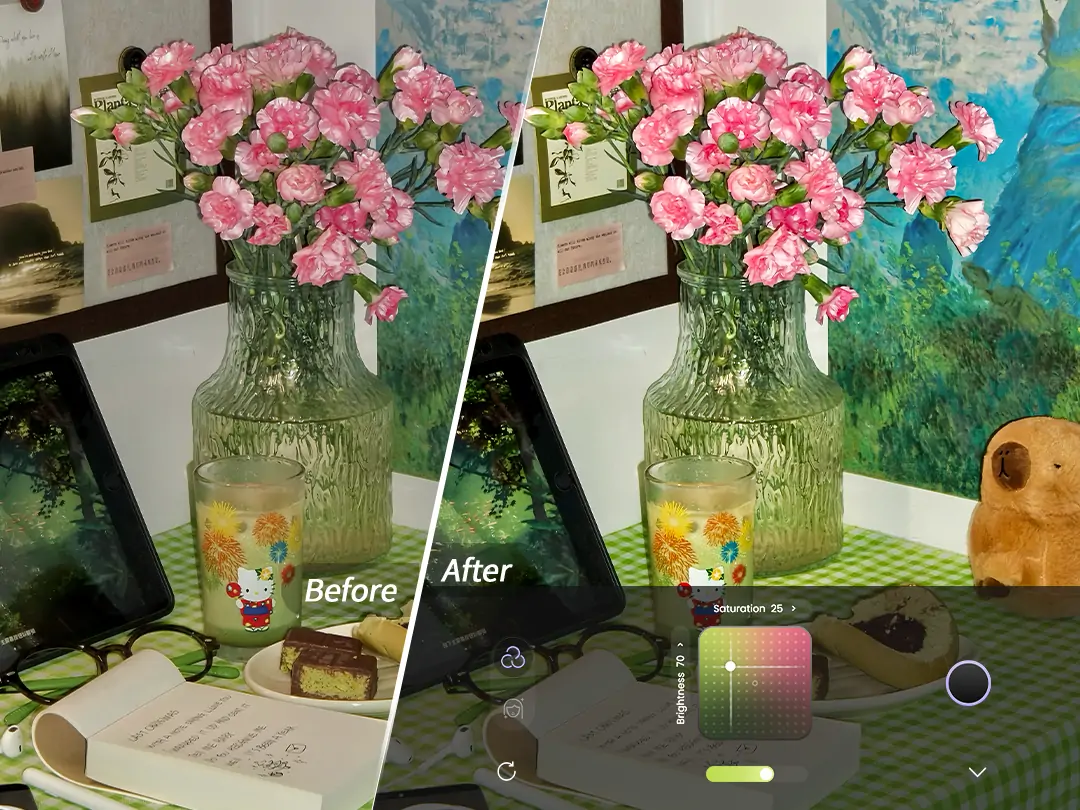
Every time I see photos taken by others, their color tones look so sophisticated, but the ones I take always feel off. I want to achieve the same tones as bloggers, but professional color grading software is too complicated, and the built-in filters on my phone are not flexible enough. What you really need is an adjustable color palette—like carrying a colorist with you when taking photos. The PrettyUp mirrorless camera's color palette feature allows you to adjust the tone of your images in real time while shooting photos and videos, helping you find your own unique colors.


What is a mirrorless camera?
The PrettyUp mirrorless camera is a camera with its own customizable color palette for photo and video mode, with its main selling point being the ability to freely adjust image color parameters like a professional camera.
- Custom Color Palette: Similar to the color adjustment tools in the iPhone photo editor, it provides multiple adjustable parameters, allowing you to freely combine them to create any desired tone
- Adjustable Parameters: Core color grading options such as exposure, clarity, highlights, shadows, saturation, and color temperature, covering all needs from basic brightness to advanced color.
- Real-time Preview: The color grading effect is displayed in the viewfinder in real time, allowing you to see the changes in the image as you adjust the parameters—what you see is what you get.
- Supports both photos and videos: The palette effects can be applied in real time to both still photos and moving videos
The color palette is not simply a stack of filters; it adjusts each color dimension item by item like professional photo editing software, but the operation is much more intuitive than professional software.
What effects can the color palette create?
Japanese-style clear and transparent color grading
Increase exposure and clarity, slightly reduce saturation, and make the color temperature cooler to achieve a clear and transparent Japanese-style visual effect. The person's skin looks clean and translucent, the background colors are soft and comfortable, making it very suitable for daily portraits and travel documentation.
Retro Film Color Grading
Lowering exposure and vibrance, increasing shadows, warming the color temperature, appropriately boosting saturation while reducing highlights, can simulate the tone of vintage film. The image has a warm, nostalgic feel, suitable for atmospheric scenes like cafes and street corners.
Cool fair skin color palette
Increase exposure and highlights, lower the color temperature to make the image cooler, and appropriately reduce saturation to achieve a cool white skin effect. The person's skin appears fair and cool, suitable for fashion-forward portrait photography. This effect can also be applied in videos, keeping the dynamic footage consistent with the cool white tone.
Warm-toned ambiance coloring
Increasing the color temperature makes the image warmer, increasing saturation and vibrancy, and reducing shadows to retain details can create a warm and comforting visual feel. It is suitable for scenes like sunset or indoor warm lighting, making the photo exude a warm atmosphere.
How to use a mirrorless camera?
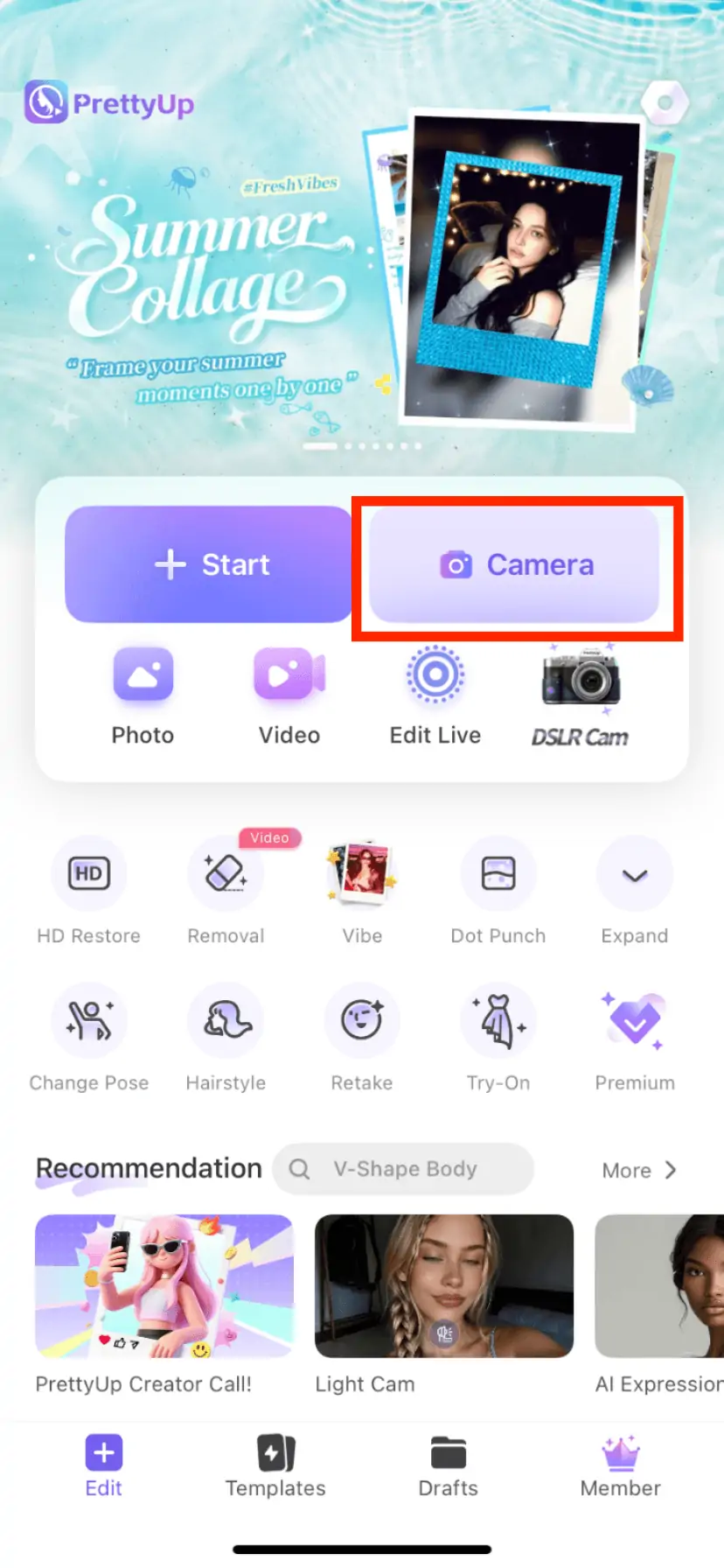
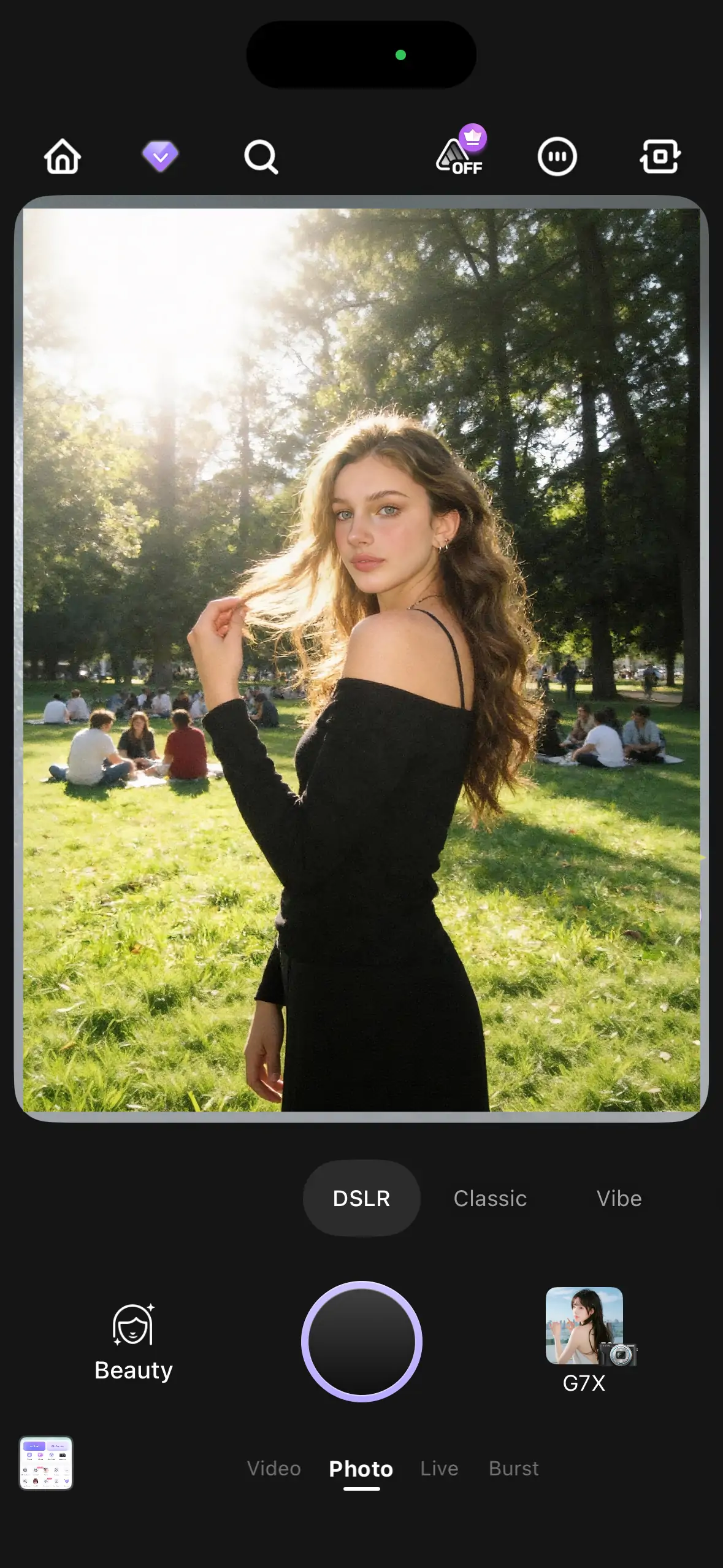
Open the PrettyUp camera, and you can enter by finding 'DSLR' in the mode selection.
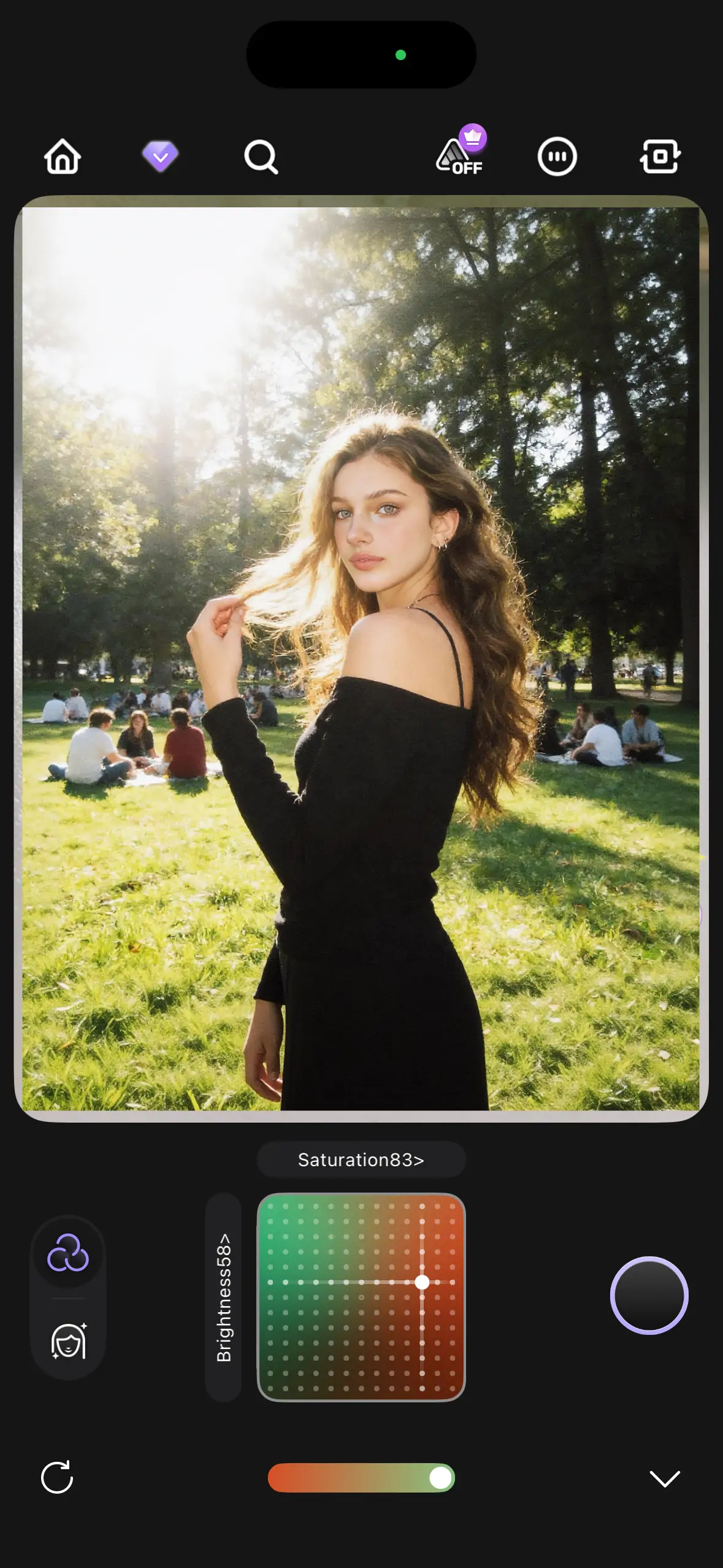
Open the color palette
After entering DSLR mode, click the palette icon to expand the color adjustment panel. The panel displays sliders for parameters such as exposure, clarity, highlights, shadows, saturation, and color temperature, each of which can be adjusted independently. Moving the slider to the left decreases the value, and moving it to the right increases the value, with real-time changes shown on the screen during adjustment.
Bring out the desired tone
Start with a reference scene—for example, if you want to achieve a light and clear Japanese-style look, first slightly increase exposure and vibrance, then subtly adjust the color temperature cooler and reduce saturation. Each parameter does not need large adjustments; small changes combined can create a completely different visual style. There is no fixed formula for color grading; you can freely combine according to your own preferences.
Action
After adjusting the color to satisfaction, you can directly take photos or start recording videos. The adjusted color tone will be retained in the current mode and will still be effective the next time you open it, so there is no need to readjust each time.
More Usage Tips
Tip 1: Focus on fine-tuning when adjusting colors. The advantage of a color palette lies in precise control. It is recommended to make small adjustments to each parameter, as the true value of the color palette is reflected through the accumulation of minor adjustments across multiple parameters. Large adjustments to a single parameter can easily distort the image.
Tip 2: Choose the color grading direction based on the scene. Outdoor natural light is suitable for Japanese-style clear or cool white skin tone grading, while indoor warm lighting is suitable for vintage film or warm-toned atmosphere grading. First observe the lighting conditions of the shooting scene, and then decide the overall direction of color grading.
Tip 3: Test color grading before shooting videos. When shooting videos in DSLR mode, it is recommended to first test the color grading effect in the current scene and start formal recording only after confirming that the colors are satisfactory. Try to keep the color grading settings unchanged during shooting to ensure a consistent tone throughout the video.
Tip 4: Combine with PrettyUp editing features. After shooting in DSLR mode, you can further refine your photos in the editor. Use the image quality repair to enhance clarity, and facial beautification to optimize portraits, allowing initial color grading and post-processing enhancement to complement each other.
Summary
The PrettyUp mirrorless camera's color palette lets you freely adjust colors while taking photos and recording videos. Exposure, vibrance, highlights, shadows, saturation, and white balance—every parameter is under your control. Whether you want a clear Japanese style, vintage film, cool white skin tone, or warm ambiance, you can create the tones you desire. Download PrettyUp now and use your mirrorless camera to craft your exclusive color style!