
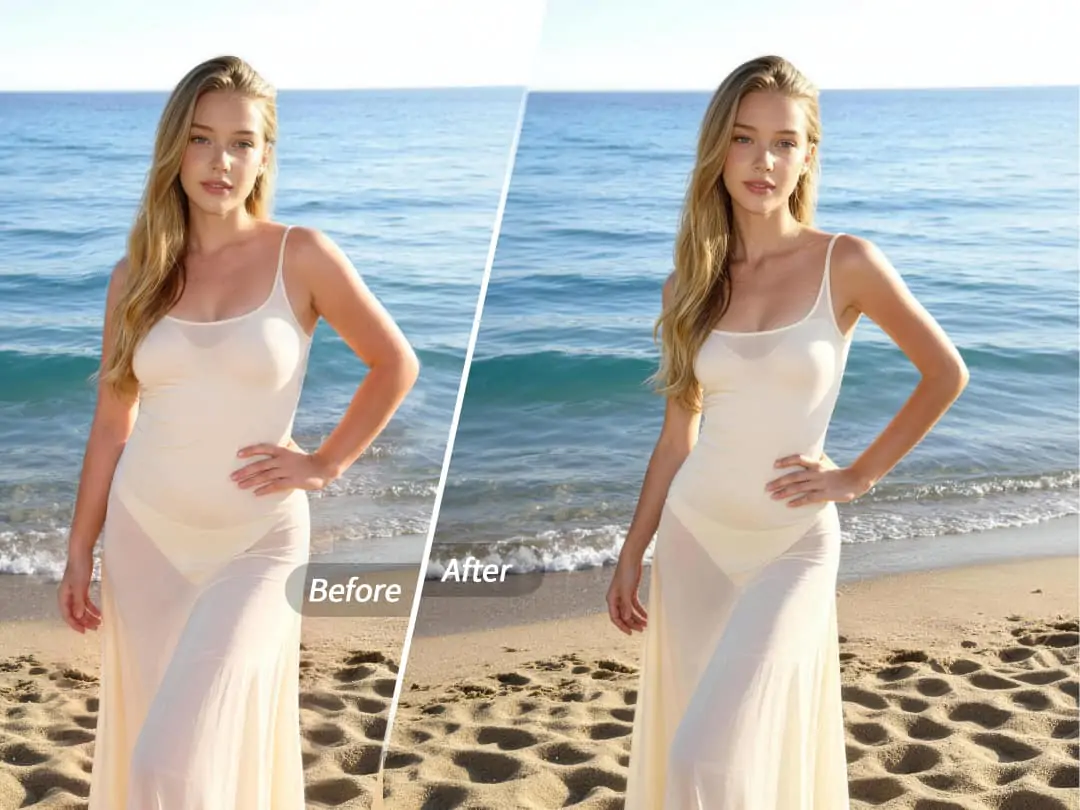
Have you ever had this experience? You carefully choose your clothes and makeup, but when you take photos, you find that your body proportions aren't ideal—you want your waistline to be more defined, your legs to look longer, and your overall silhouette to be smoother. The manual push-and-pull tools in photo editing software are complicated and can easily leave obvious flaws if not used carefully. Actually, what you need isn't complicated photo editing skills, but a smarter way.


What is One-Click Body Shaping?
One-Click Body Shaping is an intelligent body sculpting feature launched by PrettyUp. It uses AI technology to intelligently optimize body contours, allowing you to achieve well-proportioned and attractive body ratios with a single click.
Core Highlights:
- Create a Great Body with One Click: AI automatically recognizes the human body contour and completes shape optimization, no manual dragging needed, achieving the ideal proportions with just one click.
- Multiple preset styles: Built-in presets such as natural, supermodel, hourglass, and more, catering to different aesthetic preferences. Each preset focuses on a different shaping direction, allowing you to switch freely according to the style of the photo.
- Intensity slider for free adjustment: Each preset comes with an intensity slider, allowing you to easily control the degree of shaping, from subtle tweaks to noticeable enhancements, giving you full control over the effect.
- Supports both photos and videos: Whether it's a still photo or a dynamic video, one-click body beautification perfectly adapts, giving every photo and every frame a good proportion.
- Naturally seamless: AI optimization is based on the natural structure of the human body, producing smooth and natural results without issues like distortion or background deformation.
Tip: If you're unsure which preset suits you, you can first try the natural preset to get a basic effect, then switch to Supermodel or Hourglass to see how different styles change, and finally use the intensity slider to fine-tune to the most natural state.
The Specific Effects of One-Click Body Shaping
Each preset of one-click body shaping has a different sculpting style, and you can freely choose based on the type of photo and personal preference.
Natural Presets: Moderate optimization while maintaining your original body features to make your overall contours smoother and more balanced. Perfect for everyday photos, aiming for a natural effect that looks like you have naturally good proportions.
Supermodel Preset: Focuses on optimizing body proportions, making lines more elongated and upright. Suitable for full-body photos, standing poses, and similar scenes, making the overall figure look more relaxed and graceful.
Hourglass Preset: Focuses on enhancing the waistline, making the waist more defined and giving the overall silhouette a more curvaceous shape. Suitable for wearing fitted clothing or photos that aim to highlight curves.
Each preset has a different focus on shaping, but the common feature is that the effect is natural and does not damage the photo's background and environment.
Applicable Scenarios:
- Full-body daily photos: Whether it's for travel check-ins or everyday outfits, one click optimizes body proportions.
- Group photo: Each person in a group photo can be individually optimized, allowing everyone to look their best.
- Video creation: Add body shaping effects to video footage, making body proportions ideal in dynamic scenes as well.
- Social sharing: On platforms like Moments, Xiaohongshu, Weibo, etc., a well-proportioned photo is always more popular.
How to use one-click body slimming?
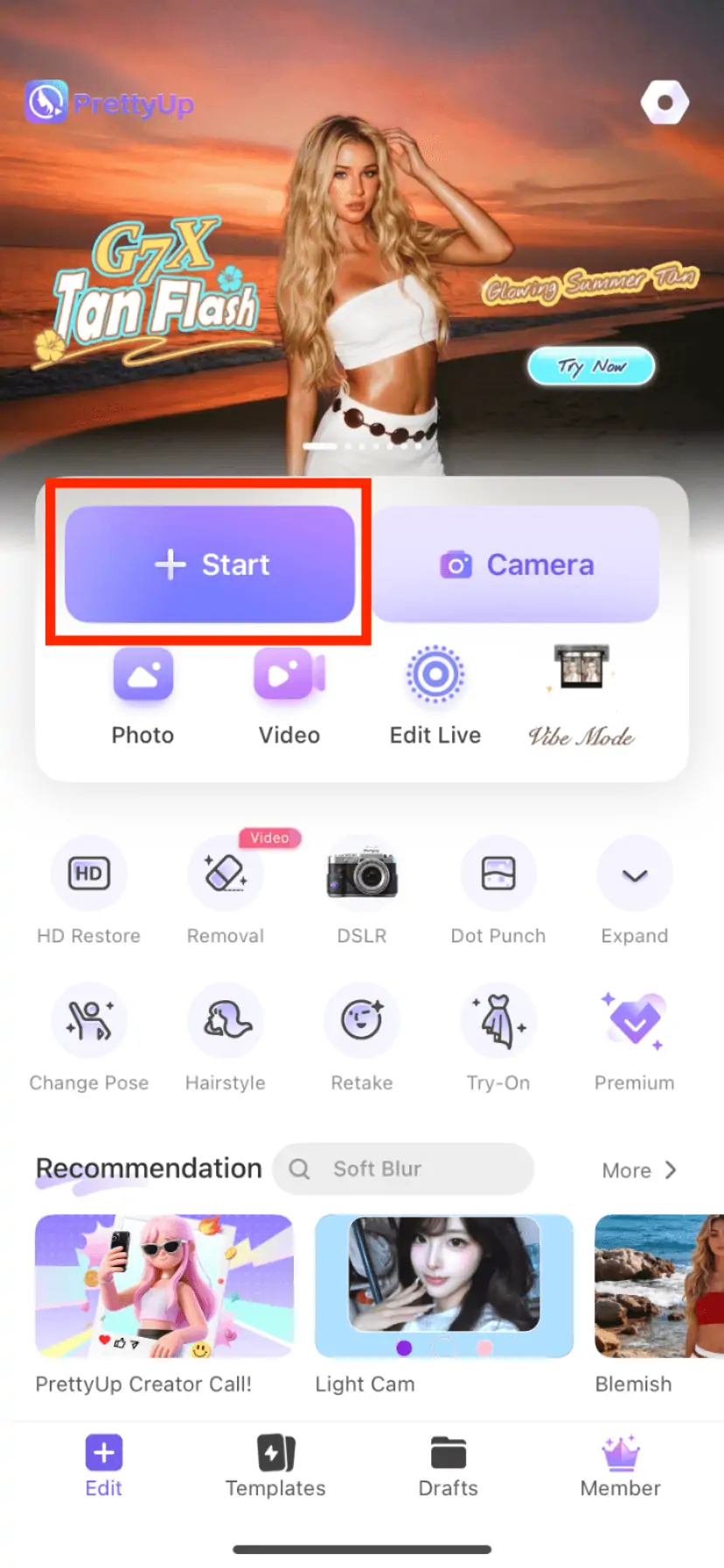
Step 1: Choose a photo or video
Open PrettyUp and select the photo or video that needs body beautification.
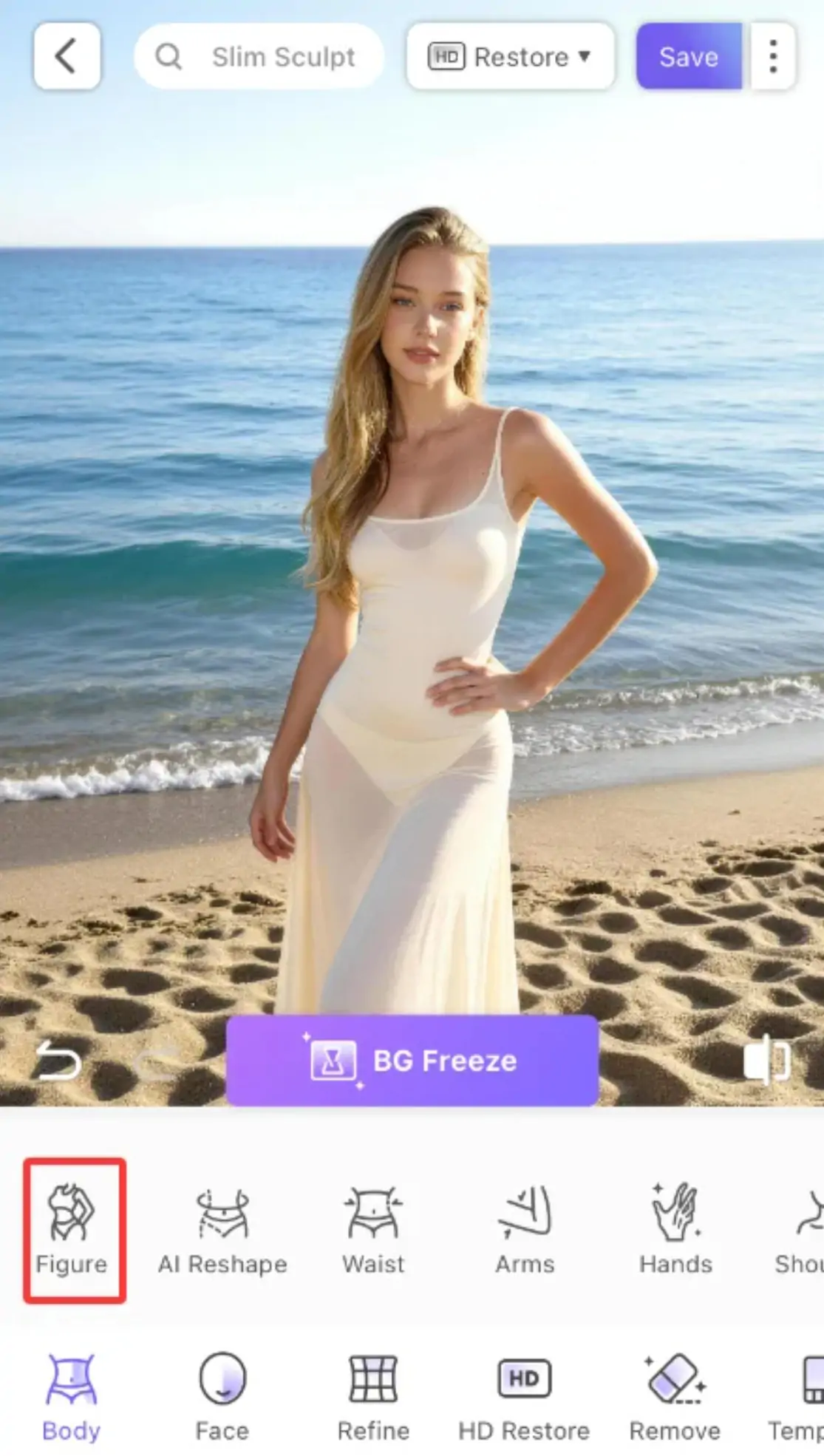
Step 2: Enter the One-Click Body Shaping Feature
Find the 'Body' module in the bottom toolbar, click to enter, and then find the 'One-Click Body Beautification' option.
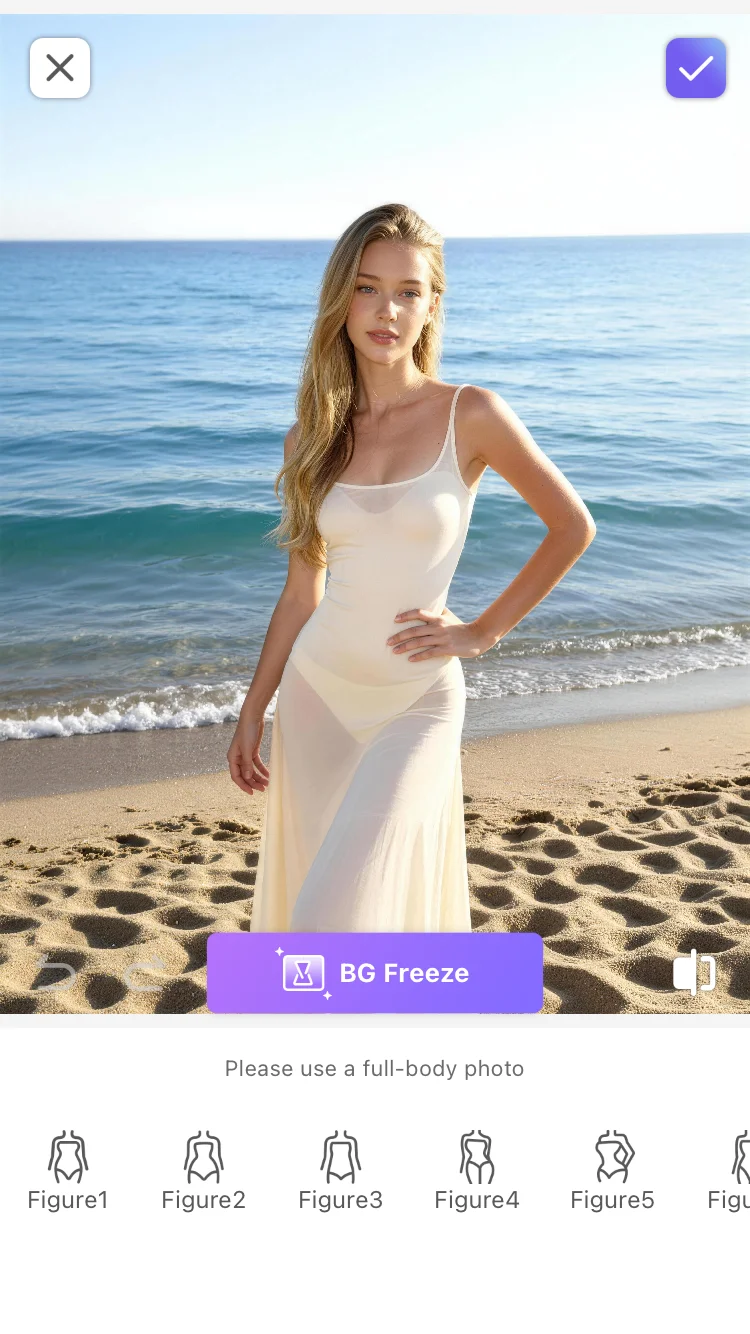
Step 3: Choose a Preset Style
Browse the preset list and select the style you like — natural, supermodel, hourglass, etc. The selected preset will serve as the baseline for the shaping effect.
Step 4: Adjust the intensity
Use the intensity slider to control the degree of shaping. Sliding to the left reduces the effect, suitable for users seeking subtle adjustments; sliding to the right enhances the effect, suitable for scenarios requiring noticeable optimization. It is recommended to start from the middle value and gradually adjust to a satisfactory level.
Step 5: Confirm and Export
After adjusting to your satisfaction, click 'Confirm' or 'Apply' to save the changes, then export your work.
More Tips
Tip 1: Choose presets based on photo type. Full-body and standing photos are suitable for supermodel presets, which can make lines appear longer; when wearing fitted clothing, hourglass presets can highlight the waist curve; for daily half-body or lifestyle photos, choosing natural presets is the safest, as the effect is the least noticeable.
Tip 2: Higher intensity is not necessarily better. The core of one-click body shaping is to make body proportions look better, not to change your original appearance. It is recommended to start with a lower intensity and adjust gradually to find the balance of 'looking like yourself, but with better proportions.' Excessive intensity may result in background distortion or unnatural effects.
Tip 3: Different presets can be used in combination. If the effect of a single preset is not perfect enough, you can first use the natural preset to achieve basic optimization, and then switch to super model or hourglass for targeted adjustments. The intensity slider can help you precisely control the strength of the final effect.
Tip 4: Combine with other PrettyUp features. One-Click Body Shaping can be used in conjunction with AI Beauty, 3D Lighting, and other features. First, use AI Beauty to optimize the face, then use One-Click Body Shaping to adjust body proportions, and finally, use 3D Lighting to add a sense of depth to the image, creating a complete beautification solution from face to body.
Conclusion
One-click body shaping makes 'having a good figure' no longer a process that requires a long wait, but an instant experience that can be achieved with just one click. Whether it's a natural daily enhancement, a supermodel's slender proportions, or an hourglass curve, you can find the body shaping style that suits you best in just a few seconds.