
The recently popular G7X Flash photos are charming because of the realistic atmosphere captured as if taken with the flash of a small digital camera: the subjects are lit directly by the flash, the background retains some dark areas and warm tones, and the skin, hair, clothing, and accessories have slight reflections. The whole photo looks like a spontaneous highlight moment from a trip, a date, the seaside, or nighttime streets.
If you don’t have a camera with you, or the original photo is just a regular phone shot, you can use PrettyUp's G7X flash to quickly achieve a similar effect. It will add a direct flash feel to the image, warm vintage tones, and stronger presence of people, making indoor restaurants, seaside beaches, nighttime street photography, and selfies look more like the popular G7X-style photos on social media.


What is the G7X Flash?
The G7X flash is an image lighting effect that simulates the direct flash photos of a small digital camera. It gives subjects a more pronounced flash illumination while retaining the dark areas, warm lights, waves, street scenes, or indoor environment in the background.
- More pronounced direct flash effect: The face, shoulders and neck, arms, hair, and upper body appear more illuminated by the flash, making the person stand out from the background.
- Stronger warm-toned retro atmosphere: The overall tone is warmer, reducing the cold white feeling of ordinary phone photos, and is closer to old digital cameras and night-time direct flash photos.
- Skin feels more radiant: Photos with exposed skin, wet hair, leather clothing, accessories, satin, swimsuits, or water reflections are more likely to show a glowing and healthy skin tone.
- Background with more storytelling: Restaurant lights, waves, streetlights at night, and selfie scenes will not be completely erased, but will become sources of atmosphere in the photo.
- Suitable for all types of pictures: It is suitable for selfies, outfit photos, travel photos, store-visit photos, and social media profile pictures.
If you want a photo to look like it hasn't been 'seriously retouched' and instead looks like it was 'just nicely captured by the camera flash,' the G7X flash is very suitable to try for this effect.
What scenes is the G7X flash suitable for?
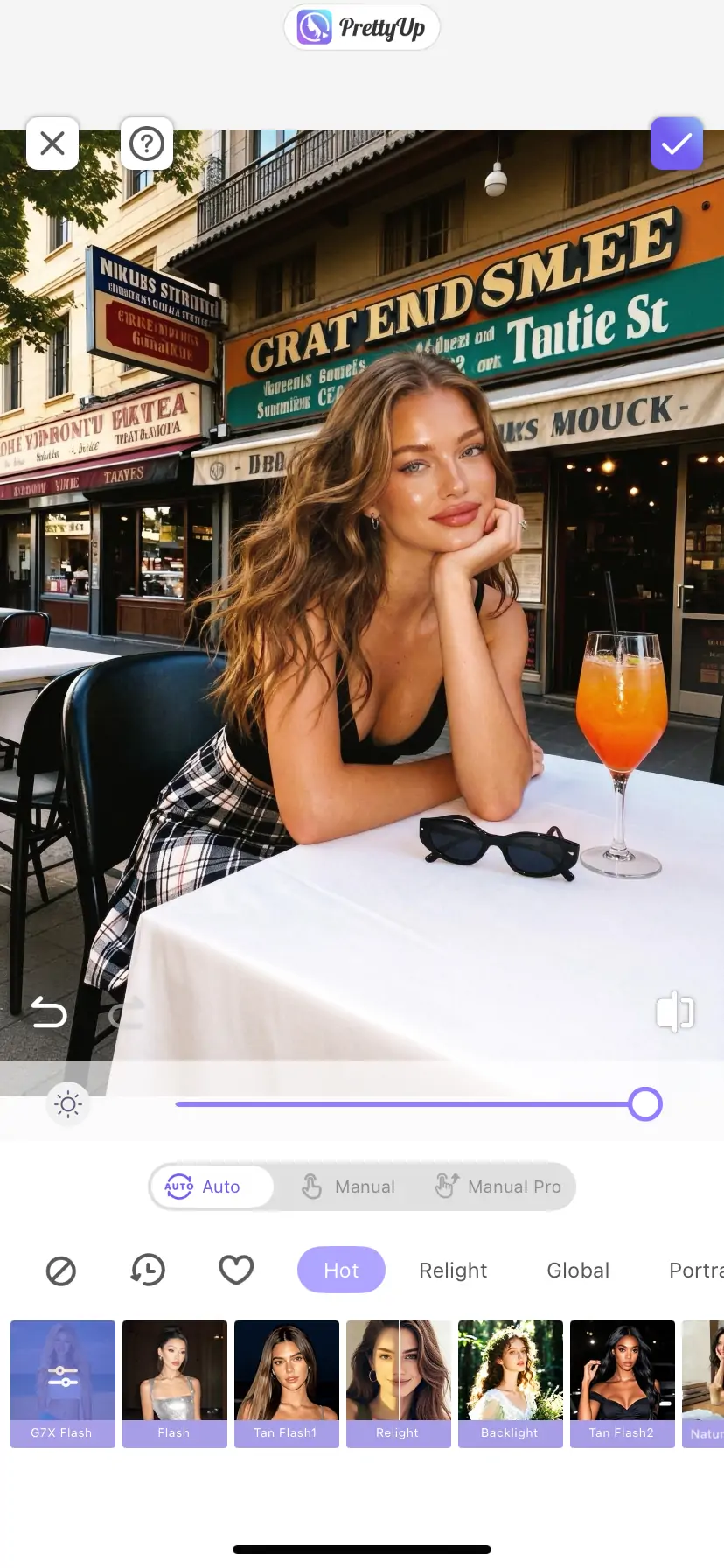
The core appeal of the G7X Flash is that it transforms ordinary photos into direct flash photos with a stronger sense of time and scene. It is especially suitable for images where the person is clear, the background has atmosphere, and the lighting is dim or less than ideal. After using the G7X flash, the background becomes warmer and darker, while the person's face, phone, leather jacket, and jeans are highlighted by the flash, turning ordinary outfit photos into atmospheric shots with a vintage camera feel.
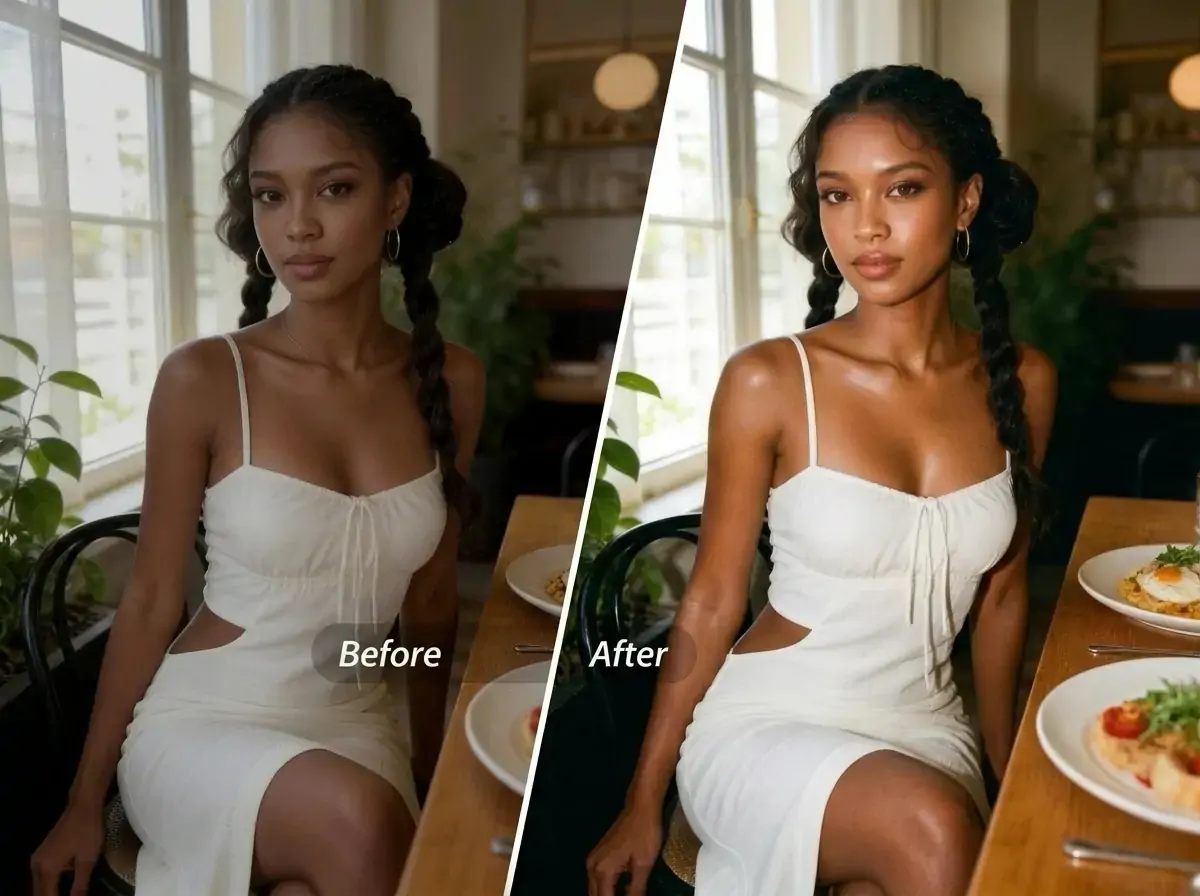
Indoor Restaurant
Restaurants are one of the scenes where the G7X flash is most likely to produce great shots. Dim lighting, candles, wine glasses, tableware, greenery, and wooden backgrounds are naturally suitable for a warm, vintage style. After using the effect, people's faces become brighter, and the lighting on the table and in the background gives more of a nighttime party feel, making it suitable for birthday dinners, gatherings with friends, date photos, and restaurant-hopping content.
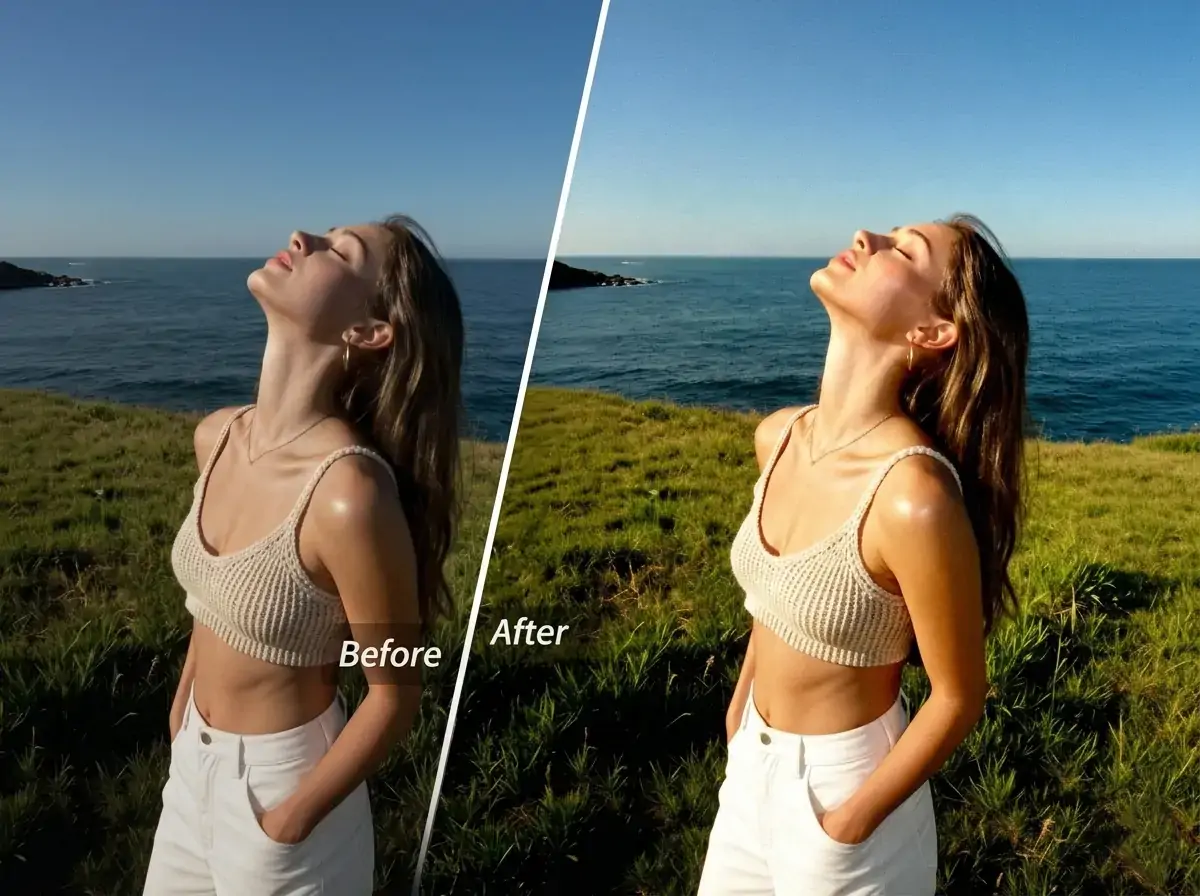
Seaside Beach
Photos by the seaside are very suitable for a G7X Flash style, especially after sunset, on cloudy days, backlit, with sea breeze selfies, or half-body shots on the beach. The flash effect can brighten the face, shoulders, neck, arms, and wet hair, making the skin look healthier and more radiant; the waves, sand, and sky retain the vacation atmosphere. Swimsuit shots, sitting poses by the sea, selfies along the coastline, and vacation cover photos can all be tried.
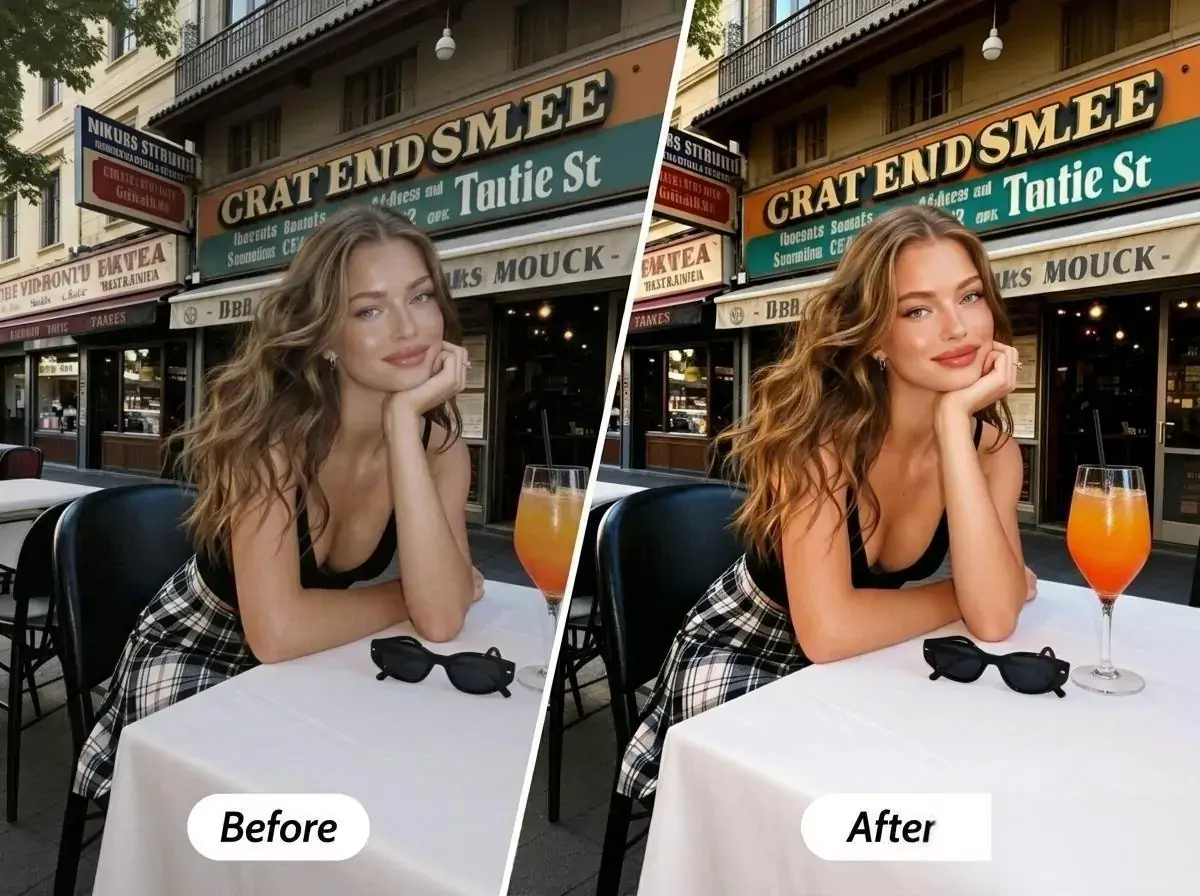
Street Photography
Streets, streetlights, in front of convenience stores, car window reflections, and urban backgrounds are all very suitable for a direct flash style. The G7X flash can make people stand out from a cluttered background while preserving the city scenery, and enhance the presence of outfits, hair, and makeup. It is very suitable for street snapshots, before and after concerts, and night markets during travel.
How to Use the G7X Flash?
The entrance of the G7X flash is very simple, just prepare an image. Please note, it can only be used for images and cannot be used for videos.
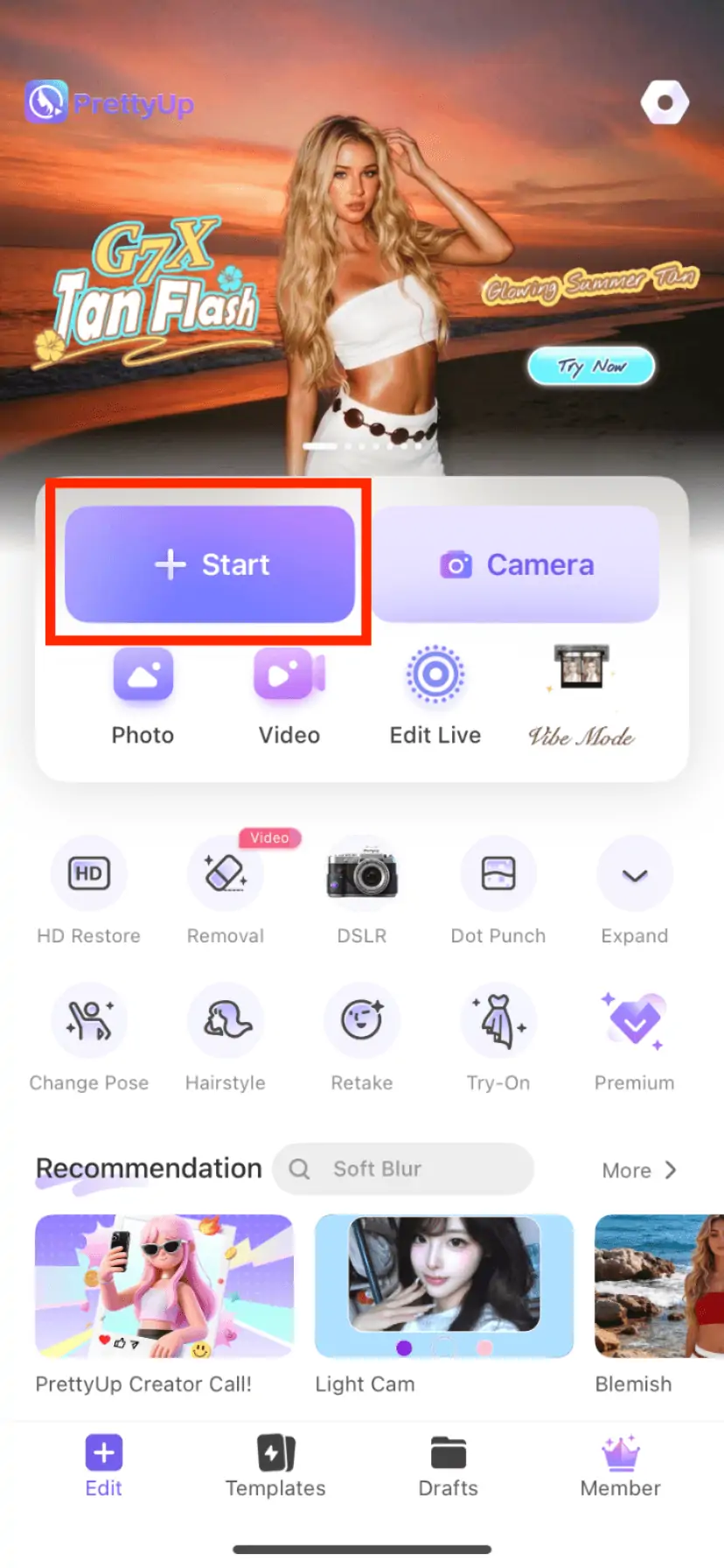
Step 1: Choose a Picture
Open PrettyUp and select a photo you want to edit from the album. It is recommended to prioritize photos that are half-body, with clear subjects and atmospheric backgrounds.
Step 2: Go to the main editing page and open 3D lighting
After selecting an image, go to the main editing page, find 3D Lighting, and enter the lighting effects list.
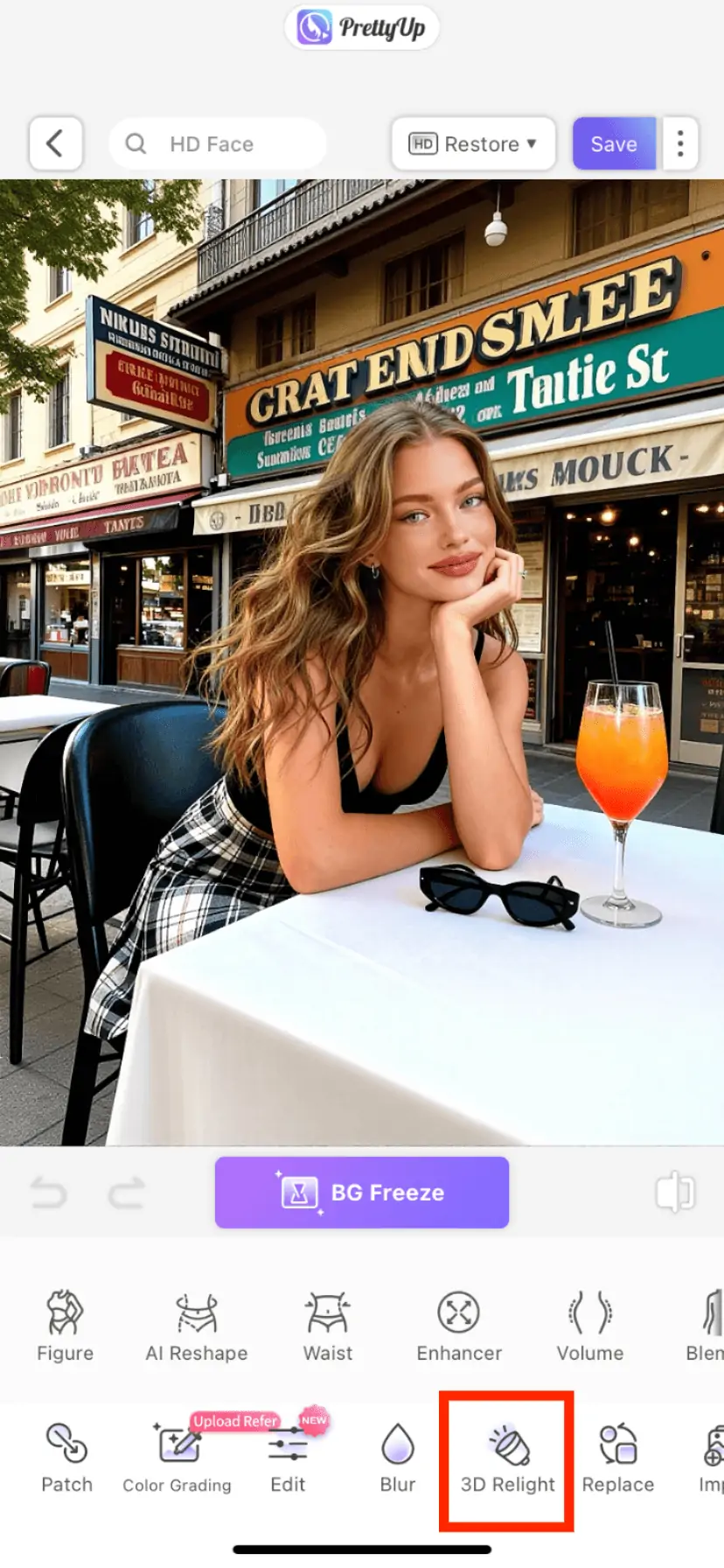
Step 3: Select the G7X Flash in 3D Lighting*
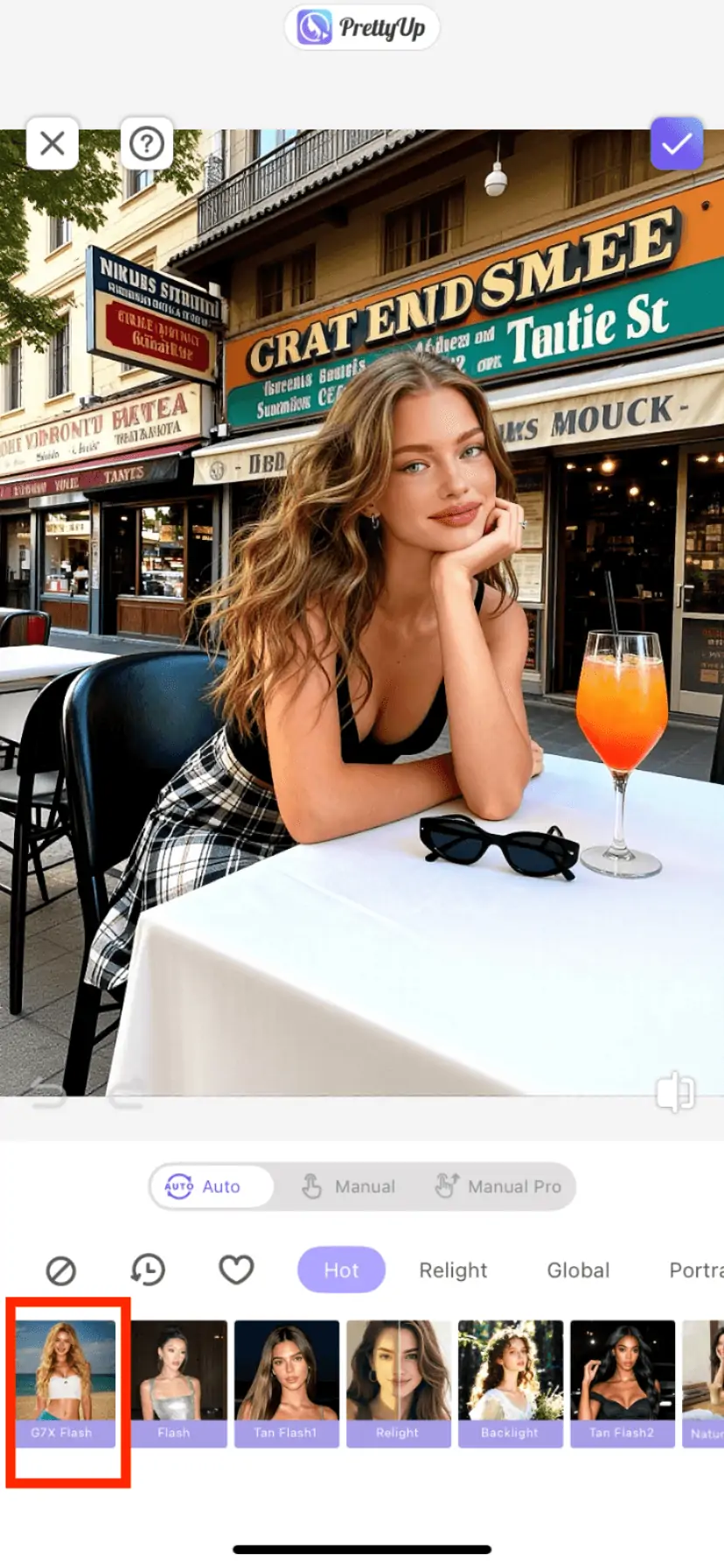
Step 4: Get G7X Flash Effect with One Click
More Tips
Tip 1: Prioritize choosing half-body rear photos
According to the output requirements of the G7X Flash, half-body or upper-body photos are usually more suitable than full-body long shots. When the subject is too far from the camera, the face, neck and shoulders, arms, hair, and clothing reflectivity are not prominent enough, and the direct flash effect becomes weaker. Photos taken with the rear camera usually have better detail and make it easier to produce a clear and natural flash texture.
Tip 2: Photos that are darker or have less ideal lighting are more likely to turn out well
The G7X flash is well-suited for images that are originally a bit dark, grayish, backlit, or taken in average indoor lighting. For example, photos in restaurants, nightlife streets, seaside after sunset, mall mirror selfies, or selfies under tree shade may all have more foreground-background contrast compared to bright daylight.
Tip 3: Showing some skin appropriately will make the effect more obvious
If the photo includes shoulders, arms, collarbones, wet hair, swimsuits, or other skin areas, the flash effect can more easily enhance the sheen and healthy skin tone, making the skin appear brighter, warmer, and more like a vacation sun-kissed complexion.
Tip 4: Choose a background with aesthetic appeal
Don't just choose plain-colored walls. The seaside, beaches, coastlines, indoor restaurants, cafes, forest greenery, resort hotels, street lights, and scenes with a sense of travel can all help make your photos look more like true G7X snapshots. The more atmospheric the background, the more storytelling the photos will have after the flash.
Tip 5: Make slight adjustments after generation
After generating the G7X flash, you can continue to use PrettyUp to adjust cropping, image quality, skin tone, or facial details. It is recommended not to overly clean up the photo; keeping some shadows, reflections, and a sense of the scene will be closer to the vintage atmosphere of a real camera with direct flash.
Summary
The popularity of the G7X flash essentially stems from everyone's renewed love for the authentic direct flash feel of small digital cameras: subjects are illuminated, skin and hair have a sheen, and the background carries warm tones and shadows, making photos look like natural captures in restaurants, by the seaside, on night streets, or in selfie scenes. The G7X flash effect in PrettyUp can quickly apply this atmosphere to images, especially suitable for indoor restaurants, beach scenes, night street photography, and selfies.
Open PrettyUp, choose a photo, and you can generate a warm-toned vintage flash photo with one click. Download PrettyUp now to experience the same effect!