 WEB
WEB
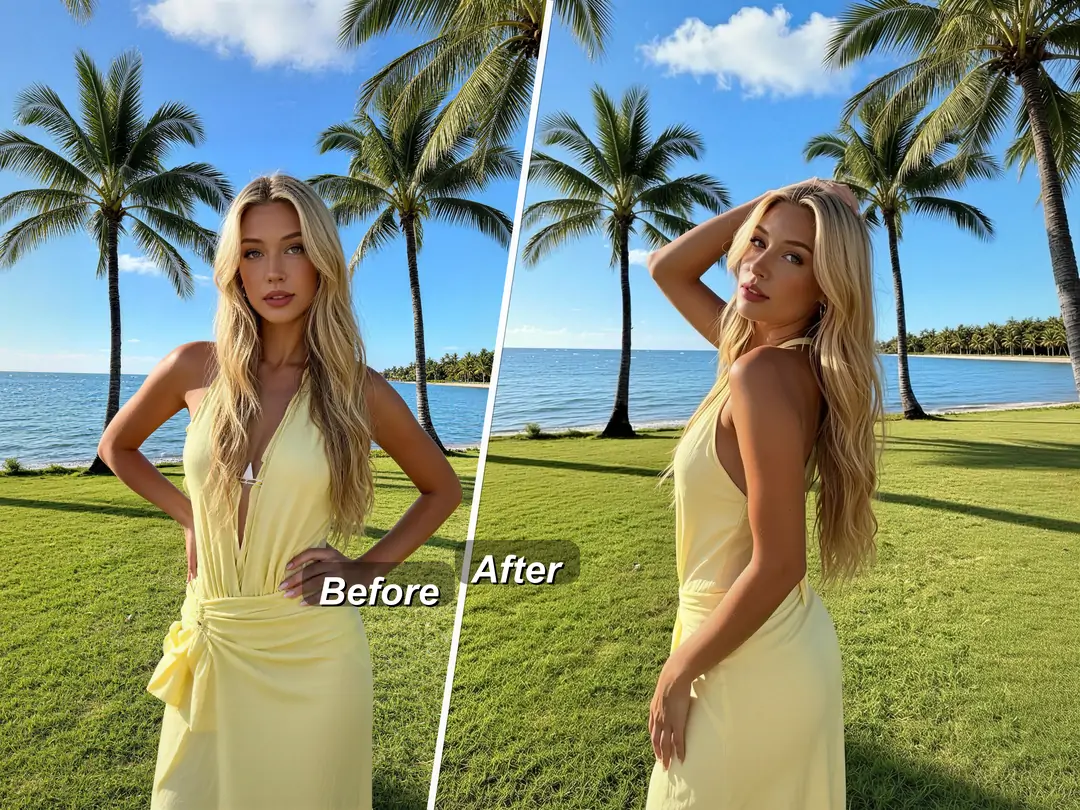
Have you seen others' photos with great poses, but can’t replicate the same effect yourself? Always putting your hands on your hips or making a peace sign when taking photos, and want to try new poses but worry about looking unnatural? Already have a photo with perfect expression and outfit, but the pose isn’t ideal? PrettyUp AI pose change can help you easily solve this—freely change the pose in your photo while keeping your face, clothes, and background completely unchanged.


What is AI Pose Changing?
PrettyUp AI Pose Change is an AI-based pose transformation tool that supports pose swapping for individual photos. It offers two ways to use it, allowing you to quickly achieve your desired photo poses:
- Preset Poses: A variety of popular poses are built-in, covering common photo poses such as standing, sitting, and hand movements. You can see the effect with just one click.
- Custom Reference Image: Upload a pose image you like, and the AI will automatically recognize the person's posture and apply it to your photo, with a natural imitation effect.
- Keep key elements unchanged: During the process of changing poses, the face, clothing, and background should all remain the same, only altering the person's body posture.
- One-Click Generation: After selecting a pose, directly generate the final result without manually adjusting parameters
AI pose changing is not simply about splicing two photos together, but about using AI's understanding of the human body structure to naturally integrate a new pose while preserving the original features of the person.
What effects can changing poses with AI bring?
Preset Poses: Try Multiple Photo Poses with One Click
Preset poses cover the most common posture needs in everyday photography. Whether it's a natural standing pose, a casual sitting pose, or various hand movements, you can quickly switch previews. You don't need to pose yourself, nor worry about whether the movements are standard; the selected pose will automatically adapt to the person. If one pose doesn't look ideal, you can switch to the next one at any time until you find the most natural one.
Custom reference image: Imitate any pose you like
If the preset list does not have the effect you want, simply upload a reference pose image. This image can be of anyone—an influencer, celebrity, or friend, as long as the pose is what you want. The AI will analyze the person's posture in the reference image and then apply the same pose to your photo. The imitation effect is natural and smooth, without any awkward limb distortions or disproportions.
Maintain the original character traits unchanged
The biggest advantage of AI pose changing is that after changing the pose, the person's facial shape, expression, clothing details, and background environment are all exactly the same as the original image. You don't need to redo makeup, change clothes, or find a location; simply changing the pose can make the photo look completely new. In group photos, if you think someone's pose is not ideal, you can also adjust it individually.
How to Use AI to Change Poses?
Step 1: Choose a Photo
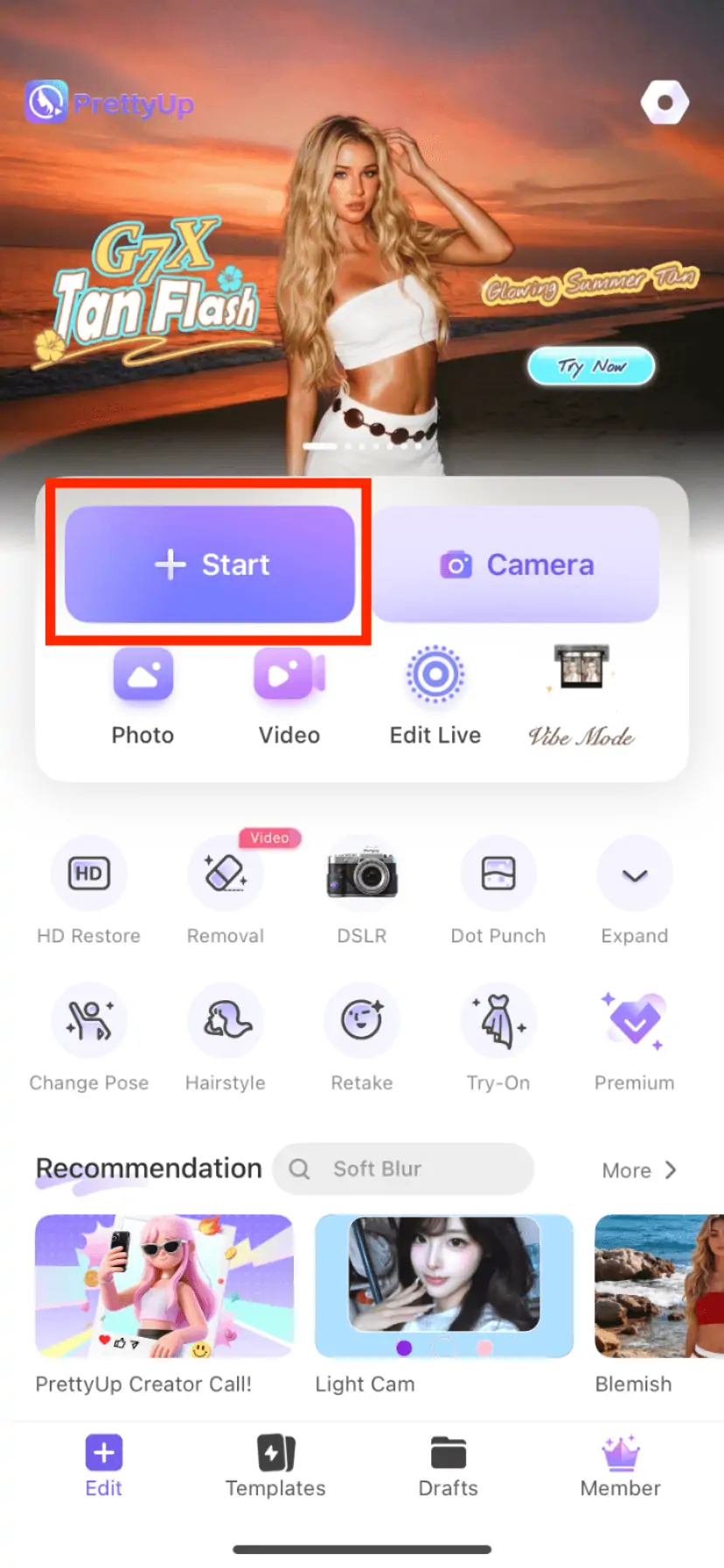
Open PrettyUp and select the photo for which you want to change the pose.
Step 2: Enter the AI Pose-Changing Feature
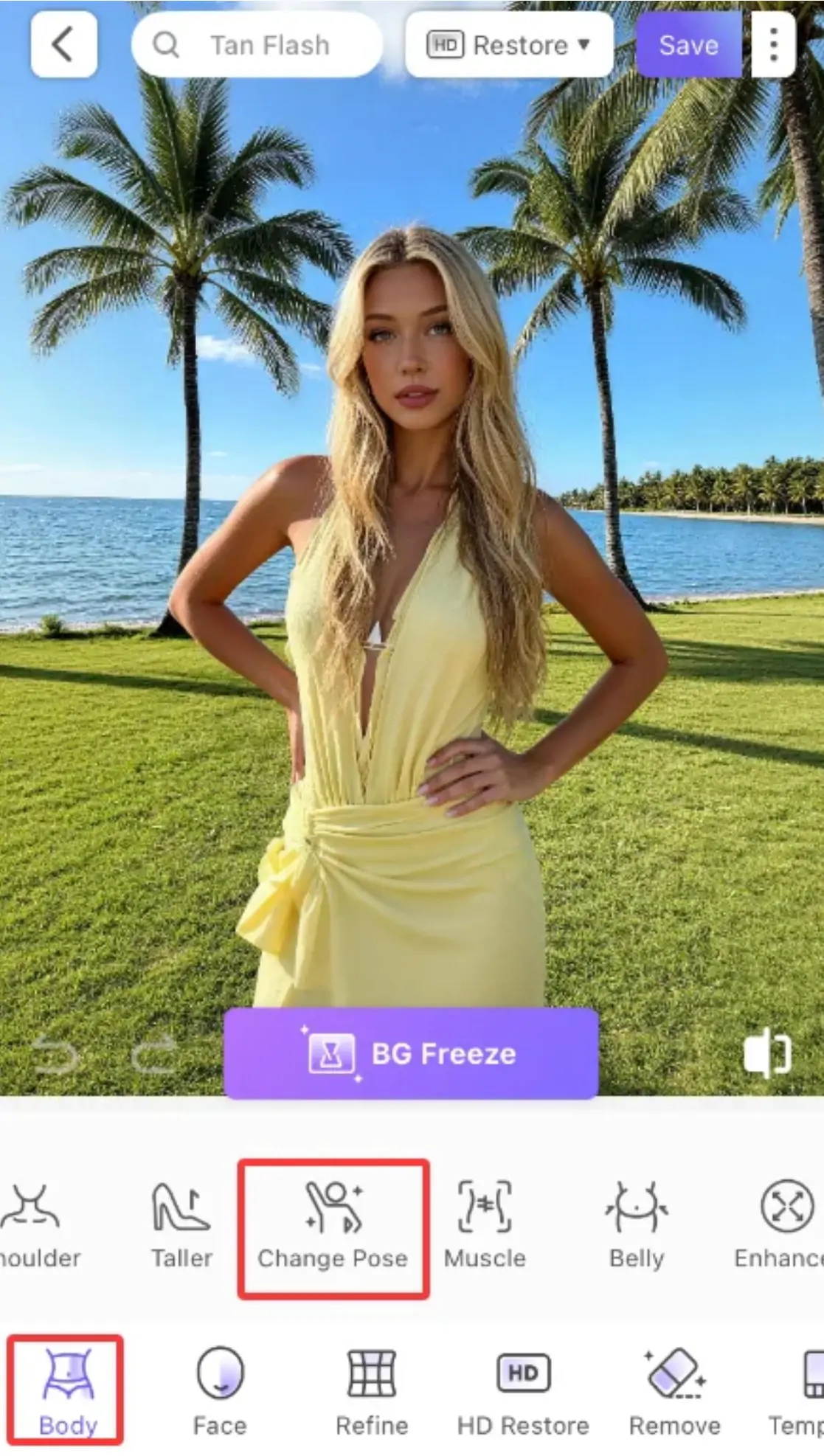
Find the 'Creative AI' module in the bottom toolbar, click to enter, and then select 'AI Pose Change'.
Method 1: Using Preset Poses
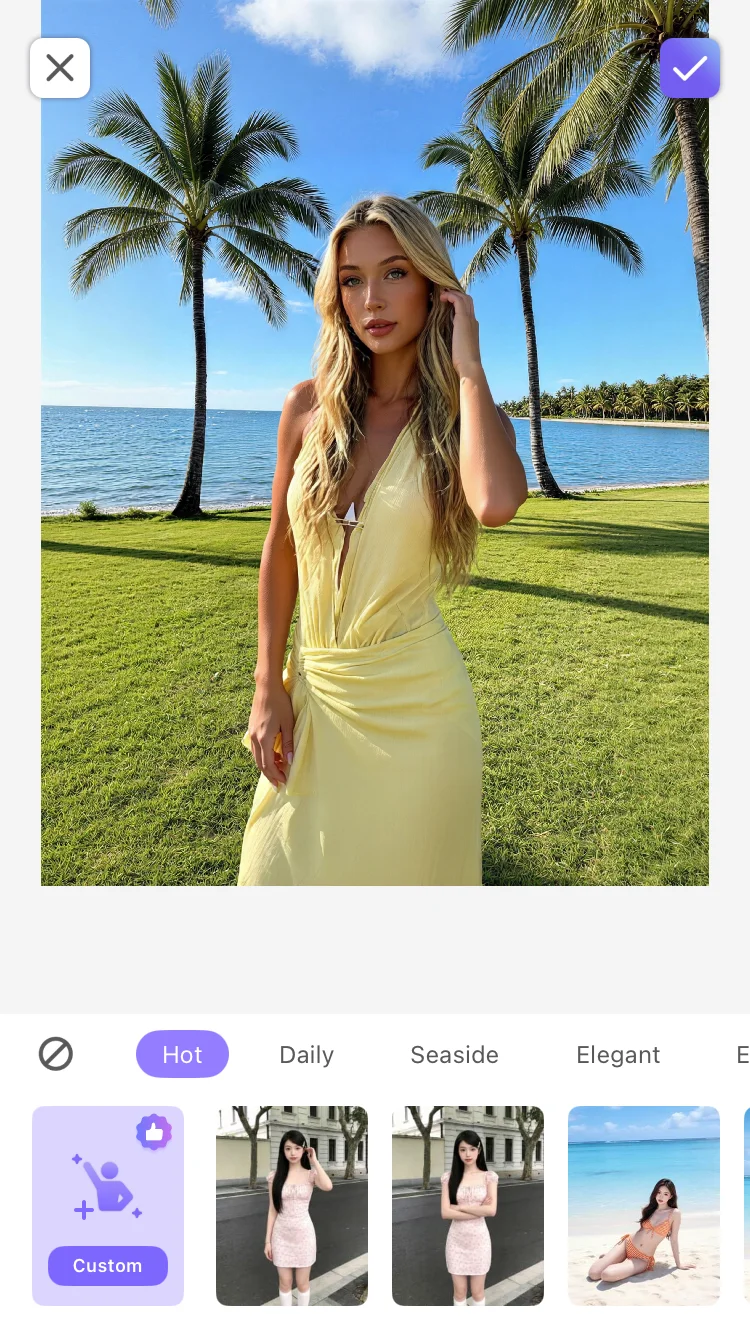
After entering AI posture change, browse the preset posture list to see previews of various categories of postures. Click on the posture you are interested in, and the AI will automatically generate a preview of the effect after changing the posture. If you are not satisfied, continue switching to other postures until you find the most natural and suitable posture. The whole process only requires a few clicks and does not require any manual adjustments.
Method 2: Upload a Reference Image
If the preset poses do not include the one you want, click the upload reference image button and select a picture from your album that contains the desired pose. The AI will automatically analyze the posture information of the person in the image and apply it to your photo. The uploaded reference image can be of any person or any pose, and the AI can accurately recognize and mimic it.
Confirm and Save
Preview the effect of changing poses, and save it if you are satisfied. Since AI pose changing does not support manual adjustments, it is recommended to try several different preset poses when selecting, to find the one that best matches the character and the scene.
More Usage Tips
Tip 1: Choose preset poses based on photo style. For everyday street photography, a naturally relaxed standing pose is suitable; for formal occasions, a more upright posture can be chosen; for casual settings, relaxed sitting poses or side poses are appropriate. Try different presets under each category to find the pose that best matches the photo's atmosphere.
Tip 2: Choosing reference images requires attention. When uploading custom reference images, try to select pictures where the character's outline is clear and the pose is distinct, avoiding references with severe obstructions or excessively extreme angles. When there are significant differences in body shapes in the reference images, AI will automatically adapt, but overly exaggerated poses may affect naturalness.
Tip 3: Use in conjunction with other PrettyUp features. AI posture change can be used in combination with facial beautification, facial feature reshaping, and other functions. It is recommended to adjust the posture first, then refine the face, and finally preview the overall effect, so that the photo achieves the best results from posture to facial appearance.
Tip 4: Suitable for photos with good expressions but poor poses. Many times, you take a photo with a natural expression, but the pose is not ideal — the arm position is wrong, the body angle is off, or the action looks stiff. These photos are the best scenarios for AI pose swapping, keeping the expression while only changing the pose.
Summary
PrettyUp AI allows you to change poses without having to retake photos, letting you freely alter the posture in your pictures. Choose from a variety of preset poses with one click, or upload a reference image to imitate any pose you like, while keeping faces, clothing, and backgrounds unchanged. Download PrettyUp now and experience the freedom of posing with AI!