 WEB
WEB
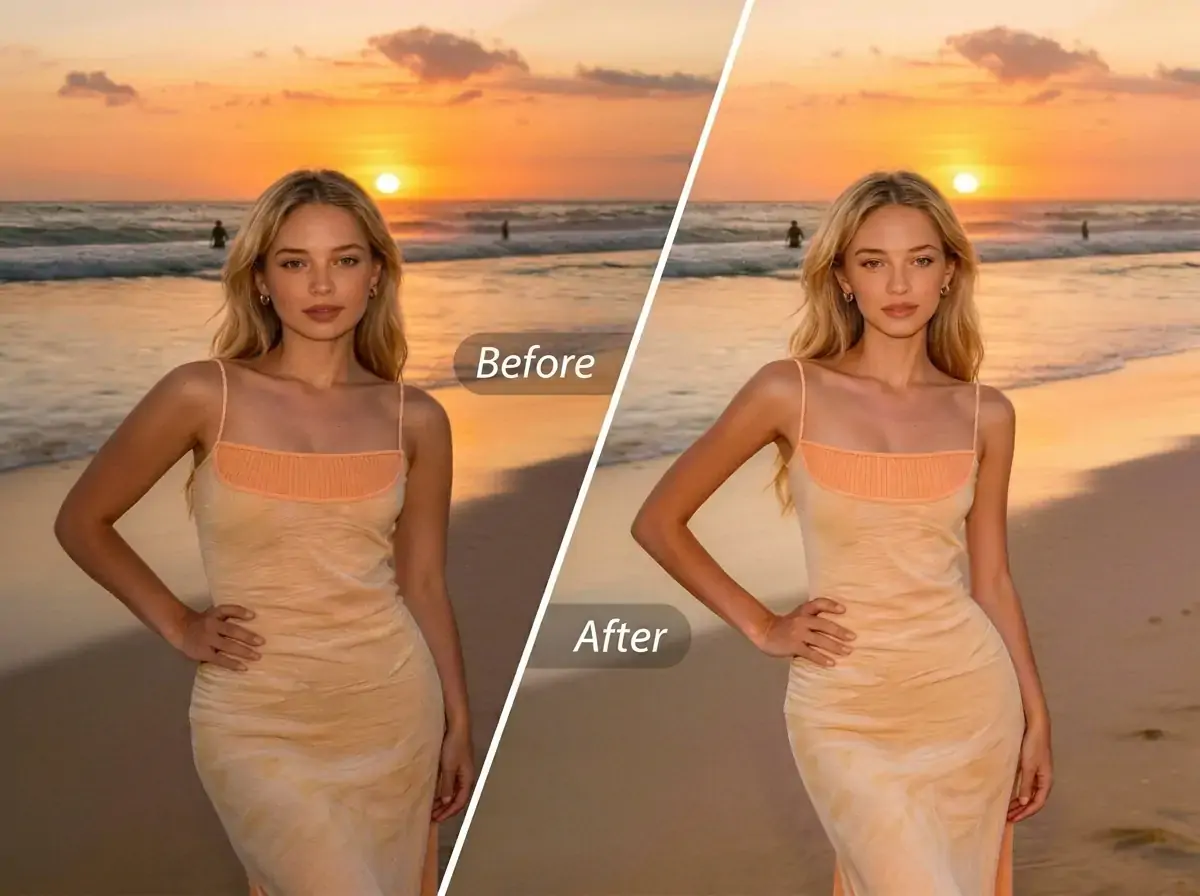
Summer has arrived, and wearing stylish summer clothes for photos, you might find that your body lines are not ideal—you may want the overall look to be a bit lighter, the curves more pronounced, or to switch to a completely different style. Manually retouching photos is not only time-consuming but also prone to distortion. In fact, you don't need complicated skills; what you need is an intelligent body-shaping solution that lets you see multiple styles at once.


What is AI Body Shaping?
AI Body Shaping is an AI intelligent body sculpting feature launched by PrettyUp, offering six different preset styles that allow you to switch between multiple body effects with one click, easily finding the style that suits you best.
- Six preset styles: Built-in presets include Light, Curvy, Full, Slimming, Double-door, and Masculine, covering a variety of aesthetic directions from slender to muscular. Each preset focuses on different shaping effects, and you can switch between them freely for comparison.
- AI Intelligent Recognition: AI automatically recognizes the human body contour and completes shape optimization, no manual pushing or pulling required, achieving the ideal body shape with just one click.
- Intensity slider for free adjustment: Each preset comes with an intensity slider, allowing you to easily control the degree of shaping, from subtle tweaks to noticeable enhancements, giving you full control over the effect.
- Images Only: Currently focused on photo body shaping, making every photo present the best body shape.
- Naturally seamless: AI optimization is based on the natural structure of the human body, producing smooth and natural effects without issues like distortion or background deformation.
Tip: Not sure which preset suits you? It is recommended to first browse the effect previews of some presets, choose the style that attracts you most to start trying, and then use the intensity slider to fine-tune it to the most natural state.
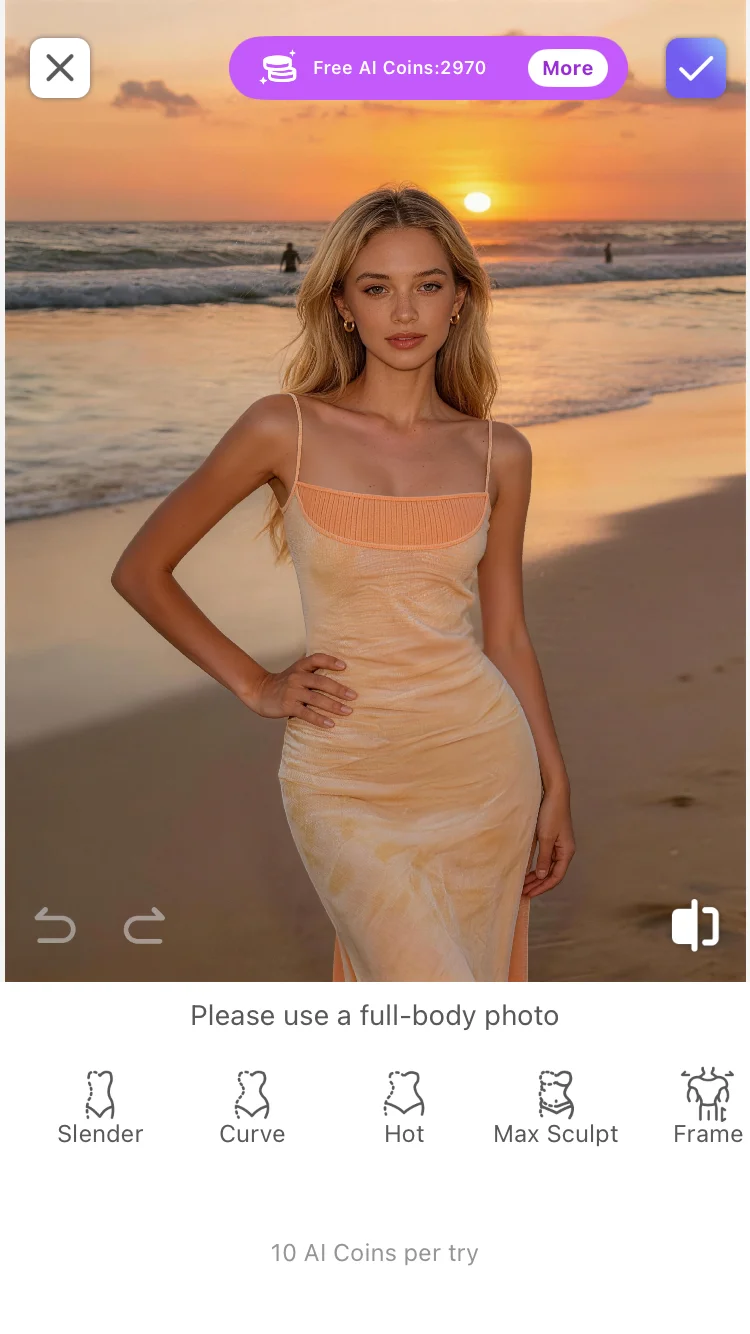
AI body shaping feature interface, showing some preset options and effect previews.
What effects can AI body shaping bring?
AI Body Shaping offers six different preset styles, each of which can give your body a different visual effect.
Light and airy: Makes the overall body lines appear slimmer and lighter, suitable for summer photos aiming for a fresh and lively style. Whether it's a dress or a short-sleeve shirt with shorts, it can make the figure look more delicate.
Curves: Focus on optimizing the waist and hip lines, highlighting the soft contours of the body. Suitable for photos that want to showcase feminine curves, making the figure under summer clothing more defined.
Fullness: While maintaining balanced body proportions, appropriately increase body fullness to make the overall contour fuller and rounder. Suitable for users who want a fuller body effect.
Weight Loss: Uniformly reduce and optimize the overall body to make the figure look more toned and elongated. Suitable for full-body photos, aiming for an overall slimming effect.
Double-Open Shoulders: Optimizes the shoulder line, making the shoulders broader and more upright, creating an inverted triangle body proportion like a 'double-open door.' Especially suitable for wearing suits, shirts, and other clothing that requires lifting the shoulder line.
Adult Male: Shapes a more masculine body contour, emphasizing shoulder width and overall posture strength. Suitable for users seeking a neutral or rugged style, making summer outfits look more commanding.
Comparison display of some preset effects.
Applicable Scenarios:
- Summer Outfit Photos: Photos of summer clothes such as dresses, T-shirts with shorts, and camisoles, with one-click switching between different body styles.
- Street Photography and Travel Photos: Outdoor street shots and full-body travel photos make the overall body proportions look better.
- Social media sharing: Platforms like Moments, Xiaohongshu, Instagram, etc., try different styles to find the effect that suits you best.
- Outfit Comparison: Try the same set of clothes with different preset styles to see which effect suits you best.
How to use AI body shaping?
Step 1: Choose a Photo
Open PrettyUp and select the photo you want to enhance with AI body shaping.
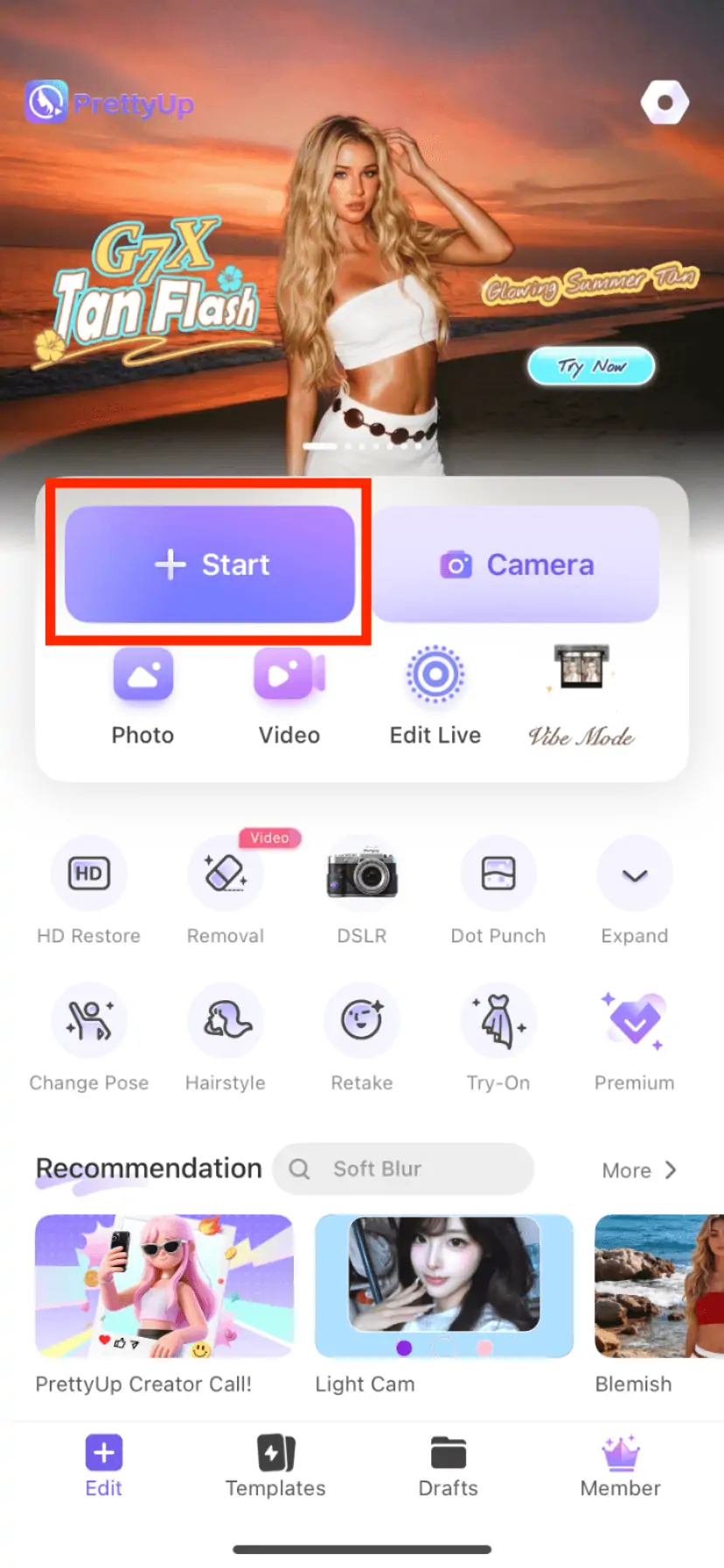
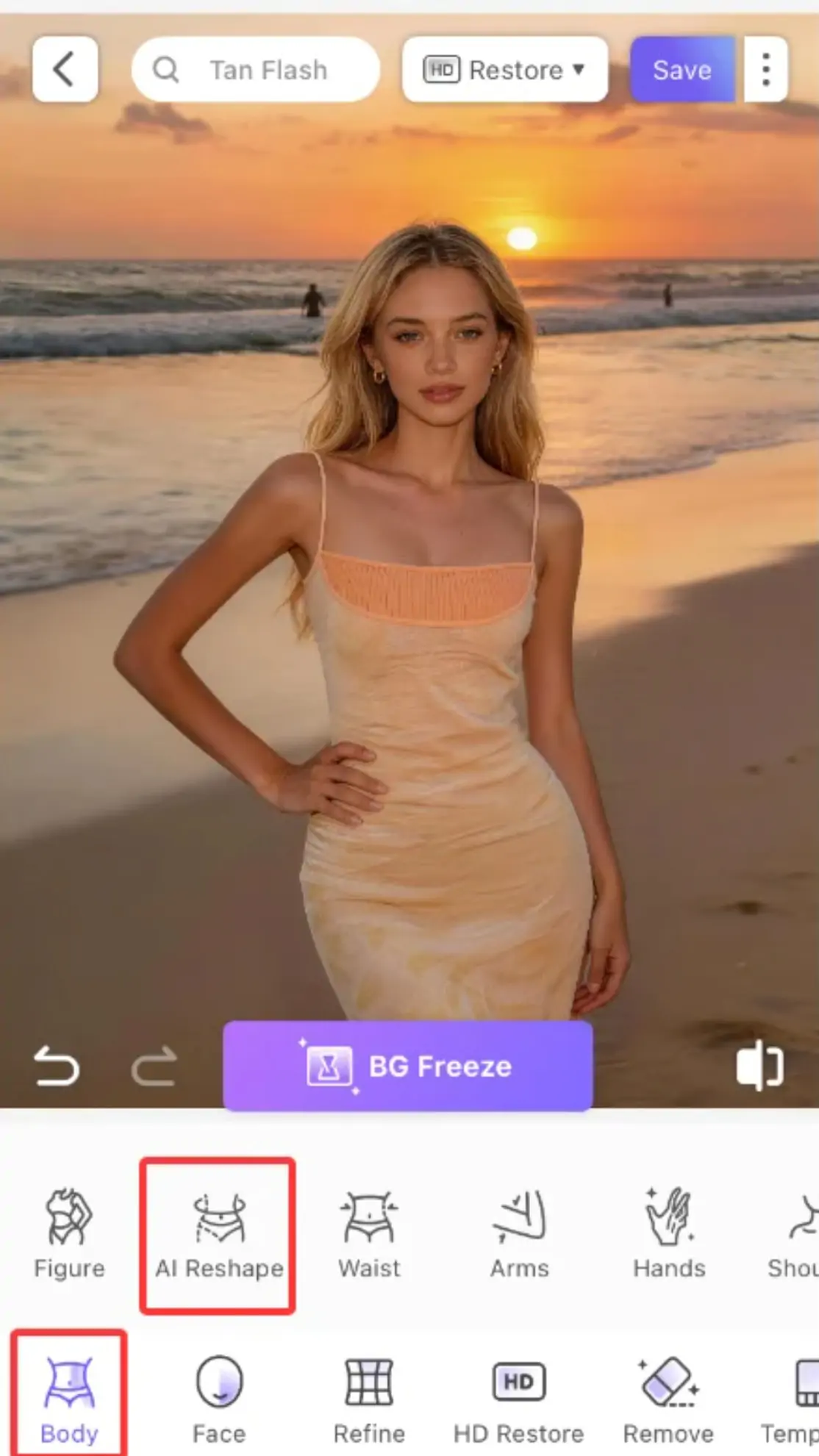
Step 2: Enter the AI Body Sculpting Feature
Find the 'Body' module in the bottom toolbar, click to enter, then find the 'AI Body Shaping' option and click it.
Step 3: Choose a Preset Style
Browse and select your preferred style from the preset list—light, curvy, full, slim, double-door, or masculine. The selected preset will serve as the baseline for the body shaping effect. You can switch to other presets at any time to compare different effects in real time.
Step 4: Adjust the intensity
Use the intensity slider to control the degree of shaping. Sliding to the left reduces the effect, suitable for users seeking subtle adjustments; sliding to the right enhances the effect, suitable for scenarios requiring noticeable optimization. It is recommended to start from the middle value and gradually adjust to a satisfactory level.
Step 5: Confirm and Export
After adjusting to your satisfaction, click 'Confirm' or 'Apply' to save the changes, and then export your work.
More Usage Tips
Tip 1: Choose presets based on clothing style. Light dresses or fairy-style outfits are suitable for the 'Light' preset to highlight a fresh feeling; fitted summer clothes can use the 'Curve' or 'Full' presets to emphasize lines; when wearing suits or shirts, you can try the 'Double Door' preset to optimize shoulder lines; for a neutral, strong style, the 'Adult Male' preset is a good choice.
Tip 2: Higher intensity is not always better. The goal of AI body shaping is to make body lines look more natural and attractive, rather than changing your original appearance. It is recommended to start with a lower intensity and gradually fine-tune to find the balance of 'looking like yourself, but in a better state.' Excessive intensity may cause background distortion or unnatural effects.
Tip 3: Different presets can be used together. If the effect of a single preset is not perfect enough, you can first use one preset to get the basic effect, and then switch to another preset for targeted adjustments. The intensity slider can help you precisely control the strength of the final effect.
Tip 4: Use in conjunction with other PrettyUp features. AI Body Shaping can be used in collaboration with slimming, hip enhancement, and other features—first use AI Body Shaping to select the overall style, then use slimming or hip enhancement for local refinement to create a complete body shaping plan.
Summary
AI body shaping lets you try multiple body styles with one click, from light to full, from slim to athletic with six presets, there is always one that suits your aesthetic. With the freely adjustable intensity slider, you can precisely control the strength of the effect and find the most natural state.
Next time you take photos in summer clothes, try several presets to see which style suits you best. Open PrettyUp, use one-click AI body beautification, and discover more possibilities for yourself.