 WEB
WEB
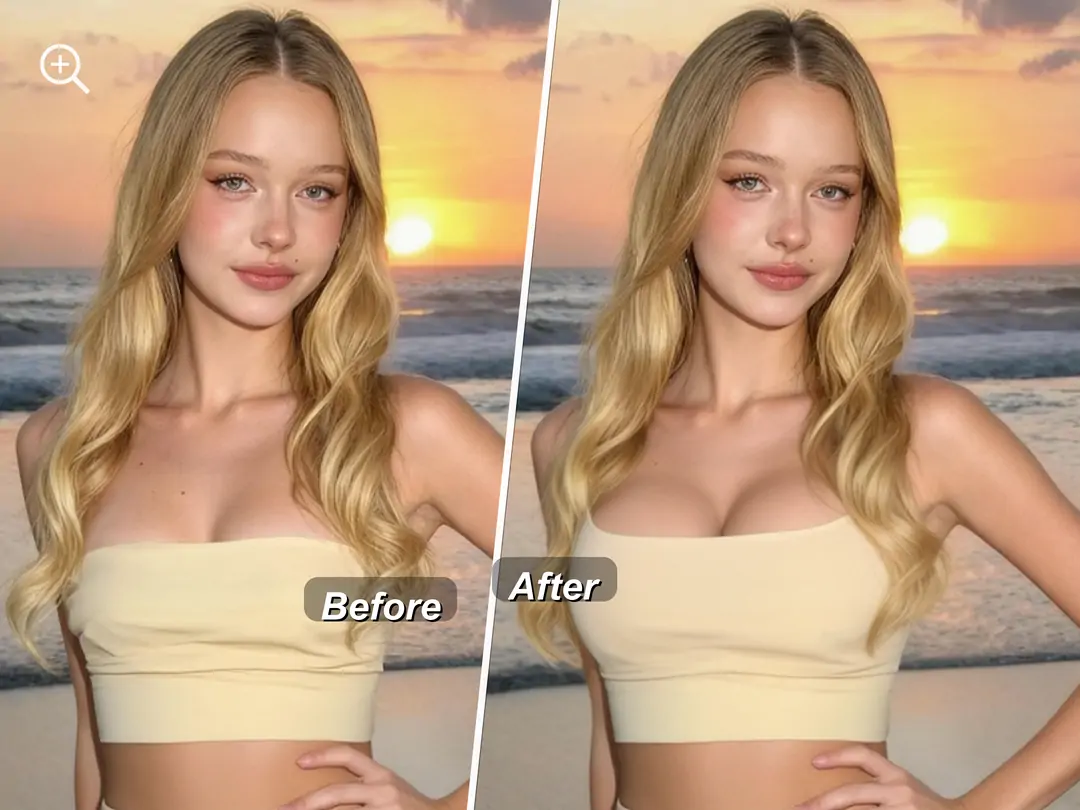
Do you have this kind of trouble? You put on a beautiful dress or a fitted top, take photos, but then find that the chest line isn't ideal—you want it to be fuller, the shape to be more attractive, or to try a completely different breast style. Manual photo editing tools are too difficult to master, and the results can look unnatural and easy to mess up. In fact, you don't need complicated skills; what you need is an AI smart solution that lets you see multiple breast styles in one go.


What is breast augmentation?
Breast enhancement is an AI intelligent breast shaping feature launched by PrettyUp, offering two modes: AI one-click generation and manual adjustment, supporting three different breast shape presets, allowing you to easily shape the ideal breast lines according to personal preference.
- AI One-Click Generation: The AI automatically identifies the chest area and completes optimization. Just select your preferred breast shape and click generate to achieve a natural effect, no photo editing experience required.
- Three Breast Shape Presets: Built-in droplet, round, and athletic breast shapes, covering different aesthetic preferences. You can freely switch for comparison and find the breast shape style that suits you best.
- Manual Mode: In addition to AI one-click generation, manual adjustment tools are also provided, allowing you to make more precise personalized adjustments to the chest area.
- Intensity Slider Freely Adjustable: Equipped with an intensity slider, you can easily control the level of breast enhancement, from subtle adjustments to noticeable optimization, freely mastering the degree of effect.
- Support for both images and videos: Whether it is a still photo or a dynamic video, the breast enhancement feature can adapt perfectly, ensuring every photo and every frame has the ideal bust shape.
Tip: Not sure which breast shape suits you? It's recommended to first try the preview effects of all three breast shapes, choose the style that appeals to you the most, and then use the intensity slider to fine-tune to the most natural state.
Breast enhancement function interface, showing AI one-click mode and breast shape selection.
What effects can breast enhancement bring?
Breast enhancement offers three different preset breast shapes, each capable of creating a different visual effect.
Water Drop: Shapes a naturally drooping water-drop-shaped bust, with moderate fullness at the top and more fullness at the bottom, making it the top choice for those seeking a natural aesthetic. Suitable for most everyday photos, the effect looks like a naturally perfect bust.
Disc: Shapes a full, rounded disc-shaped bust, with an overall evenly rounded contour and fullness at the top as well. Suitable for wearing strapless, low-cut, and other clothing that highlights the bust line, making the bust appear more perfectly symmetrical.
Bodybuilding: Shapes a firmer and more upright chest, with higher positioning and smoother lines. Suitable for wearing sportswear, swimwear, or fitted T-shirts, showcasing a healthy and energetic physique.
AI One-Click vs Manual Mode: AI one-click generation is suitable for quickly producing results; after selecting the chest type, just click to get the effect. Manual mode is suitable for users who pursue fine control, allowing more personalized adjustments to the size, shape, and position of the chest. The two modes can be used together—first use AI one-click to get the basic effect, then use manual mode to fine-tune the details.
Applicable Scenarios:
- Everyday Outfit Photos: Everyday outfits such as dresses, fitted T-shirts, shirts, etc., with one-click optimization for the chest line.
- Low Necklines and Strapless Tops: V-necks, strapless tops, spaghetti straps, and other clothing that reveals more skin make the bust appear fuller and more attractive.
- Swimsuit and Sports Photos: Photos in swimsuits, fitness wear, etc., choose well-toned chest shapes to show health and vitality.
- Video Creation: Add a breast enhancement effect to video content such as outfit sharing and daily vlogs, with dynamic footage also looking natural.
How to Use Breast Enhancement?
Step 1: Choose a photo or video
Open PrettyUp and select the photo or video you want to enhance the bust in.
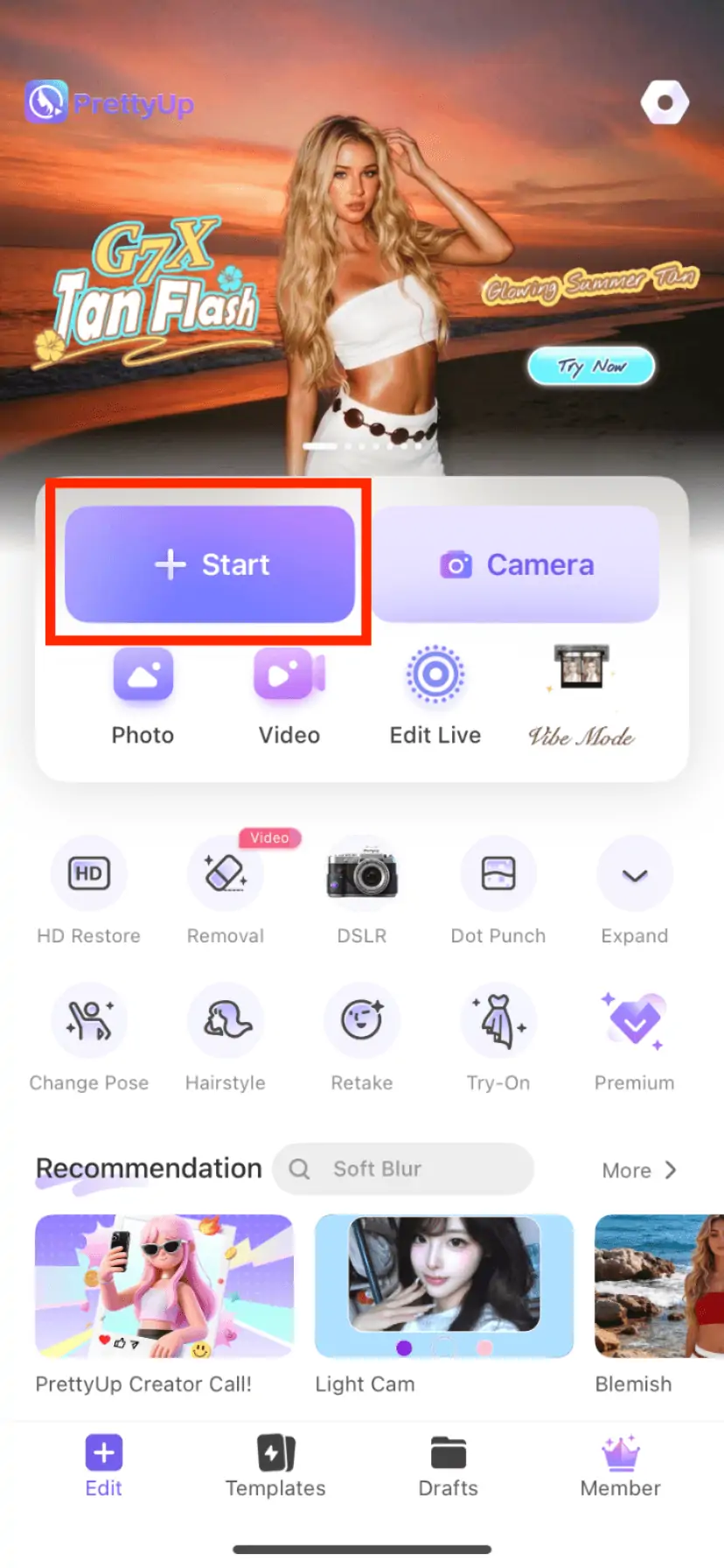
Step 2: Enter the breast enhancement function
Find the 'Body' module in the bottom toolbar, click to enter, then find the 'Breast Enhancement' option and click it.
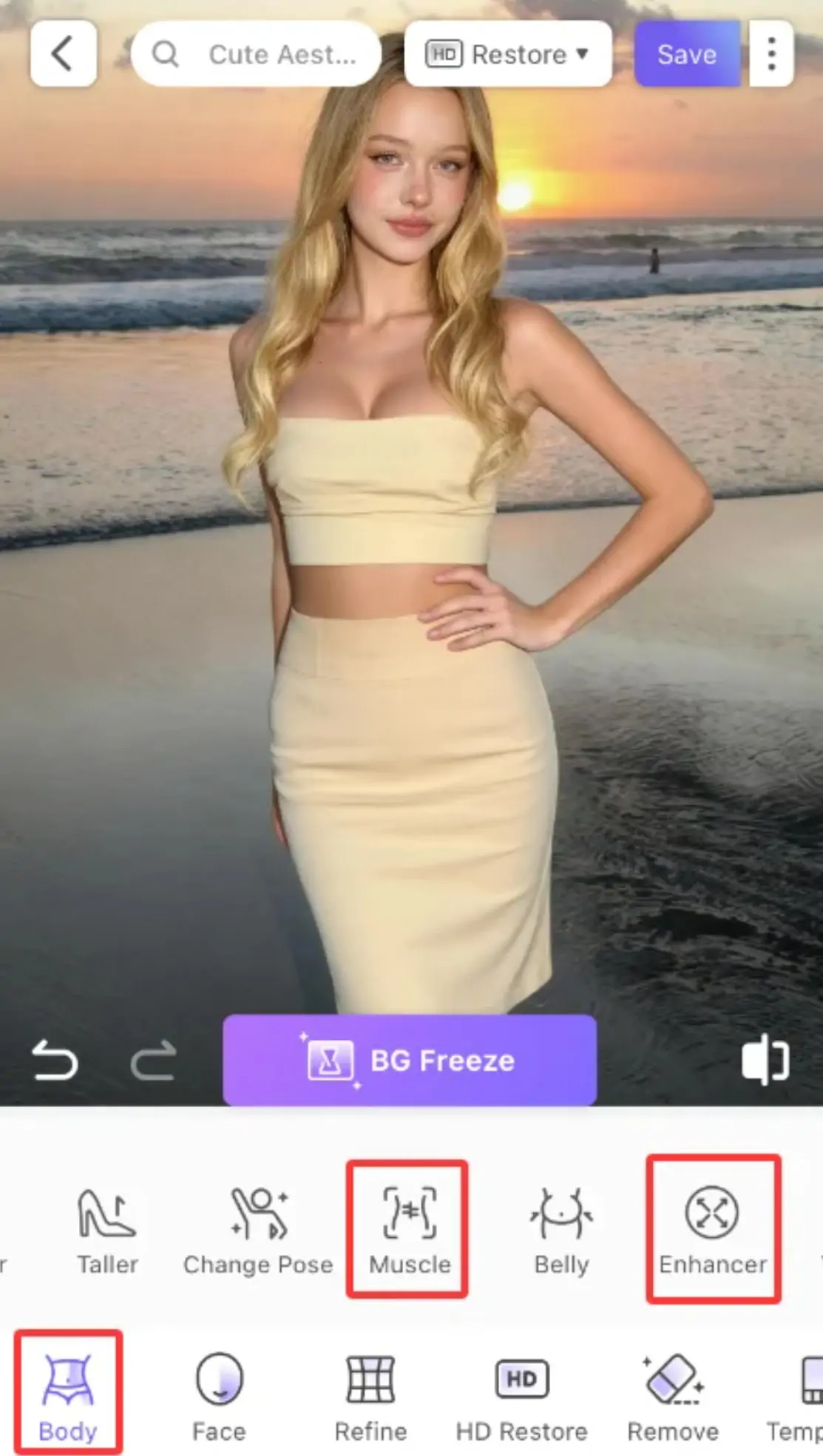
Step 3: Choose a Mode
You can choose between AI one-click generation or manual mode. For first-time use, it is recommended to try the AI one-click mode first to quickly get results, and then make manual adjustments as needed.
Step 4: Select Chest Preset
Choose your preferred style from the breast shape list—teardrop, round, or athletic. The selected breast shape will serve as the baseline for the breast enhancement effect. You can switch to other breast shapes at any time to compare different effects in real time.
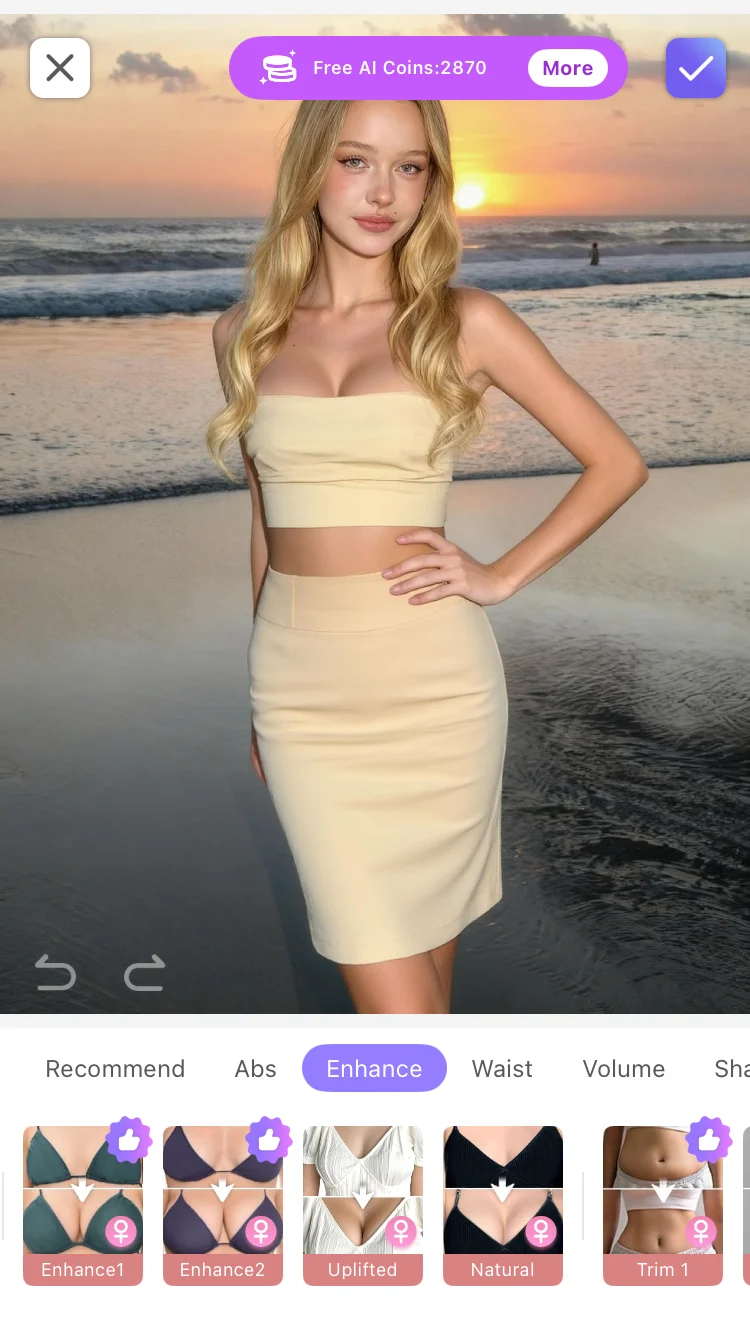
Step 5: Adjust the intensity
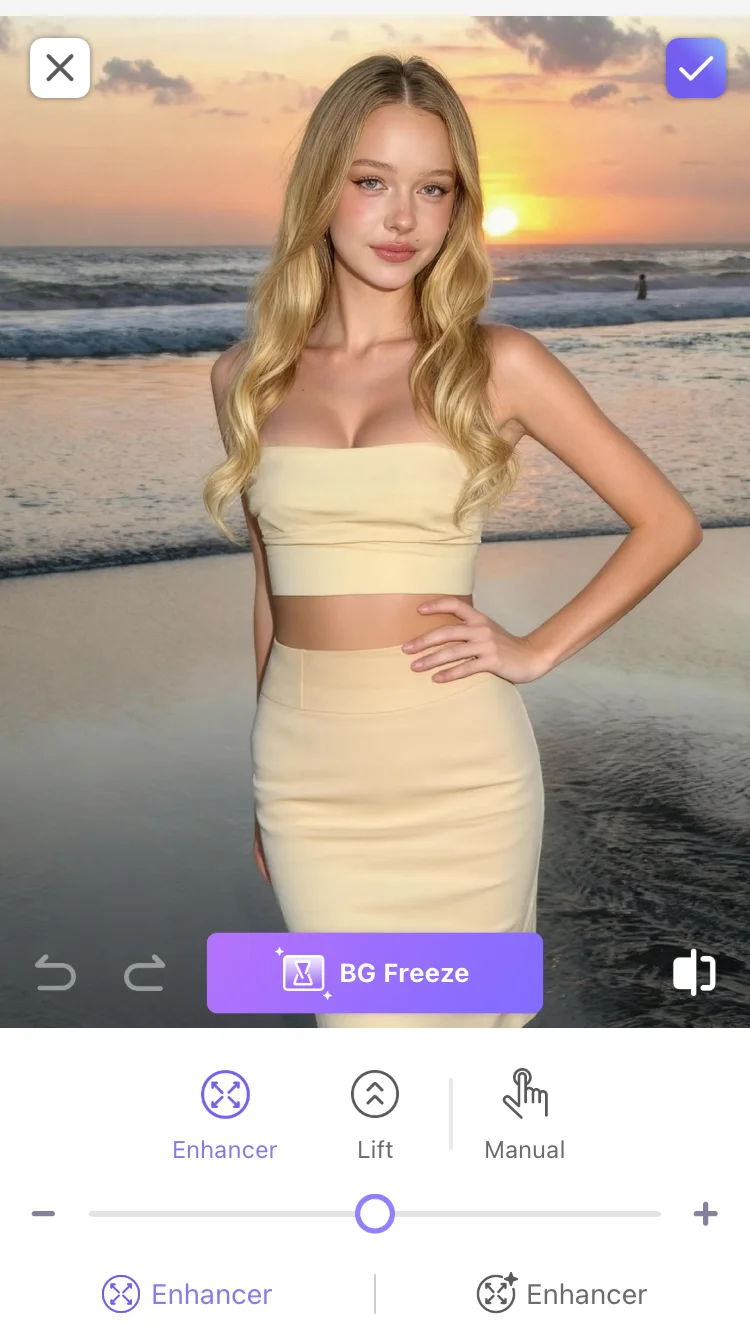
Use the intensity slider to control the degree of breast enhancement. Slide to the left to reduce the effect, suitable for users seeking minor adjustments; slide to the right to increase the effect, suitable for scenarios requiring noticeable enhancement. It is recommended to start from the middle value and gradually adjust to a satisfactory level.
Breast enhancement intensity slider adjustment interface, displaying real-time previews of different intensities.
Step 6: Confirm and Export
After adjusting to your satisfaction, click 'Confirm' or 'Apply' to save the changes, then export your work.
More Usage Tips
Tip 1: Choose a breast shape according to your clothing. When wearing low-cut or strapless outfits, a 'round' breast shape makes the overall silhouette fuller and more symmetrical; when wearing fitted T-shirts or swimwear, a 'teardrop' breast shape looks more natural; sportswear or gym clothes are suitable for a 'fit' breast shape, showcasing a firm and upright effect.
Tip 2: Higher intensity is not always better. The goal of breast enhancement is to make the shape look more natural and attractive, not to pursue an exaggerated effect. It is recommended to start from a lower intensity and gradually adjust, finding the balance that makes it look like a naturally good shape. Excessive intensity may result in an unnatural effect.
Tip 3: Combine One-Click AI with Manual Use. First, use the AI one-click generation to achieve a basic chest shape effect, then switch to manual mode to finely adjust the size and shape. The advantages of the two modes complement each other, allowing you to freely choose between convenience and precision.
Tip 4: Use in conjunction with other PrettyUp features. Breast enhancement can be used in combination with slimming, hip shaping, and other functions — first use slimming to optimize the waistline, then use breast enhancement to shape the ideal bust, creating a complete body shaping plan from the upper body to the lower body.
Summary
Breast enhancement allows you to try multiple breast style types with one click, from the naturally soft waterdrop shape to the full and symmetrical round shape, and then to the firm and upright athletic shape. Among the three presets, there is always one that suits your aesthetic. With the convenience of AI one-click generation and the precise control of manual mode, everyone can find their ideal breast shape.
Next time you take photos, you won't have to delete them because you're not satisfied with your chest line. Open PrettyUp, enhance your chest with one click, and have a confident and charming body shape.