 WEB
WEB
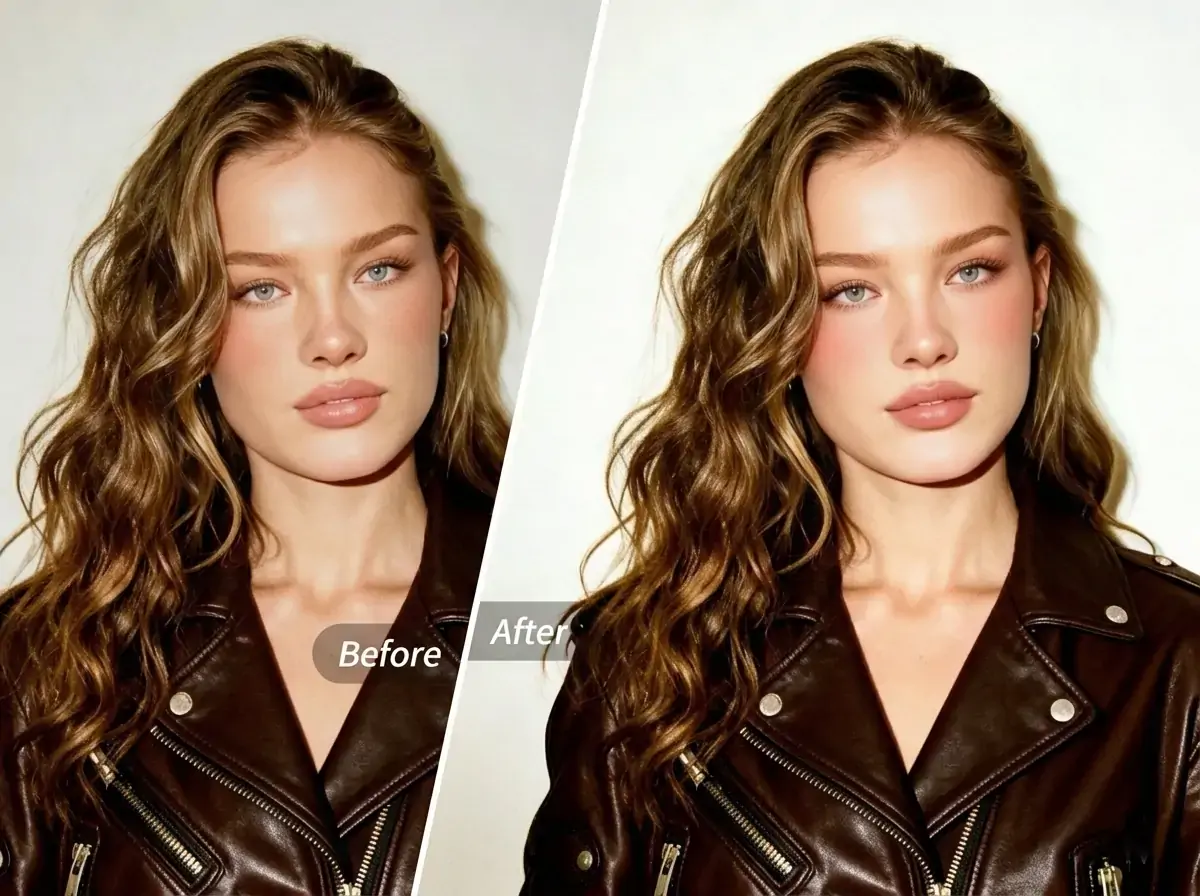
Have you ever had this happen? You spend time getting ready, go out, take a whole album of photos, and then realize at home that your skin does not look smooth enough and your complexion does not look fresh enough. Tiny imperfections, dull skin, and signs of fatigue are not things a filter can really fix. You may have tried all kinds of photo editing apps, only to find that they are either too complicated or look too fake. Is there a way to make yourself look naturally beautiful in photos without learning complicated settings?


What Is AI Beauty?
AI Beauty is an intelligent face enhancement feature from PrettyUp. It uses AI algorithms to beautify faces in one tap, so you can instantly get naturally smooth and healthy-looking skin in your photos.
Key highlights:
- One-tap AI generation with no manual adjustments: AI automatically detects facial features and completes the beauty retouching for you. Just tap once to get a natural, flattering result, with no editing experience required.
- Multiple preset styles: Built-in presets such as natural, young, and Radiant match different beauty preferences. Choose the style you like first, then generate it in one tap.
- Simple workflow and fast results: From selecting a photo to finishing the result, it only takes a few steps, saving you a lot of time compared with manual retouching.
- Works for all kinds of portraits: Whether it is a selfie, a half-body portrait, or a group photo, AI Beauty adapts intelligently.
Tip: If you are not sure which preset suits you best, try natural, young, and Radiant separately first and see which one matches your style most closely. Different presets work better for different scenes and photo types.
What Effects Can AI Beauty Create?
The core value of AI Beauty is that it replaces tedious manual editing with AI, so you can get high-quality beauty results in the shortest possible time.
Natural: Focuses on naturally refined skin texture. Without changing your facial features, it improves skin tone evenness, softens imperfections, and smooths skin texture. It is ideal if you want a result that looks like you were simply born with great skin.
Young: Focuses on optimizing facial contours and skin texture, making your overall look appear younger and more lively. It is perfect when you want your photos to feel fuller, fresher, and more energetic.
Radiant: Enhances skin clarity and glow, making the complexion look rosy and luminous. It is especially suitable when your skin looks dull or your overall complexion seems tired, helping you recover a healthy look in one tap.
Each of these three presets has its own focus, but they all share one thing in common: they preserve your personal features instead of turning you into someone else.
Best for these scenarios:
- Everyday selfies and lifestyle photos: get polished results fast and stop worrying about your skin condition.
- Social media sharing: whether you post on Instagram, TikTok, or X, a photo with a healthy glow is always more eye-catching.
- Group photos: AI Beauty can intelligently detect and retouch every face, so everyone in the picture looks their best.
How to Use AI Beauty?
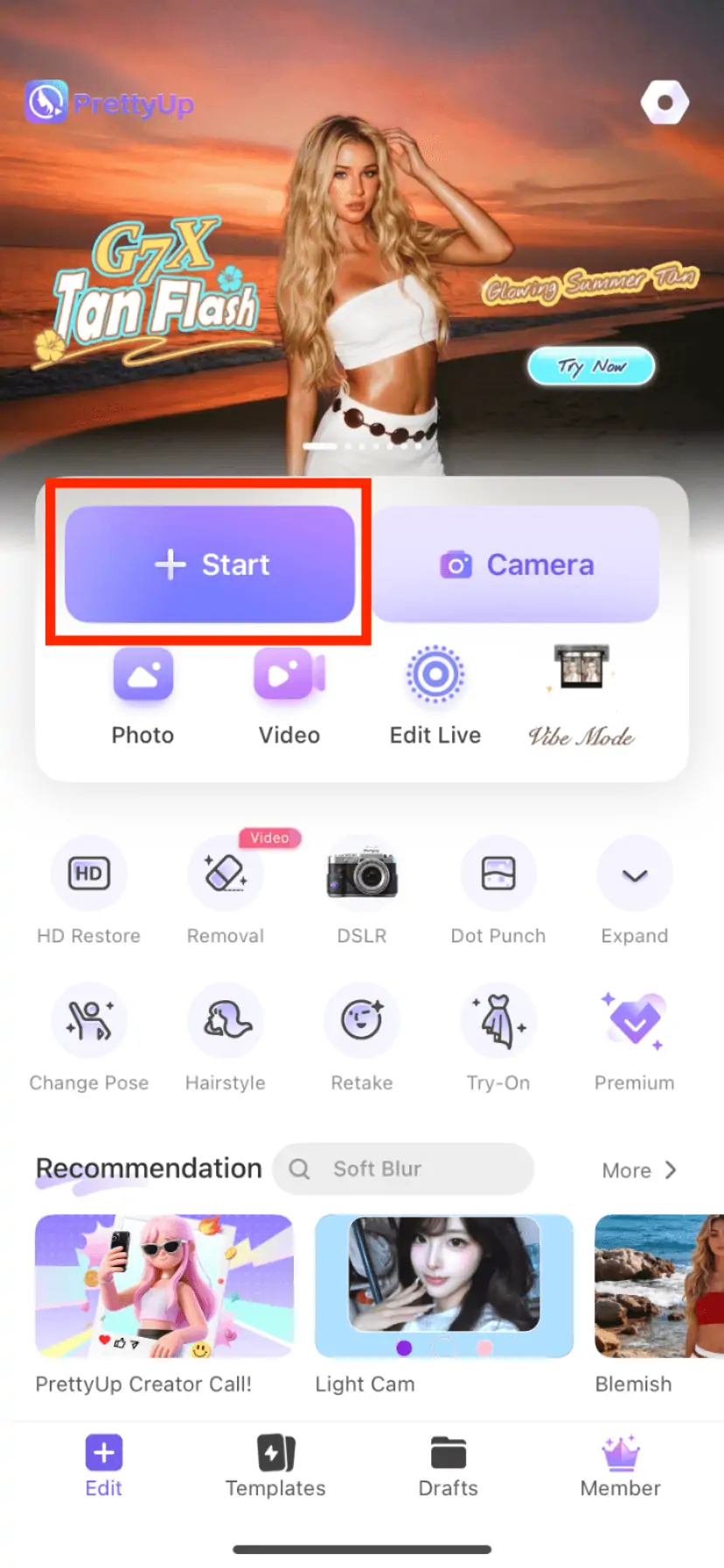
Step 1: Choose a photo
Open PrettyUp and select the photo you want to enhance with AI Beauty.
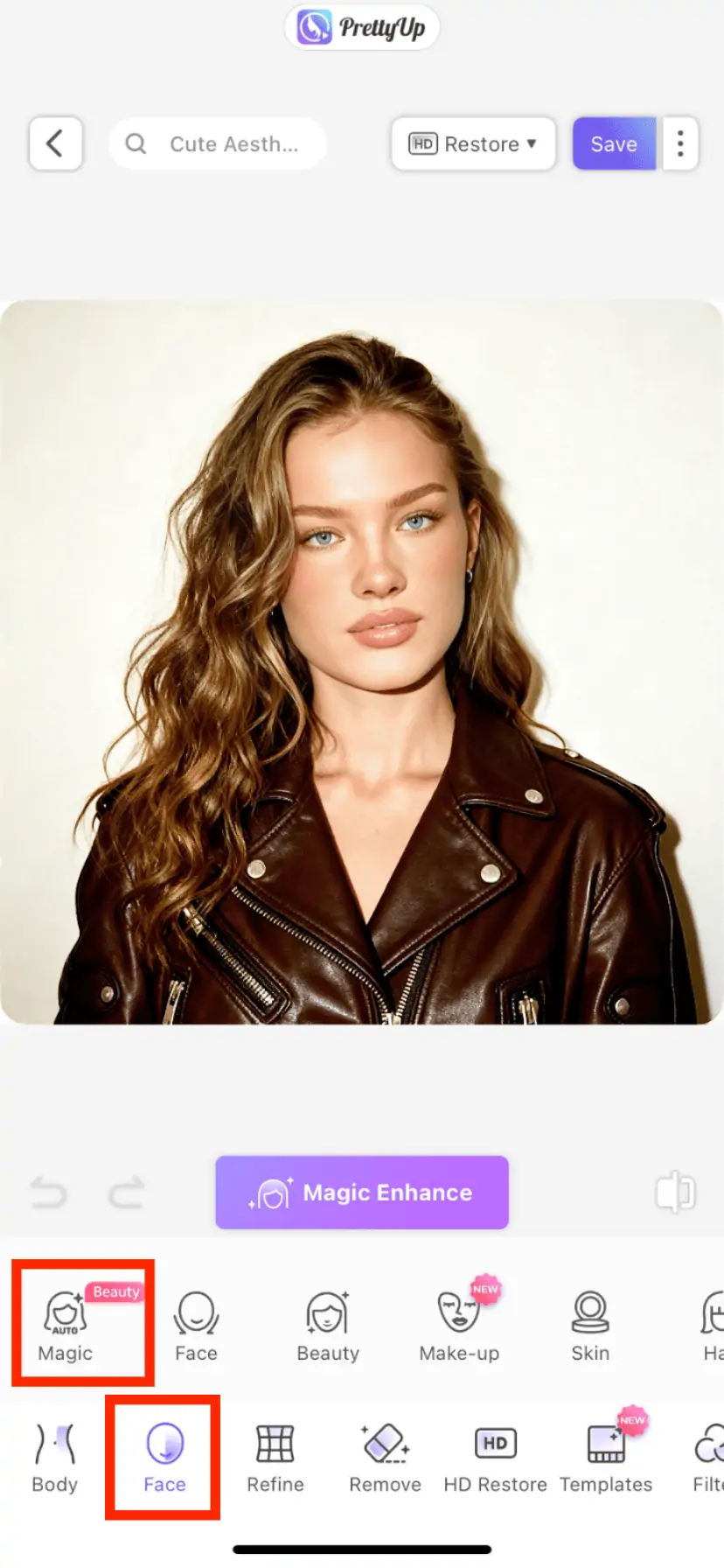
Step 2: Open the AI Beauty feature
Find the Face module in the bottom toolbar. Tap it, then go to One-Tap Beautify and choose the AI Beauty option.
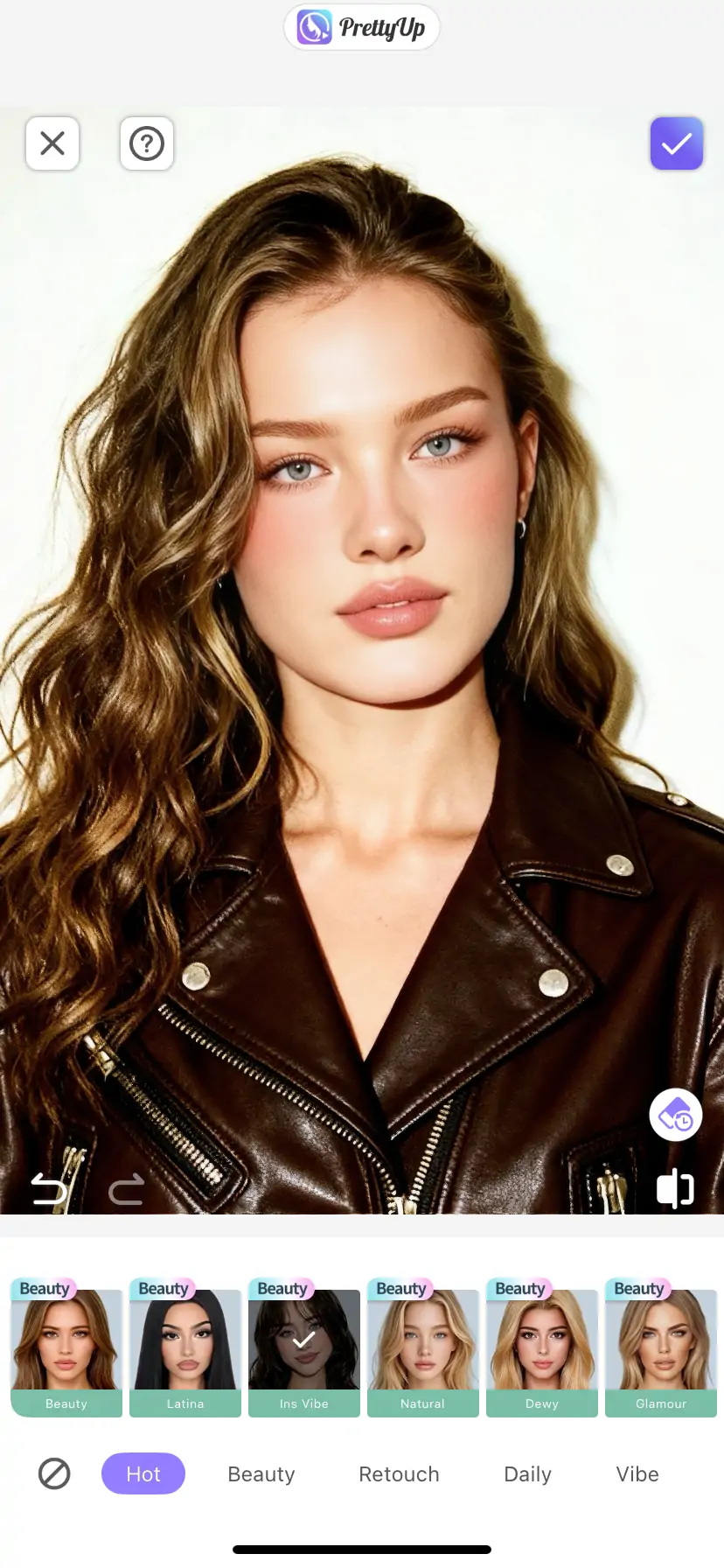
Step 3: Choose a preset style
In the AI Beauty panel, browse the preset list first and pick the style you like, such as natural, young, or Radiant. The selected preset will be used as the base for the AI-generated effect.
Step 4: Generate with AI in one tap
After choosing a preset, tap the One-Tap Generate button and AI will automatically complete the beauty retouching. The process only takes a few seconds, and you can preview the result right away.
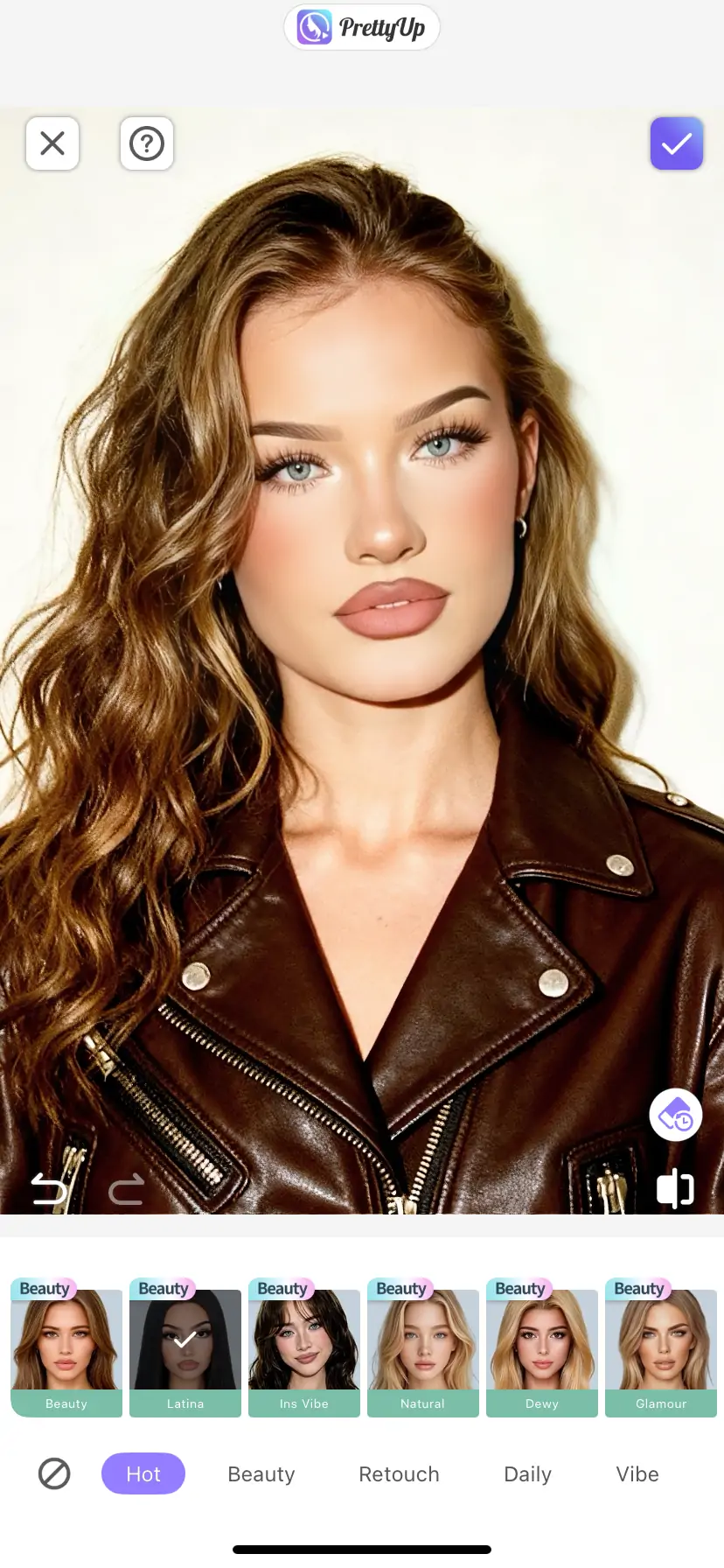
Step 5: Confirm and export
Once you are satisfied, tap Confirm or Apply to save the changes, then export your final result.
More Tips
Tip 1: Choose presets based on the photo type. Everyday photos taken in natural light work well with the natural preset because it keeps the original skin texture. If you want a lively glow for parties or social occasions, try the Radiant preset for a rosier complexion. If you want a more youthful effect, the young preset is a great option.
Tip 2: Do not push the intensity too high. Start with the AI Beauty intensity slider around the middle and adjust it gradually. If the intensity is too strong, the skin may lose its realistic texture. Keeping a little natural skin texture often looks more authentic and more beautiful. The key principle is simple: your photo should still look like you, just in a better state.
Tip 3: Pair it with other PrettyUp features. AI Beauty works especially well together with the 3D Lighting feature. Use AI Beauty first to improve skin texture and complexion, then add 3D Lighting to create more dimensional light and shadow on the face, making the whole portrait look more complete and polished.
Conclusion
AI Beauty makes getting a radiant look in one tap more than just an idea. Whether you prefer the natural refinement of natural, the youthful energy of young, or the clear rosy glow of Radiant, you can get the beauty result you want in just a few seconds.
The next time you take photos, you do not have to worry about how your skin looks. Open PrettyUp, use AI Beauty in one tap, and let the version of you in the photo look just as confident and beautiful as you do in real life.